
starstreak_ - Minecraft Skins & Skin History
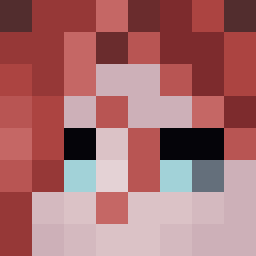
Current Minecraft skin of the player starstreak_, loaded from the official Mojang API. Rotate the 3D model with your mouse or finger, then download the skin as a PNG file and use it in Minecraft: Bedrock Edition or Java Edition for free. When starstreak_ changes their skin, this page updates automatically and the old skin stays in the history below.

Other players with this skin (481)
starstreak_ was the 96th player we have seen with this skin, first spotted on 18.08.2026. The same skin was seen on these players. Open a nickname to see their current skin and skin history.
 jimbobjoe132 djukimali
 D3m0nly Leopard1 ginihoony boseong0603
 Souuuuuuuuuuuuuu Something0r0ther aogkk die54188 Seolbeam_S _Imptodec Gammattor Sobrachka DreSeK 0kcy WillfulPlague69 OldSurji MrLogan18 ritm4s HexHecks kevinlikemc huvb natsphatass2413 Sand_Boxes IAmWhiteGuy Exrg_ c3_2 SvenV4 FidgetBlade GlowingSabre theplayer9502 Lin_Kong Cake_23 ContaDESATIVADA Jax_ey7 mxdosa sightQl RPG_3105 hir2343 _asilver sweet0652 Infect1on BaysideKhan6572 navgggg Free2PlayRiyoja R_PAPER _Rayan__ TashyLad SteveBuscemi007 Skopzy FallPlayer wHITE319 sri614 FanaticOrc_ jh3344 Chibraxnofap ToxiicTed Ataraxki LilMoofin
How to install the starstreak_ skin
- Press the Download button above to save the skin as a PNG file.
- Minecraft: Bedrock Edition (PE): open the Dressing Room from the main menu (or tap your character → Edit Character), go to Classic Skins → Owned, press the + (new skin) button, choose the downloaded PNG and pick the Classic (Steve) model. Works on PC and mobile; consoles cannot import custom skins.
- Minecraft: Java Edition: open the Minecraft Launcher, go to the Skins tab, click New Skin, load the PNG, pick the Classic (Steve) model and press Save & Use. You can also upload it at minecraft.net → Profile → Change Skin.
The skin does not show up after import - what should I do?
Restart Minecraft and open the Dressing Room again - imported skins sometimes appear only after a restart. Also make sure you selected the imported skin and picked the Classic (Steve) model.
Which model should I choose, Classic or Slim?
This skin is designed for the Classic (Steve) model. If you pick the wrong model, the arms of the skin will look stretched or squeezed.
Is the skin of starstreak_ free to download?
Yes. Press Download, save the PNG file and use it in Minecraft: Bedrock Edition or Java Edition - no payment or registration needed. The skin also works on multiplayer servers and Realms.
More skins
Looking for more? Go back to all Minecraft skins and check the top skins of the week, month and all time, or find any player's skin by nickname.