
starshopping2107 - Minecraft Skins & Skin History
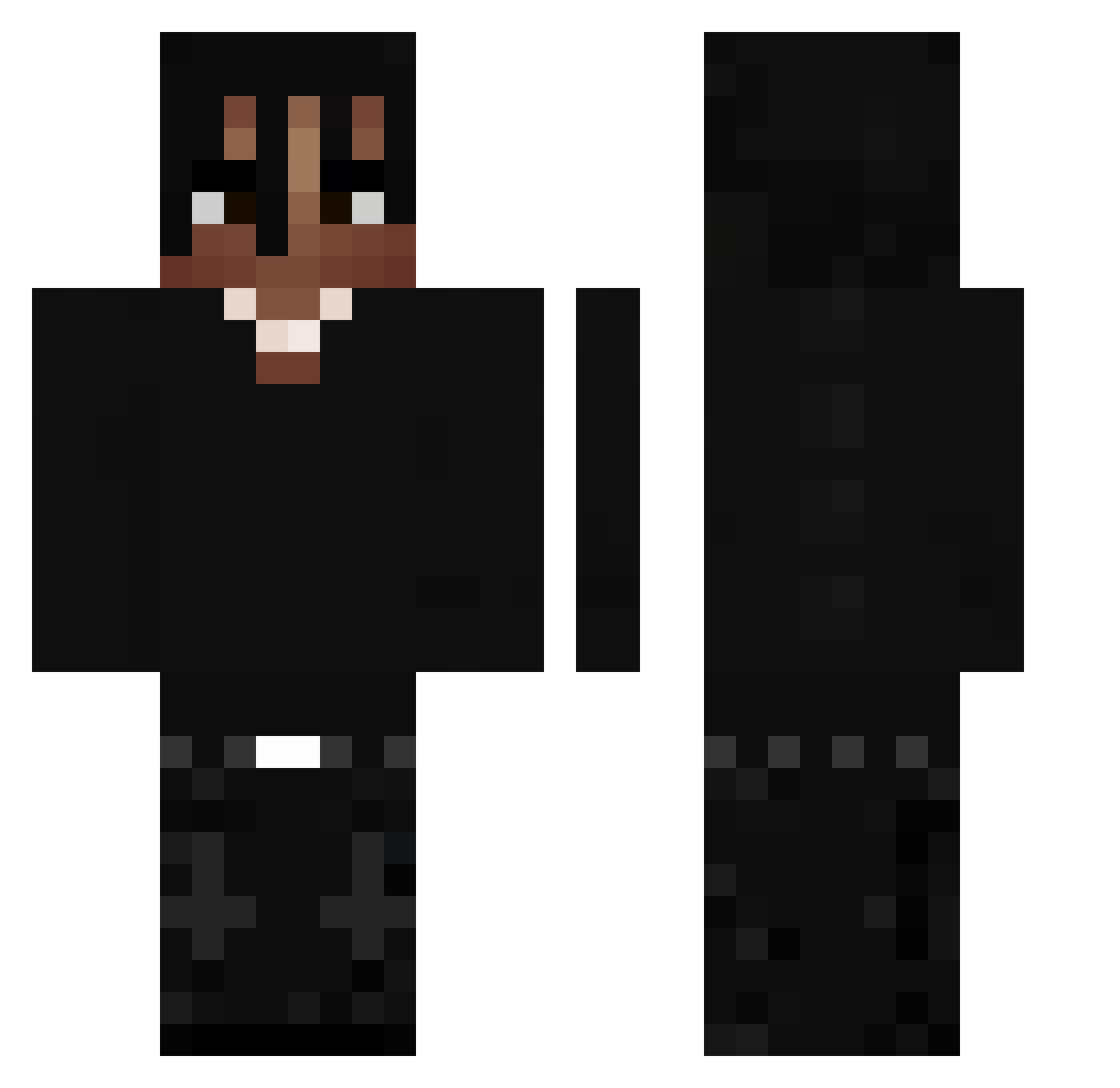
Current Minecraft skin of the player starshopping2107, loaded from the official Mojang API. Rotate the 3D model with your mouse or finger, then download the skin as a PNG file and use it in Minecraft: Bedrock Edition or Java Edition for free. When starshopping2107 changes their skin, this page updates automatically and the old skin stays in the history below.
Other players with this skin (397)
starshopping2107 was the 328th player we have seen with this skin, first spotted on 07.10.2026. The same skin was seen on these players. Open a nickname to see their current skin and skin history.
 Conflictd adriplay1205 _Haerin itsrealtony 30y Dark_Shaddow_ WEL0Z selliterka Ciast3kkk RebornBrake2579 Spazo2 u5gguhSF minionfan2013 Xukku FRXLewN EPM_Tilin89 PLAYBOIJINHO SadMite6225 DenfexN Lzk4x StrautiLP Brad122 Petkooo7 Ghoth4m k0te_7 Huricaan mastu06 Damian2602 cartigng TSN7 ozi1as ksawix1910 _K3lly anstap Morrkk Fortnitefan66 168wkss__ YASSINELHASKOURI ALEXBBYPOO 100Rzymski im1b xkru R4vz YSLeXile TravisScottius The_rtys JUNIORPCX0012 TheBouldercrest Alexkid0413 IFakelizz Moreiraz7 xseba05 piotullooo a1slan Syrax02 Vexiu_ Egeeq zezulol Nixi3456 XsetHavic
More Dreadlocks Minecraft skins
How to install the starshopping2107 skin
- Press the Download button above to save the skin as a PNG file.
- Minecraft: Bedrock Edition (PE): open the Dressing Room from the main menu (or tap your character → Edit Character), go to Classic Skins → Owned, press the + (new skin) button, choose the downloaded PNG and pick the Classic (Steve) model. Works on PC and mobile; consoles cannot import custom skins.
- Minecraft: Java Edition: open the Minecraft Launcher, go to the Skins tab, click New Skin, load the PNG, pick the Classic (Steve) model and press Save & Use. You can also upload it at minecraft.net → Profile → Change Skin.
The skin does not show up after import - what should I do?
Restart Minecraft and open the Dressing Room again - imported skins sometimes appear only after a restart. Also make sure you selected the imported skin and picked the Classic (Steve) model.
Which model should I choose, Classic or Slim?
This skin is designed for the Classic (Steve) model. If you pick the wrong model, the arms of the skin will look stretched or squeezed.
Is the skin of starshopping2107 free to download?
Yes. Press Download, save the PNG file and use it in Minecraft: Bedrock Edition or Java Edition - no payment or registration needed. The skin also works on multiplayer servers and Realms.
More skins
Looking for more? Go back to all Minecraft skins and check the top skins of the week, month and all time, or find any player's skin by nickname.