
sszymixx - Minecraft Skins & Skin History
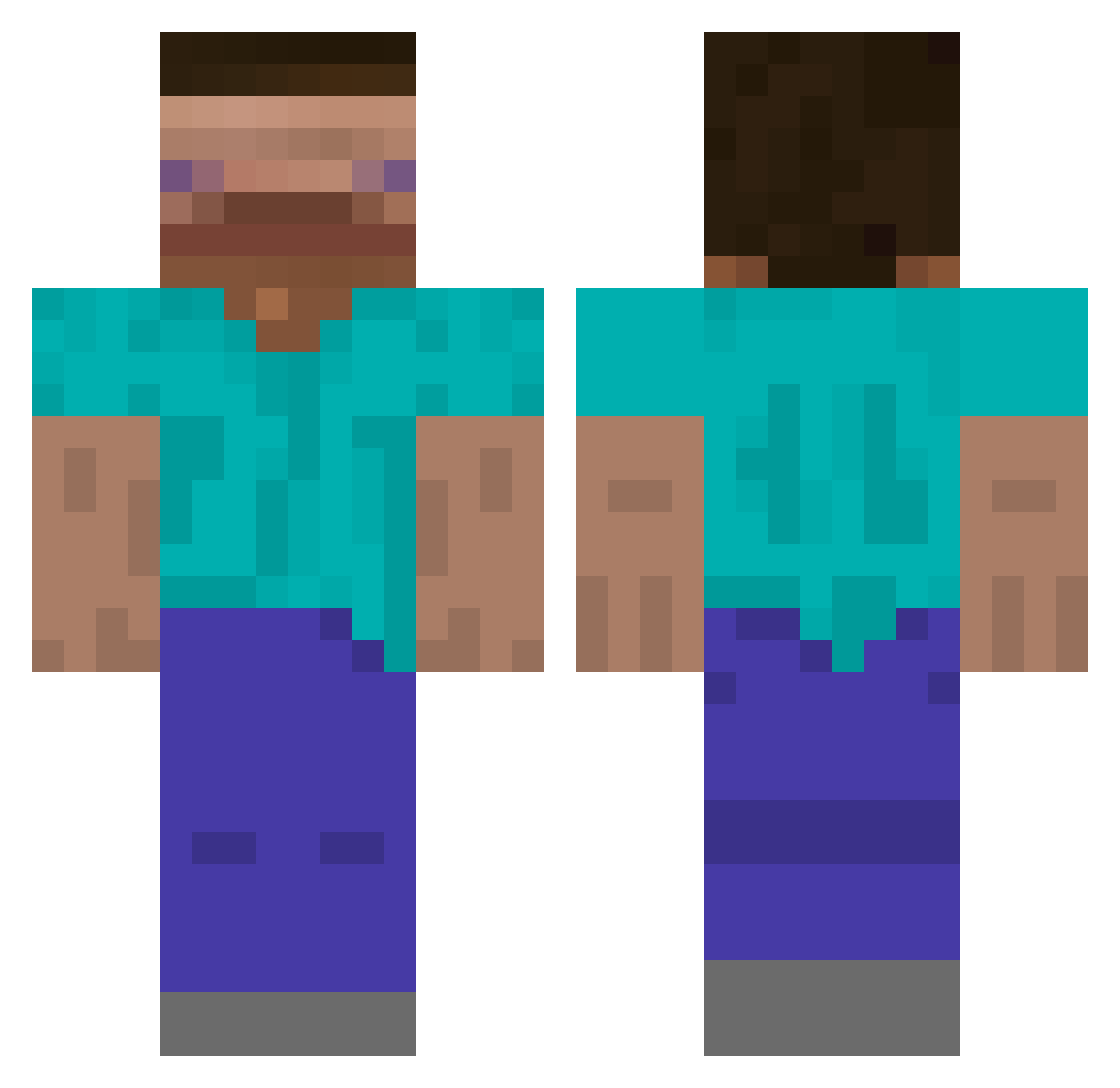
Current Minecraft skin of the player sszymixx, loaded from the official Mojang API. Rotate the 3D model with your mouse or finger, then download the skin as a PNG file and use it in Minecraft: Bedrock Edition or Java Edition for free. When sszymixx changes their skin, this page updates automatically and the old skin stays in the history below.
Other players with this skin (542)
sszymixx was the 363rd player we have seen with this skin, first spotted on 25.09.2026. The same skin was seen on these players. Open a nickname to see their current skin and skin history.
 i_died_lol Yanagida1011 bassist09 yngoona67 Rikold sauerklee ceedub7 Le_Hugasho7u7 Phfam German_Gurke123 mlendi Hayman_MK7 EZZYE38 iLinda Dominos331 _Skitt_ ouai HusTy0 XoNEONoX MilkSnitten Northernsquid469 Memoriapan kawaisangchoo Shad0wPlays adobros HIS0503 ELOoOJ jinho832 Balik16 VilgotTheGamer MuhannadV Sirbillyalot CryMeARiverGhast METHEDUPBIDEN toastedez araagon Ezelo07 MonaCo_007 ajb1208 _GoldenLord_ Pebernut dkalto Tr4sh_Pl4yer HOSH3K smke1234 Marti110 Dnoce HomerSims Jorenslo muxxr Nobody2333 dgodeegz Czworokat Zhi_A_Goat SWAGAPIN0_ _ChunFeng_ Sangmin0714 Cize6057 White_DongHyeon N1coleto
How to install the sszymixx skin
- Press the Download button above to save the skin as a PNG file.
- Minecraft: Bedrock Edition (PE): open the Dressing Room from the main menu (or tap your character → Edit Character), go to Classic Skins → Owned, press the + (new skin) button, choose the downloaded PNG and pick the Classic (Steve) model. Works on PC and mobile; consoles cannot import custom skins.
- Minecraft: Java Edition: open the Minecraft Launcher, go to the Skins tab, click New Skin, load the PNG, pick the Classic (Steve) model and press Save & Use. You can also upload it at minecraft.net → Profile → Change Skin.
The skin does not show up after import - what should I do?
Restart Minecraft and open the Dressing Room again - imported skins sometimes appear only after a restart. Also make sure you selected the imported skin and picked the Classic (Steve) model.
Which model should I choose, Classic or Slim?
This skin is designed for the Classic (Steve) model. If you pick the wrong model, the arms of the skin will look stretched or squeezed.
Is the skin of sszymixx free to download?
Yes. Press Download, save the PNG file and use it in Minecraft: Bedrock Edition or Java Edition - no payment or registration needed. The skin also works on multiplayer servers and Realms.
More skins
Looking for more? Go back to all Minecraft skins and check the top skins of the week, month and all time, or find any player's skin by nickname.