
sssssssyongha - Minecraft Skins & Skin History
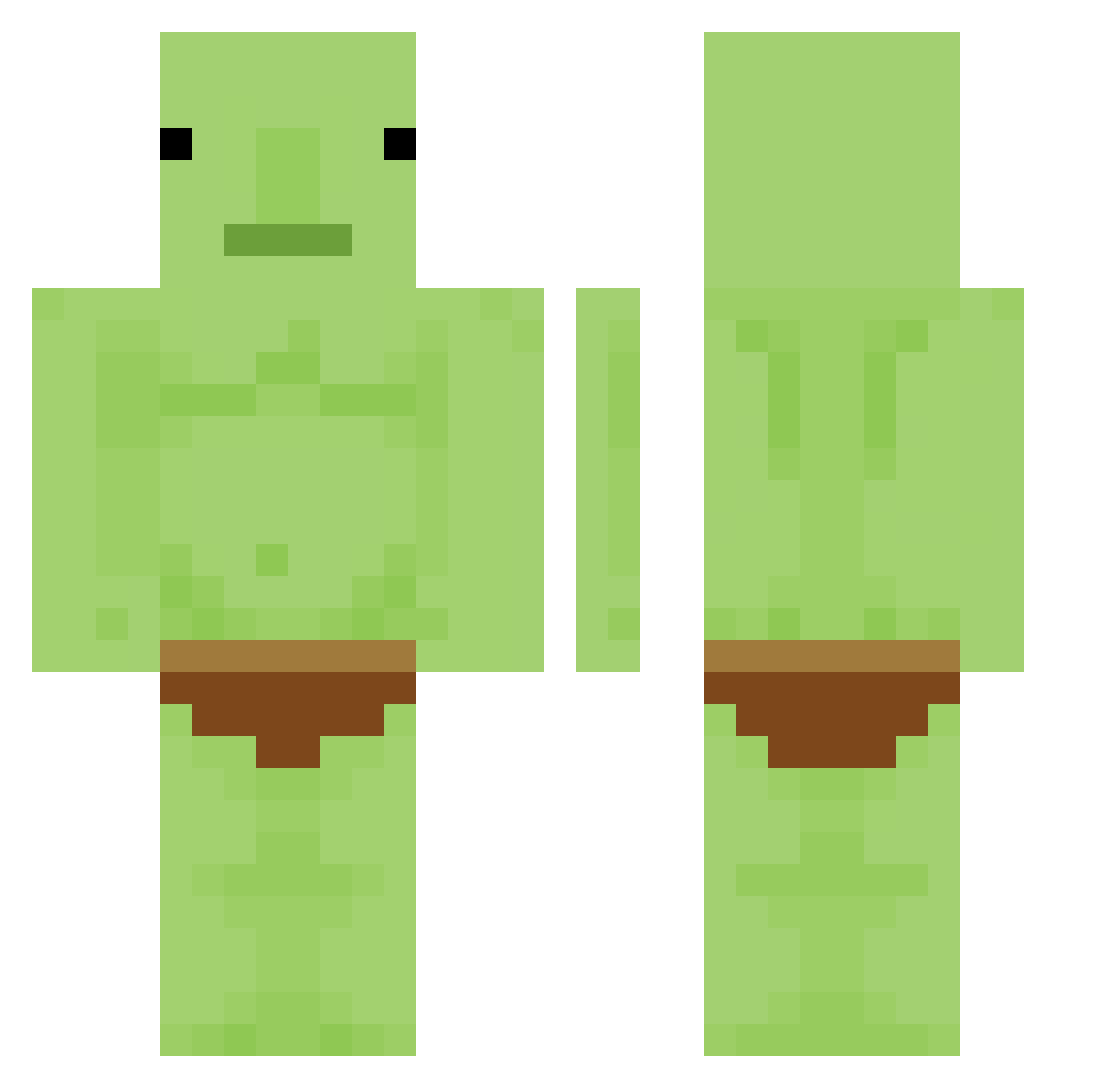
Current Minecraft skin of the player sssssssyongha, loaded from the official Mojang API. Rotate the 3D model with your mouse or finger, then download the skin as a PNG file and use it in Minecraft: Bedrock Edition or Java Edition for free. When sssssssyongha changes their skin, this page updates automatically and the old skin stays in the history below.
Other players with this skin (336)
sssssssyongha was the 286th player we have seen with this skin, first spotted on 21.10.2026. The same skin was seen on these players. Open a nickname to see their current skin and skin history.
 MonkeMark mhmd_gx hyeonbin089 YouLost2 niklascuteboy Cflack tpkic GorgAmGrill JONEtheBOSS japjookki kmg_br srickles Benjii3119 JJangseok08 Crispy_Alen RealmGoblin DanTheAckerman xPaul1610 FlipbanZ walxsse BananaEater235 BILBAL1 Lollipop_GGXIX xBeastPlayz_ jpluz money_maker4569 Aquila042 SoggyToe8700 borannoran Fruity_Boba_ jackio30 Cane303 IKUN102 Slothahontas yadadsbf sirlapis JimeeDum maybepinkish MVP_Cat__ ImSoGinger5 FlapMust LEXDID 1RedSkittle SosijSOS Hainter Warrlocke PATEAABUELAS5000 songsaliy NovusFool Wooodja ActiveVegan NOT_MARES Aoi194 Turb0anT DannyMuncher Dragon_OO0 matteodubeisst SpicyCurry42 _beanz_z sleepy_giov
More Blobfish Minecraft skins
How to install the sssssssyongha skin
- Press the Download button above to save the skin as a PNG file.
- Minecraft: Bedrock Edition (PE): open the Dressing Room from the main menu (or tap your character → Edit Character), go to Classic Skins → Owned, press the + (new skin) button, choose the downloaded PNG and pick the Classic (Steve) model. Works on PC and mobile; consoles cannot import custom skins.
- Minecraft: Java Edition: open the Minecraft Launcher, go to the Skins tab, click New Skin, load the PNG, pick the Classic (Steve) model and press Save & Use. You can also upload it at minecraft.net → Profile → Change Skin.
The skin does not show up after import - what should I do?
Restart Minecraft and open the Dressing Room again - imported skins sometimes appear only after a restart. Also make sure you selected the imported skin and picked the Classic (Steve) model.
Which model should I choose, Classic or Slim?
This skin is designed for the Classic (Steve) model. If you pick the wrong model, the arms of the skin will look stretched or squeezed.
Is the skin of sssssssyongha free to download?
Yes. Press Download, save the PNG file and use it in Minecraft: Bedrock Edition or Java Edition - no payment or registration needed. The skin also works on multiplayer servers and Realms.
More skins
Looking for more? Go back to all Minecraft skins and check the top skins of the week, month and all time, or find any player's skin by nickname.