
sssiak - Minecraft Skins & Skin History
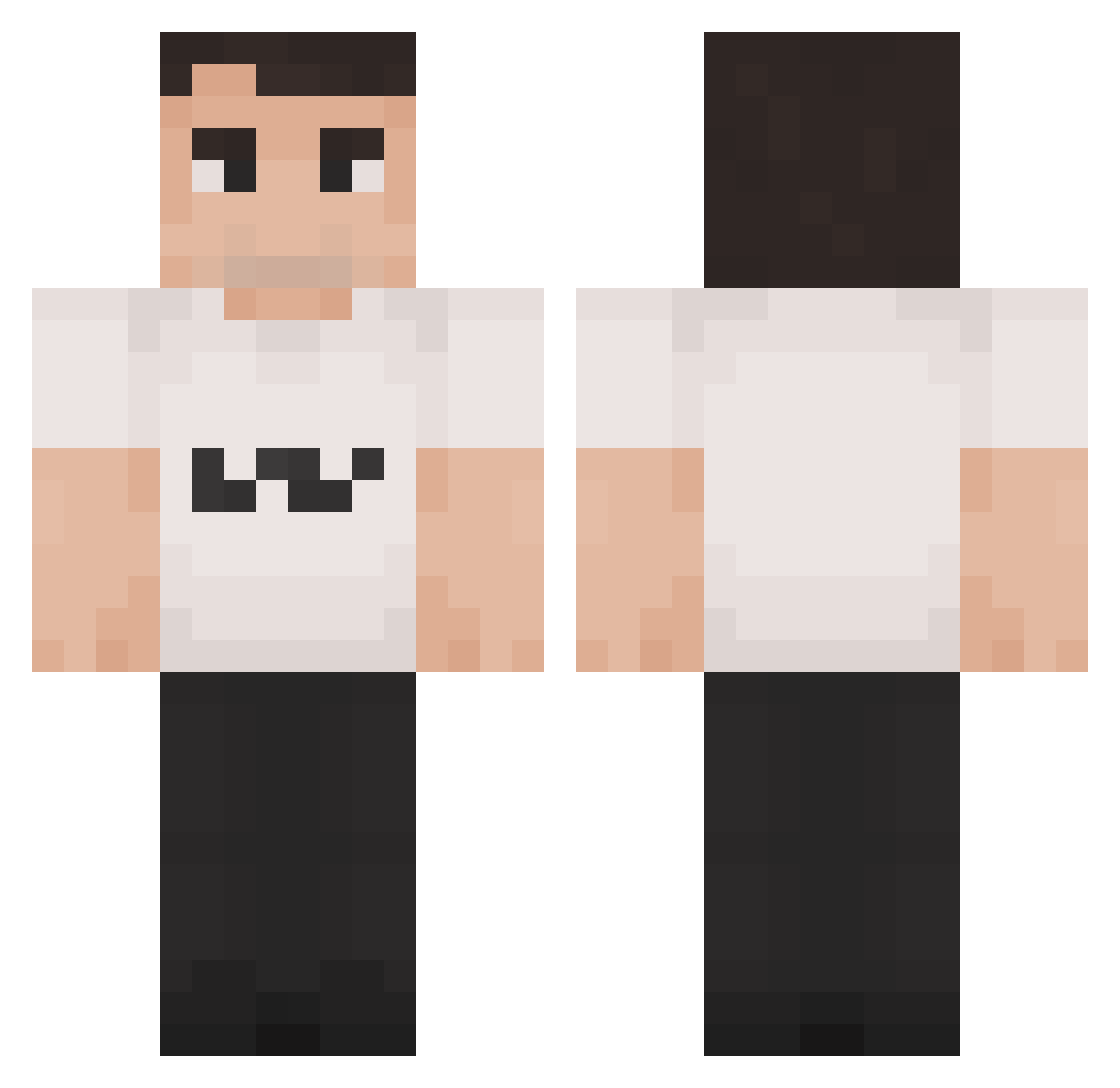
Current Minecraft skin of the player sssiak, loaded from the official Mojang API. Rotate the 3D model with your mouse or finger, then download the skin as a PNG file and use it in Minecraft: Bedrock Edition or Java Edition for free. When sssiak changes their skin, this page updates automatically and the old skin stays in the history below.
Other players with this skin (146)
sssiak was the 116th player we have seen with this skin, first spotted on 26.10.2026. The same skin was seen on these players. Open a nickname to see their current skin and skin history.
 SuperWojtala CursedTophat Faded_Gh0st aeiroflo anonomos5867 MrSpyrus Srubson_ uwuquak Neo_Two ChansTheSh4gg3r AndiSuedfront SenseiWok ktr77 gewoon_Emil GuilleyRod Leopold2336 Markmyway Jabalster Denied60 Makablu VL2X4 yanbr1 GusFringGaming18 Hautna PeeHeff MinatoofPhoenix shoebob Kisielman Berryboy075 HEXABOM Zyrrox32 solusv_ vamp_yre Xyon_heh ANT_28 DrMcLovinyou BLU_TARDLE ZabujczaMewa slippydipp SuperDuck9914 femboybu55yl0ver AngelRauda precxxz Matrix134PL witimai Chirpsss nihitler XabdullahX12 Cheris11 Llastlyy c3ci JQV__ rewtyui2000 FaTaLAuxtie Overdone_Bread Raygun__24k Malone78 delfinoesplosivo THELESBEAN Caluminous64
How to install the sssiak skin
- Press the Download button above to save the skin as a PNG file.
- Minecraft: Bedrock Edition (PE): open the Dressing Room from the main menu (or tap your character → Edit Character), go to Classic Skins → Owned, press the + (new skin) button, choose the downloaded PNG and pick the Classic (Steve) model. Works on PC and mobile; consoles cannot import custom skins.
- Minecraft: Java Edition: open the Minecraft Launcher, go to the Skins tab, click New Skin, load the PNG, pick the Classic (Steve) model and press Save & Use. You can also upload it at minecraft.net → Profile → Change Skin.
The skin does not show up after import - what should I do?
Restart Minecraft and open the Dressing Room again - imported skins sometimes appear only after a restart. Also make sure you selected the imported skin and picked the Classic (Steve) model.
Which model should I choose, Classic or Slim?
This skin is designed for the Classic (Steve) model. If you pick the wrong model, the arms of the skin will look stretched or squeezed.
Is the skin of sssiak free to download?
Yes. Press Download, save the PNG file and use it in Minecraft: Bedrock Edition or Java Edition - no payment or registration needed. The skin also works on multiplayer servers and Realms.
More skins
Looking for more? Go back to all Minecraft skins and check the top skins of the week, month and all time, or find any player's skin by nickname.