
ssshuo - Minecraft Skins & Skin History
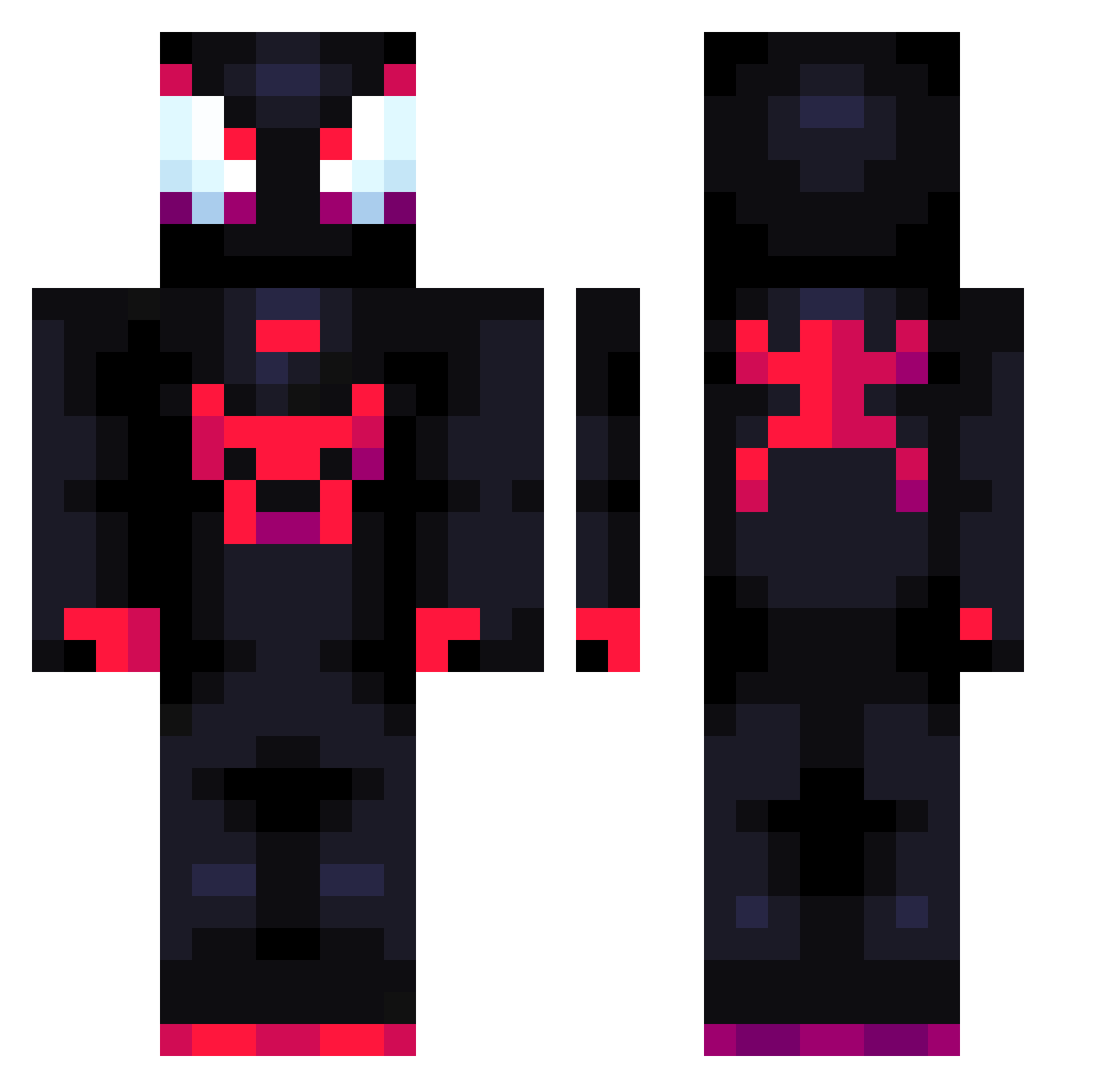
Current Minecraft skin of the player ssshuo, loaded from the official Mojang API. Rotate the 3D model with your mouse or finger, then download the skin as a PNG file and use it in Minecraft: Bedrock Edition or Java Edition for free. When ssshuo changes their skin, this page updates automatically and the old skin stays in the history below.
Other players with this skin (796)
ssshuo was the 526th player we have seen with this skin, first spotted on 01.10.2026. The same skin was seen on these players. Open a nickname to see their current skin and skin history.
 SearArcher SergioPtoAno foxyboo950 GTRK gun_woo729 TheLatinMexican Marcellus122 AshbornLive BUZdede im_Maikeru kokopuffz2 Mafia2A PeterQiuKaixin DarkSied31 Pinkle99 ProFury27 MrThiing Jareeesito sakunoh_Yvxsj0 zBolinho Stylelol Beyin_Bedava DaSkibidiToilet _Toniio tsonsow ANBU_DARK Ossixe wandremark rudvss99 SeiMoon Lymercenary squila69_ Pablanzas Sebls Fili_Oggia12 MatiGonzalez05 Spektterr slqt RZDWes Ayyw william7o BedirhanOzturk Domin1c26 Rogo346 Mikejeffer KoutaYN Jankou_G kimhyungwoo5436 Selder23 DiegoOtz vini_real SpideyFella Mini_cookies Logdessine1 MeInThisWorld nacholore jhzz_ NeoTurino Graever Imbek01
More Miles Morales Minecraft skins
See all 256 Miles Morales skins
How to install the ssshuo skin
- Press the Download button above to save the skin as a PNG file.
- Minecraft: Bedrock Edition (PE): open the Dressing Room from the main menu (or tap your character → Edit Character), go to Classic Skins → Owned, press the + (new skin) button, choose the downloaded PNG and pick the Classic (Steve) model. Works on PC and mobile; consoles cannot import custom skins.
- Minecraft: Java Edition: open the Minecraft Launcher, go to the Skins tab, click New Skin, load the PNG, pick the Classic (Steve) model and press Save & Use. You can also upload it at minecraft.net → Profile → Change Skin.
The skin does not show up after import - what should I do?
Restart Minecraft and open the Dressing Room again - imported skins sometimes appear only after a restart. Also make sure you selected the imported skin and picked the Classic (Steve) model.
Which model should I choose, Classic or Slim?
This skin is designed for the Classic (Steve) model. If you pick the wrong model, the arms of the skin will look stretched or squeezed.
Is the skin of ssshuo free to download?
Yes. Press Download, save the PNG file and use it in Minecraft: Bedrock Edition or Java Edition - no payment or registration needed. The skin also works on multiplayer servers and Realms.
More skins
Looking for more? Go back to all Minecraft skins and check the top skins of the week, month and all time, or find any player's skin by nickname.