
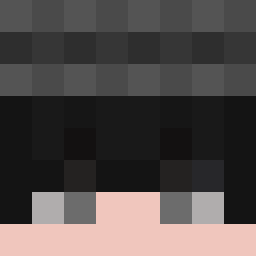
Current Minecraft skin of the player srkisrle123, loaded from the official Mojang API. Rotate the 3D model with your mouse or finger, then download the skin as a PNG file and use it in Minecraft: Bedrock Edition or Java Edition for free. When srkisrle123 changes their skin, this page updates automatically and the old skin stays in the history below.

Other players with this skin (3809)
srkisrle123 was the 206th player we have seen with this skin, first spotted on 28.07.2026. The same skin was seen on these players. Open a nickname to see their current skin and skin history.
 ImWispy nothinggood ilovethatduck pajamaed
 bimbolonezz nikhil_2000 xParis_69 tomassanhueza_ gilhwan2 Kosaaaa Smile_King2007 CrankVII Kovast Trichion yungsens Baros75 vssqace uwumartin adampasha Ilovepie212 Gamakay logzilla15 Danico26 Magical_Apple BaldSheep Mika_is_Santa akenny430 daddyseok Tyusnz TheSkeI YouIag Developes LPanic Forecastle Nike0 Jason_X03 Kanrojii naaeeL captTSUBASA rumnikub fronkxy kzshdbhisdbhfsas ViinLaPiin Nitwit Phillly _1_2_3_4_5_6_7_8 Raymond abramplaygames HabeKeinKoks Bryanman3320 Tri_Angle ivansumkuku vihavano F0ggE JinxedCake Dispatchers CacorroEvilCOL magusrp JKANx Egis
How to install the srkisrle123 skin
- Press the Download button above to save the skin as a PNG file.
- Minecraft: Bedrock Edition (PE): open the Dressing Room from the main menu (or tap your character → Edit Character), go to Classic Skins → Owned, press the + (new skin) button, choose the downloaded PNG and pick the Classic (Steve) model. Works on PC and mobile; consoles cannot import custom skins.
- Minecraft: Java Edition: open the Minecraft Launcher, go to the Skins tab, click New Skin, load the PNG, pick the Classic (Steve) model and press Save & Use. You can also upload it at minecraft.net → Profile → Change Skin.
The skin does not show up after import - what should I do?
Restart Minecraft and open the Dressing Room again - imported skins sometimes appear only after a restart. Also make sure you selected the imported skin and picked the Classic (Steve) model.
Which model should I choose, Classic or Slim?
This skin is designed for the Classic (Steve) model. If you pick the wrong model, the arms of the skin will look stretched or squeezed.
Is the skin of srkisrle123 free to download?
Yes. Press Download, save the PNG file and use it in Minecraft: Bedrock Edition or Java Edition - no payment or registration needed. The skin also works on multiplayer servers and Realms.
More skins
Looking for more? Go back to all Minecraft skins and check the top skins of the week, month and all time, or find any player's skin by nickname.