
sprosh - Minecraft Skins & Skin History
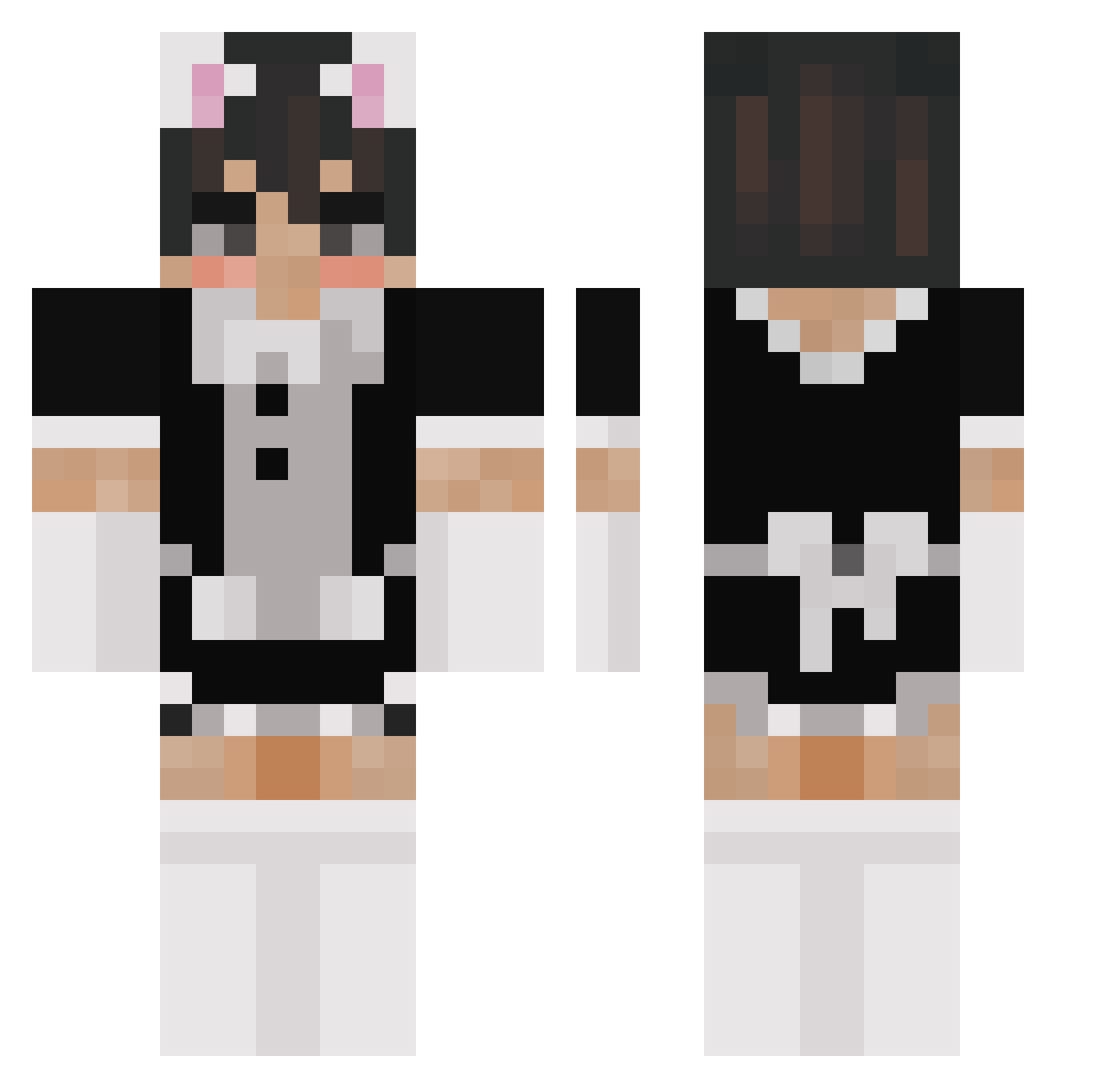
Current Minecraft skin of the player sprosh, loaded from the official Mojang API. Rotate the 3D model with your mouse or finger, then download the skin as a PNG file and use it in Minecraft: Bedrock Edition or Java Edition for free. When sprosh changes their skin, this page updates automatically and the old skin stays in the history below.
Other players with this skin (183)
sprosh was the 148th player we have seen with this skin, first spotted on 16.10.2026. The same skin was seen on these players. Open a nickname to see their current skin and skin history.
 CertainGrain963 tbhAndre katp1ss42069 DaddyCrammp CDRLM Skarletfever TikTokIsGay 2Yosh NotMinh6969 isupportGayPeopl skyhighflyby hoixw JuraFun kramber268 clebbbbb exploringant jk930 PauhecLP arabfani0 xoxomichal Or1m0s PxssyCat vasekhudak1337 Maffroo T_M0ney666 junoes lovey_ia Idluk Lightey02 SSpacja Oggabogga_bug theakrocha WlNX Treksinks kiwiteef DocAthelos bekfas420 SUS860 HanaKurusu Solo_Orm KeyboardFox28 BubbleMaster37 rosecorone Z0A Sakura_254 LucaR07 Cyanocide Mathyllein lilyoshii_ grandpapi_jake pjziela oncomingfish DreamwalkerSL shigeta1223 TheBenne Runo76 Yammers1118 Nussknaacker Sh1kyo Sixchalice
More Femboy Minecraft skins
How to install the sprosh skin
- Press the Download button above to save the skin as a PNG file.
- Minecraft: Bedrock Edition (PE): open the Dressing Room from the main menu (or tap your character → Edit Character), go to Classic Skins → Owned, press the + (new skin) button, choose the downloaded PNG and pick the Classic (Steve) model. Works on PC and mobile; consoles cannot import custom skins.
- Minecraft: Java Edition: open the Minecraft Launcher, go to the Skins tab, click New Skin, load the PNG, pick the Classic (Steve) model and press Save & Use. You can also upload it at minecraft.net → Profile → Change Skin.
The skin does not show up after import - what should I do?
Restart Minecraft and open the Dressing Room again - imported skins sometimes appear only after a restart. Also make sure you selected the imported skin and picked the Classic (Steve) model.
Which model should I choose, Classic or Slim?
This skin is designed for the Classic (Steve) model. If you pick the wrong model, the arms of the skin will look stretched or squeezed.
Is the skin of sprosh free to download?
Yes. Press Download, save the PNG file and use it in Minecraft: Bedrock Edition or Java Edition - no payment or registration needed. The skin also works on multiplayer servers and Realms.
More skins
Looking for more? Go back to all Minecraft skins and check the top skins of the week, month and all time, or find any player's skin by nickname.