
spookyyall - Minecraft Skins & Skin History
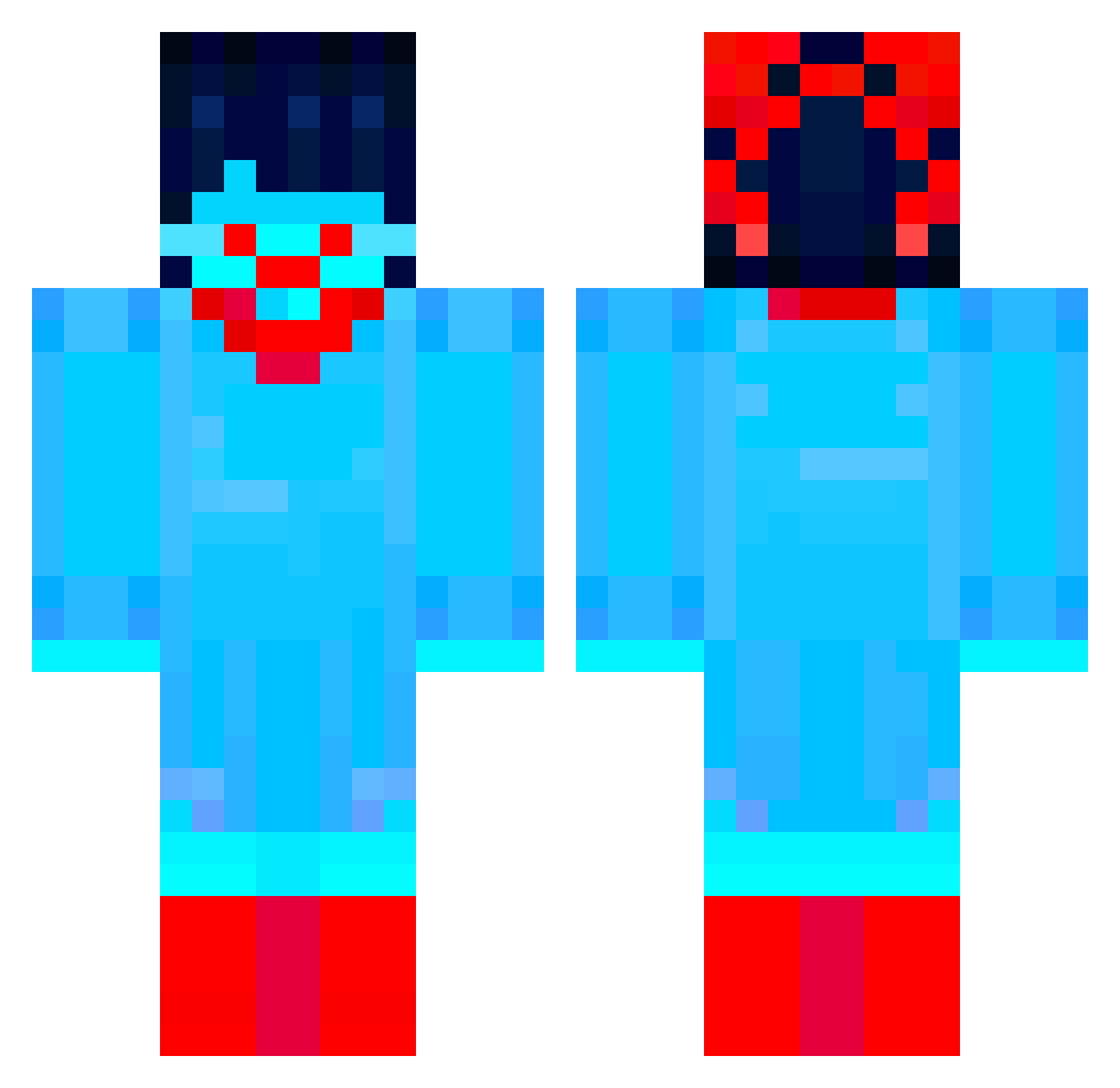
Current Minecraft skin of the player spookyyall, loaded from the official Mojang API. Rotate the 3D model with your mouse or finger, then download the skin as a PNG file and use it in Minecraft: Bedrock Edition or Java Edition for free. When spookyyall changes their skin, this page updates automatically and the old skin stays in the history below.
Other players with this skin (46)
spookyyall was the 5th player we have seen with this skin, first spotted on 02.08.2026. The same skin was seen on these players. Open a nickname to see their current skin and skin history.
 afarmer937 _MrAsher Spacedonut135 Jack_Tomato
 100percantidiot GlobalRook ashenkira Nikrowalw
 CatGoMeow000
 AlexDee_
 AmethystRune Velonfori Gozzie5
 pantofelek2137 BuildAHead Providense_JAR
 RhaegarBlackfyre
 phuwn Danonieru
 DemiTheWemi
 AutumnElla kotonene Xtornal
 Reliess aQelo _dolev_ not_therealEND AquaPatience skuvia lemonsforlife_ Aqua_1225 anangelslove Blubeetle1 _sans2 FellowMoney Ffandine V1mery alphasphyinix75 Matth_F0x ZandyMoon pokebro1837 dzobak1 EppieAdam ItzKostas MamizouRaccoon _djingo_
More Spamton Minecraft skins
How to install the spookyyall skin
- Press the Download button above to save the skin as a PNG file.
- Minecraft: Bedrock Edition (PE): open the Dressing Room from the main menu (or tap your character → Edit Character), go to Classic Skins → Owned, press the + (new skin) button, choose the downloaded PNG and pick the Classic (Steve) model. Works on PC and mobile; consoles cannot import custom skins.
- Minecraft: Java Edition: open the Minecraft Launcher, go to the Skins tab, click New Skin, load the PNG, pick the Classic (Steve) model and press Save & Use. You can also upload it at minecraft.net → Profile → Change Skin.
The skin does not show up after import - what should I do?
Restart Minecraft and open the Dressing Room again - imported skins sometimes appear only after a restart. Also make sure you selected the imported skin and picked the Classic (Steve) model.
Which model should I choose, Classic or Slim?
This skin is designed for the Classic (Steve) model. If you pick the wrong model, the arms of the skin will look stretched or squeezed.
Is the skin of spookyyall free to download?
Yes. Press Download, save the PNG file and use it in Minecraft: Bedrock Edition or Java Edition - no payment or registration needed. The skin also works on multiplayer servers and Realms.
More skins
Looking for more? Go back to all Minecraft skins and check the top skins of the week, month and all time, or find any player's skin by nickname.