
spectrum09 - Minecraft Skins & Skin History
Current Minecraft skin of the player spectrum09, loaded from the official Mojang API. Rotate the 3D model with your mouse or finger, then download the skin as a PNG file and use it in Minecraft: Bedrock Edition or Java Edition for free. When spectrum09 changes their skin, this page updates automatically and the old skin stays in the history below.
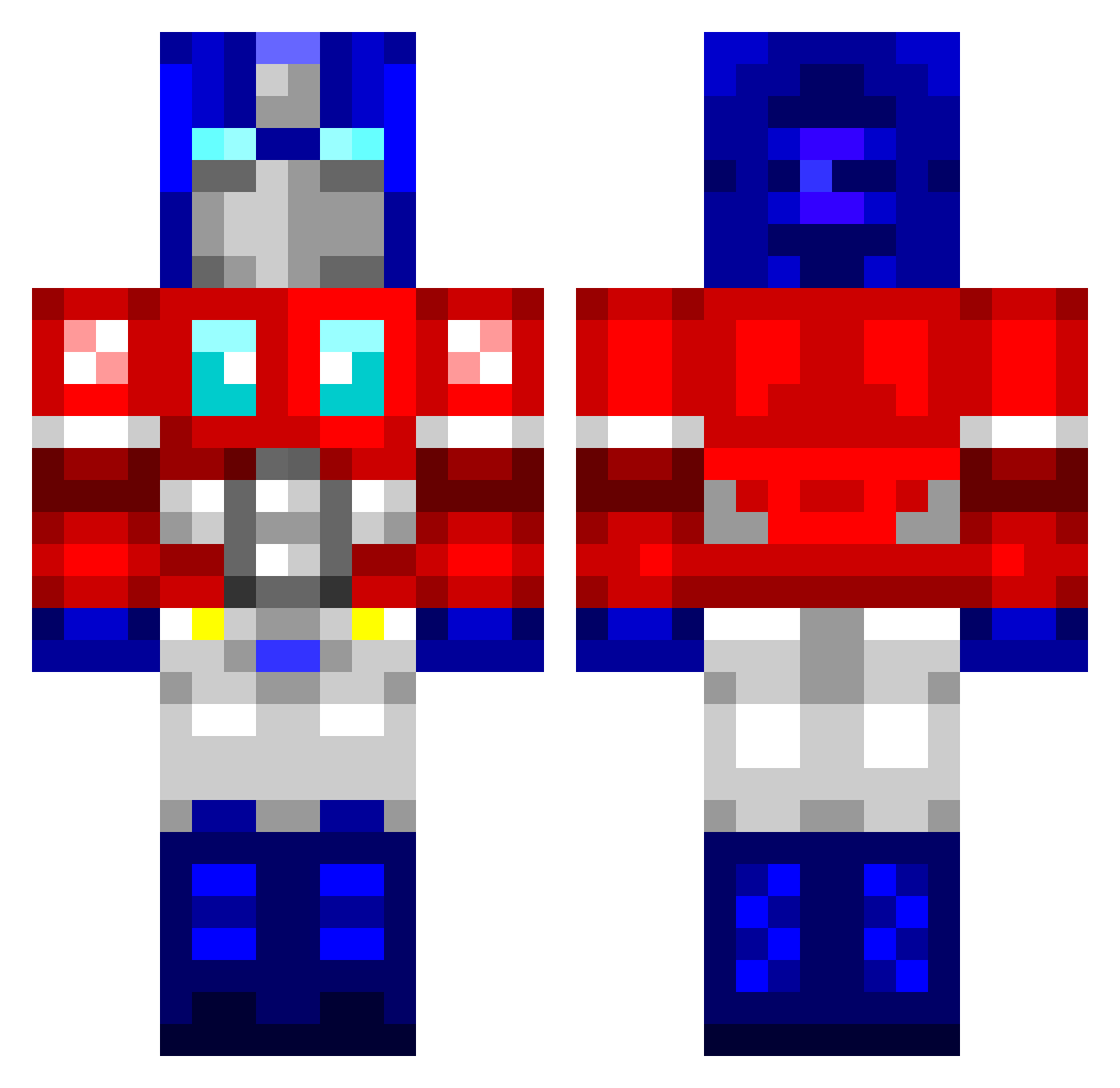
Other players with this skin (762)
spectrum09 was the 327th player we have seen with this skin, first spotted on 08.09.2026. The same skin was seen on these players. Open a nickname to see their current skin and skin history.
 DarkestPhantom24 TrentSaturn Erik_1337 shruth98 krogers1571 rnew99 Checkitout2011 purplemango23 shiftycreep 2drunk2care Efrendo hockeyforlife23 jyen26 obidin Taishen magnachronus BertimusPrime Scottistics redsox240 SonicFan7668 Skylynx829 QuartzCrafted Robert3103 sliveryuyu_feiyi Pradzz GThunder13 Sionius Zankar jasontseng Kraken0220 funkeyman5 WARDO_19 ntutleesingod SrilankanMafia zMurphee KomyTV macfine Cheeseball007 JackPinger Mr_ChoMien ICEPRIME3105 Frequence_ Kalajnikov Smell7 Deefoxy Hauwutz kitenai Shaners3 scotishgiant Transformers2609 applerocks155 neoj8604 aboldbeginning MAGSnificent mc_zee branwolf jonnywilliam NeilK96 TheLegendofLOL tyetree
More Optimus Prime Minecraft skins
See all 87 Optimus Prime skins
How to install the spectrum09 skin
- Press the Download button above to save the skin as a PNG file.
- Minecraft: Bedrock Edition (PE): open the Dressing Room from the main menu (or tap your character → Edit Character), go to Classic Skins → Owned, press the + (new skin) button, choose the downloaded PNG and pick the Classic (Steve) model. Works on PC and mobile; consoles cannot import custom skins.
- Minecraft: Java Edition: open the Minecraft Launcher, go to the Skins tab, click New Skin, load the PNG, pick the Classic (Steve) model and press Save & Use. You can also upload it at minecraft.net → Profile → Change Skin.
The skin does not show up after import - what should I do?
Restart Minecraft and open the Dressing Room again - imported skins sometimes appear only after a restart. Also make sure you selected the imported skin and picked the Classic (Steve) model.
Which model should I choose, Classic or Slim?
This skin is designed for the Classic (Steve) model. If you pick the wrong model, the arms of the skin will look stretched or squeezed.
Is the skin of spectrum09 free to download?
Yes. Press Download, save the PNG file and use it in Minecraft: Bedrock Edition or Java Edition - no payment or registration needed. The skin also works on multiplayer servers and Realms.
More skins
Looking for more? Go back to all Minecraft skins and check the top skins of the week, month and all time, or find any player's skin by nickname.