
spaceless2 - Minecraft Skins & Skin History
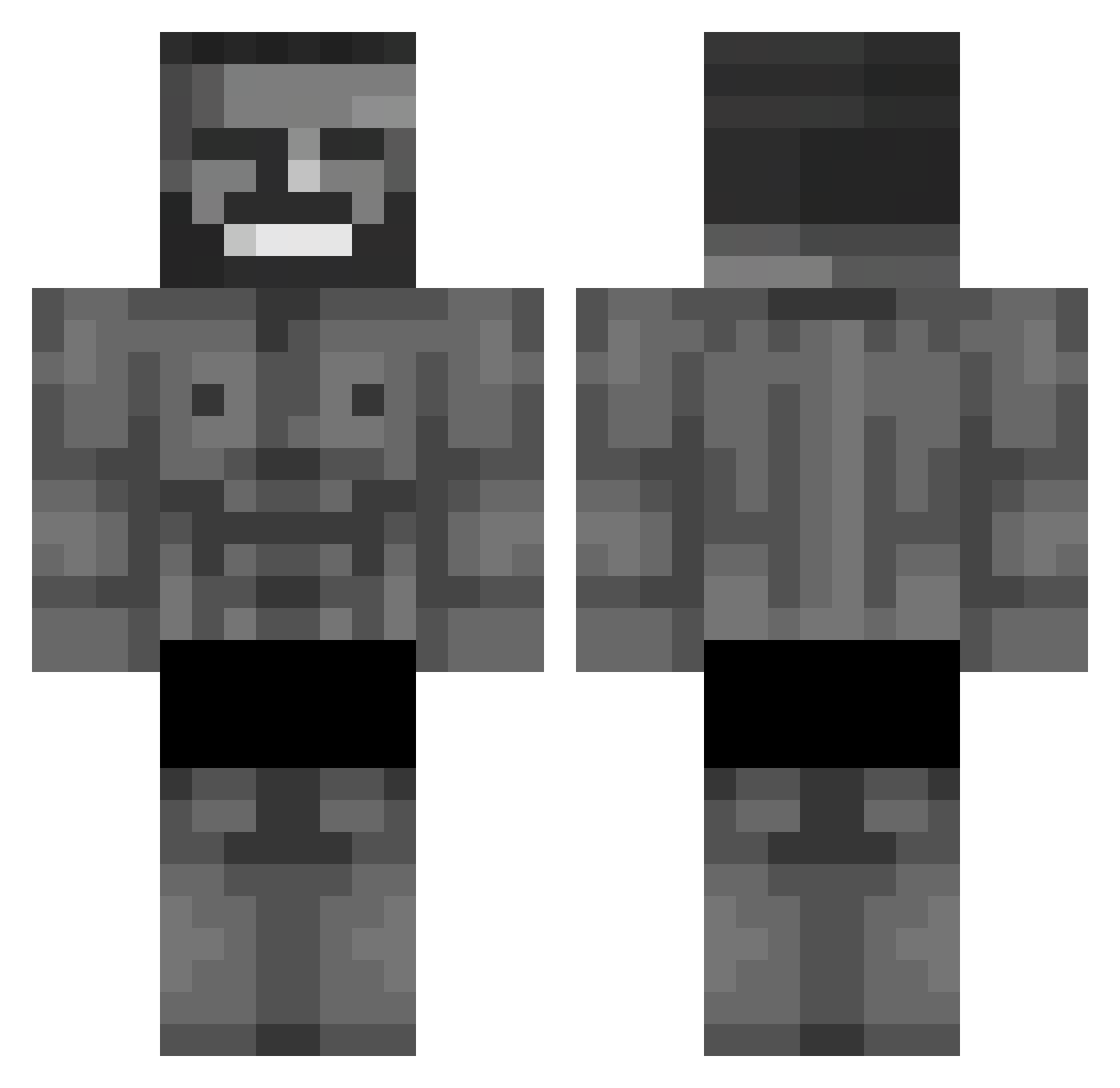
Current Minecraft skin of the player spaceless2, loaded from the official Mojang API. Rotate the 3D model with your mouse or finger, then download the skin as a PNG file and use it in Minecraft: Bedrock Edition or Java Edition for free. When spaceless2 changes their skin, this page updates automatically and the old skin stays in the history below.
Other players with this skin (652)
spaceless2 was the 632nd player we have seen with this skin, first spotted on 29.10.2026. The same skin was seen on these players. Open a nickname to see their current skin and skin history.
 leoviper08 CeloLindo_ skatebordel LeoStrondaVimao toprak69 SmithPide Indrit_Myderrizi Kyolem GolDMono UnluckyGosit JHON1BR1 spokoynich1337 bebimpame Tura31 Mattis2204 squall_17 Alhasbaba44 dmk78 Forever00 Ksawerry MyGranny13 Wild_Peace Kosmita182 shyskioo kaanpro32 v0j71Ik69 ObsideCrusader SSSPEEDERGG PuroHalil MrStealthS TAYZART lemon5345 Requitee ygtksu Timmy__13 MrALbatrosss AkSemsettinS GrooM4R DailySinner0 ObsidiansTears BigFourNextDoor ggrinwp AlexHKBC sharkizin ayatak4 lozaarik ogigobrr atg4646 Sait125 dededelas Blannevannet radar6969 2w0 OreWaSaro miro565 Rickman3523 Utex Kr4mbus Racoonnuts Fakepop
More Gigachad Minecraft skins
How to install the spaceless2 skin
- Press the Download button above to save the skin as a PNG file.
- Minecraft: Bedrock Edition (PE): open the Dressing Room from the main menu (or tap your character → Edit Character), go to Classic Skins → Owned, press the + (new skin) button, choose the downloaded PNG and pick the Classic (Steve) model. Works on PC and mobile; consoles cannot import custom skins.
- Minecraft: Java Edition: open the Minecraft Launcher, go to the Skins tab, click New Skin, load the PNG, pick the Classic (Steve) model and press Save & Use. You can also upload it at minecraft.net → Profile → Change Skin.
The skin does not show up after import - what should I do?
Restart Minecraft and open the Dressing Room again - imported skins sometimes appear only after a restart. Also make sure you selected the imported skin and picked the Classic (Steve) model.
Which model should I choose, Classic or Slim?
This skin is designed for the Classic (Steve) model. If you pick the wrong model, the arms of the skin will look stretched or squeezed.
Is the skin of spaceless2 free to download?
Yes. Press Download, save the PNG file and use it in Minecraft: Bedrock Edition or Java Edition - no payment or registration needed. The skin also works on multiplayer servers and Realms.
More skins
Looking for more? Go back to all Minecraft skins and check the top skins of the week, month and all time, or find any player's skin by nickname.