
sorryeveryone - Minecraft Skins & Skin History
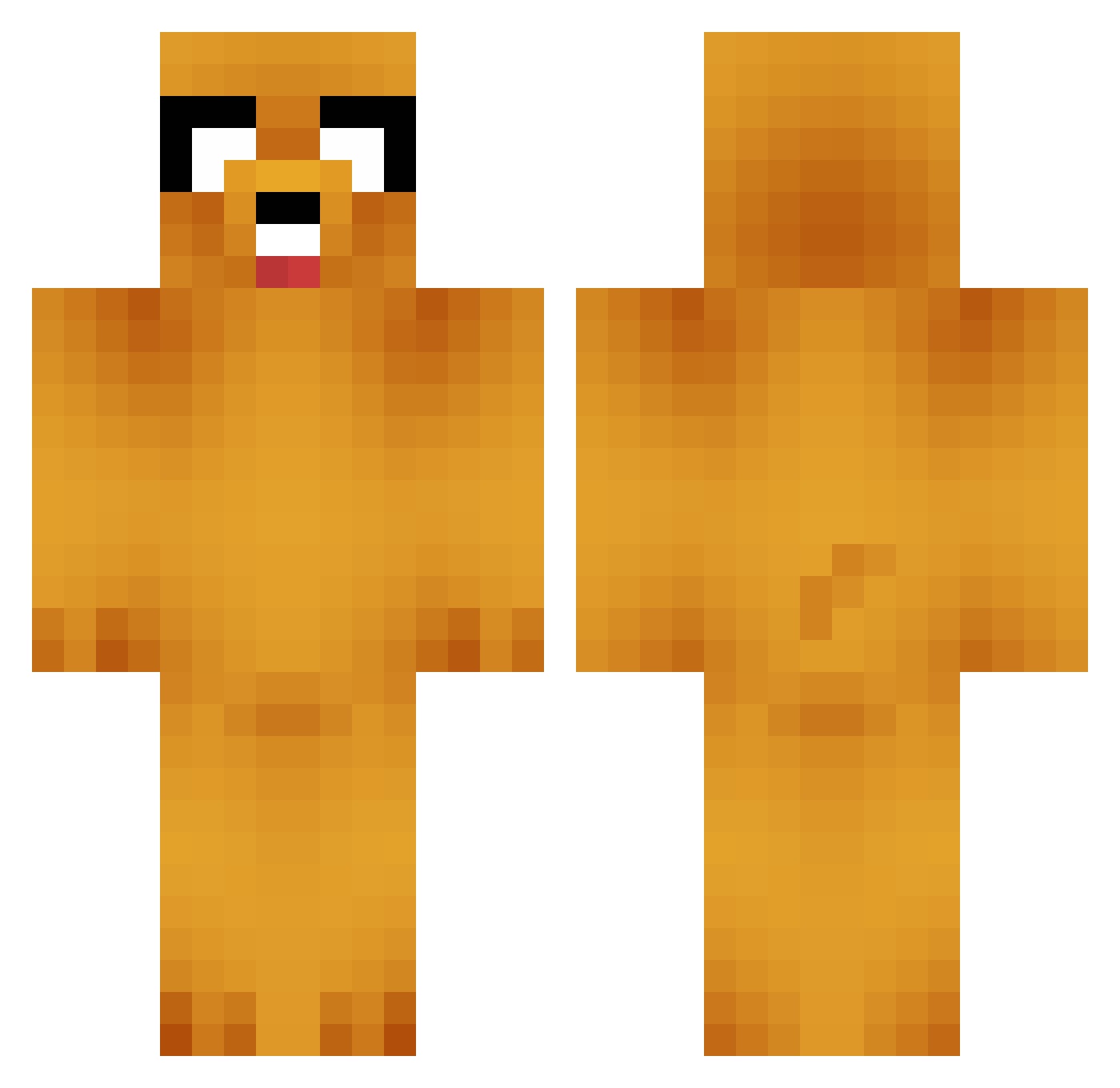
Current Minecraft skin of the player sorryeveryone, loaded from the official Mojang API. Rotate the 3D model with your mouse or finger, then download the skin as a PNG file and use it in Minecraft: Bedrock Edition or Java Edition for free. When sorryeveryone changes their skin, this page updates automatically and the old skin stays in the history below.
Other players with this skin (664)
sorryeveryone was the 195th player we have seen with this skin, first spotted on 22.08.2026. The same skin was seen on these players. Open a nickname to see their current skin and skin history.
 Goboriji uvwmo Silliritari ggDCC DortHit_ztx7bw4p zianluo OHM320 Knoux _GumB_ Halunnaki SimonHorizon
 Kevzny ShengHu14 Metalflix YSJH MusicallyGay shiratama0318 DOG_SOUP_ Niv3k_ haroldmyman alberto_vigo Dandielon BiglandJR Damacb Gendzibrother R2ALJUN Erizo31 NickChicken03 Jakeybuoy Ritadoooo Toledox19 Rafita113 Keyman9292 patatozor71 DerMO44 Baubau7712 plywcio 14hhsf andres_gebruers DancyJupiter SnappyHam Chuet jaeho0022 Kolby524 teemoney310 ByBulut12 SigGiLyu Oxelitto NicoBonitoBR Thonelius Giocoo bbmagic33 BarryJerry420 Lailah2 SweetNSaltyNut DartSmoker Tony_The_Pony699 elin_Sn Astachang Janek_66
More Jake Minecraft skins
How to install the sorryeveryone skin
- Press the Download button above to save the skin as a PNG file.
- Minecraft: Bedrock Edition (PE): open the Dressing Room from the main menu (or tap your character → Edit Character), go to Classic Skins → Owned, press the + (new skin) button, choose the downloaded PNG and pick the Classic (Steve) model. Works on PC and mobile; consoles cannot import custom skins.
- Minecraft: Java Edition: open the Minecraft Launcher, go to the Skins tab, click New Skin, load the PNG, pick the Classic (Steve) model and press Save & Use. You can also upload it at minecraft.net → Profile → Change Skin.
The skin does not show up after import - what should I do?
Restart Minecraft and open the Dressing Room again - imported skins sometimes appear only after a restart. Also make sure you selected the imported skin and picked the Classic (Steve) model.
Which model should I choose, Classic or Slim?
This skin is designed for the Classic (Steve) model. If you pick the wrong model, the arms of the skin will look stretched or squeezed.
Is the skin of sorryeveryone free to download?
Yes. Press Download, save the PNG file and use it in Minecraft: Bedrock Edition or Java Edition - no payment or registration needed. The skin also works on multiplayer servers and Realms.
More skins
Looking for more? Go back to all Minecraft skins and check the top skins of the week, month and all time, or find any player's skin by nickname.