
sorrisopng - Minecraft Skins & Skin History
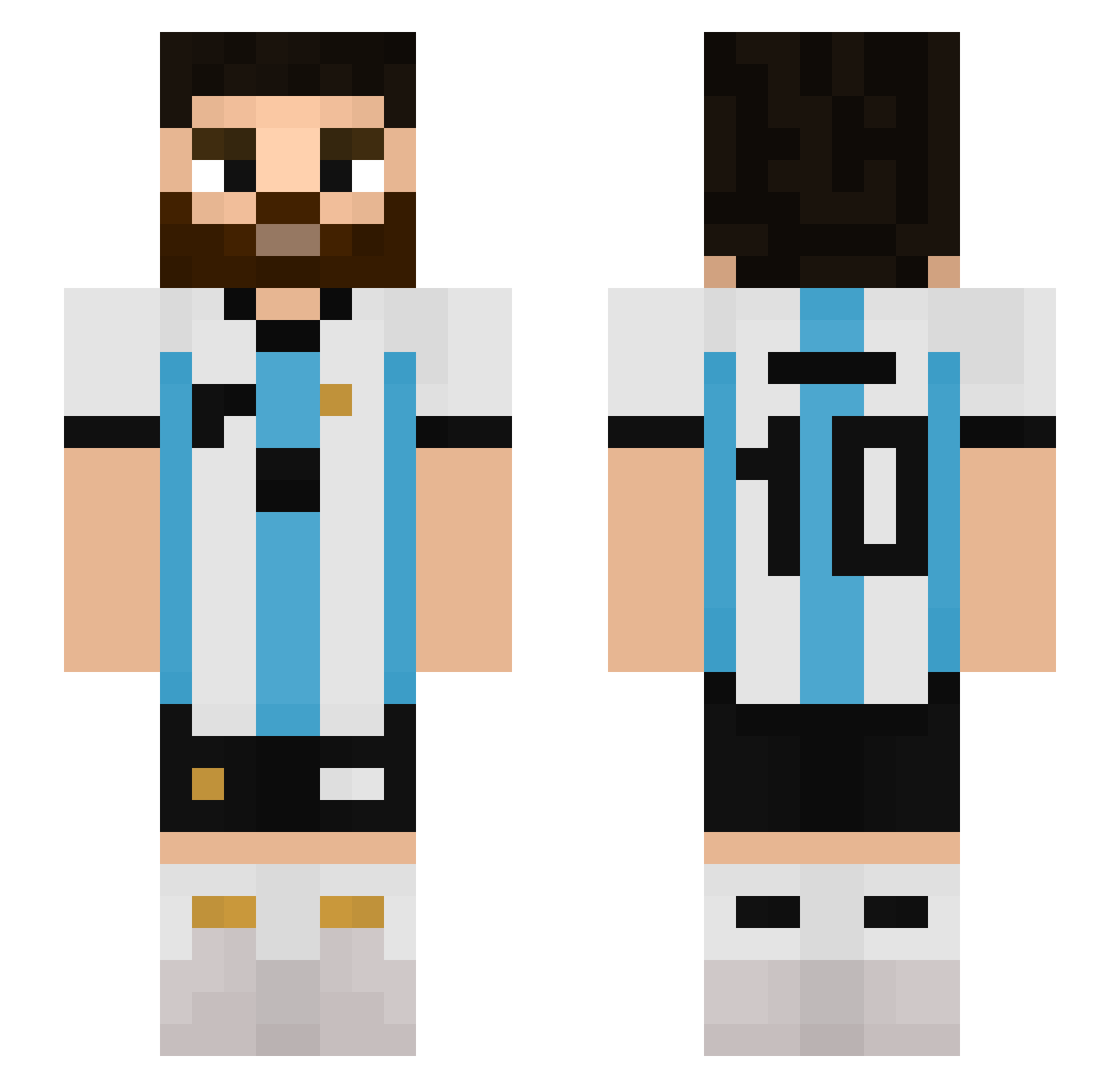
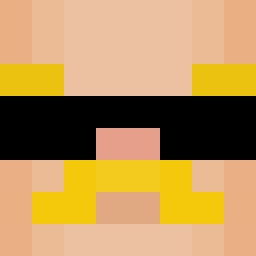
Current Minecraft skin of the player sorrisopng, loaded from the official Mojang API. Rotate the 3D model with your mouse or finger, then download the skin as a PNG file and use it in Minecraft: Bedrock Edition or Java Edition for free. When sorrisopng changes their skin, this page updates automatically and the old skin stays in the history below.
Other players with this skin (509)
sorrisopng was the 18th player we have seen with this skin, first spotted on 26.07.2026. The same skin was seen on these players. Open a nickname to see their current skin and skin history.
 pro_uli Xanderchess123
 Apples0100 Makenaattori Terron1210 agusarra Josseppe_204 Bony2002 Ekinlerdizekadar ___WSSB___
 Gojitdk calinsos QUEZADA9 alboalbana chamozor clarontt MESSICAKOO
 zdzich_22 Metsyy0 nicot MiguelDu020 artic912 leomessikk Pat_Mahomes Valakx97 sevasevik AVCI_X _Aph3lios Bienfaisance Halex0 RobertoMessi MateoVargas BEACHKIM MaximusJulian06 YakumoKira joakocintora KalebDiMaxi HeftyTiger shift04 Lautaro99 fchiossi07 BaliAlex20 TOLEEN790 Eskay7 niikoredd_ Edinael Dzidziuch eren2834_ xCoi2 MotteXP
 EnanoSinManos Butta_Lova Kerem_CeTiN eliii234 Toilakto_Farhan7 Vixxcho Ethantwo8 serdarakbay Pizzatun Baju__05
More Argentina Minecraft skins
How to install the sorrisopng skin
- Press the Download button above to save the skin as a PNG file.
- Minecraft: Bedrock Edition (PE): open the Dressing Room from the main menu (or tap your character → Edit Character), go to Classic Skins → Owned, press the + (new skin) button, choose the downloaded PNG and pick the Slim (Alex) model. Works on PC and mobile; consoles cannot import custom skins.
- Minecraft: Java Edition: open the Minecraft Launcher, go to the Skins tab, click New Skin, load the PNG, pick the Slim (Alex) model and press Save & Use. You can also upload it at minecraft.net → Profile → Change Skin.
The skin does not show up after import - what should I do?
Restart Minecraft and open the Dressing Room again - imported skins sometimes appear only after a restart. Also make sure you selected the imported skin and picked the Slim (Alex) model.
Which model should I choose, Classic or Slim?
This skin is designed for the Slim (Alex) model. If you pick the wrong model, the arms of the skin will look stretched or squeezed.
Is the skin of sorrisopng free to download?
Yes. Press Download, save the PNG file and use it in Minecraft: Bedrock Edition or Java Edition - no payment or registration needed. The skin also works on multiplayer servers and Realms.
More skins
Looking for more? Go back to all Minecraft skins and check the top skins of the week, month and all time, or find any player's skin by nickname.