
sorr109 - Minecraft Skins & Skin History
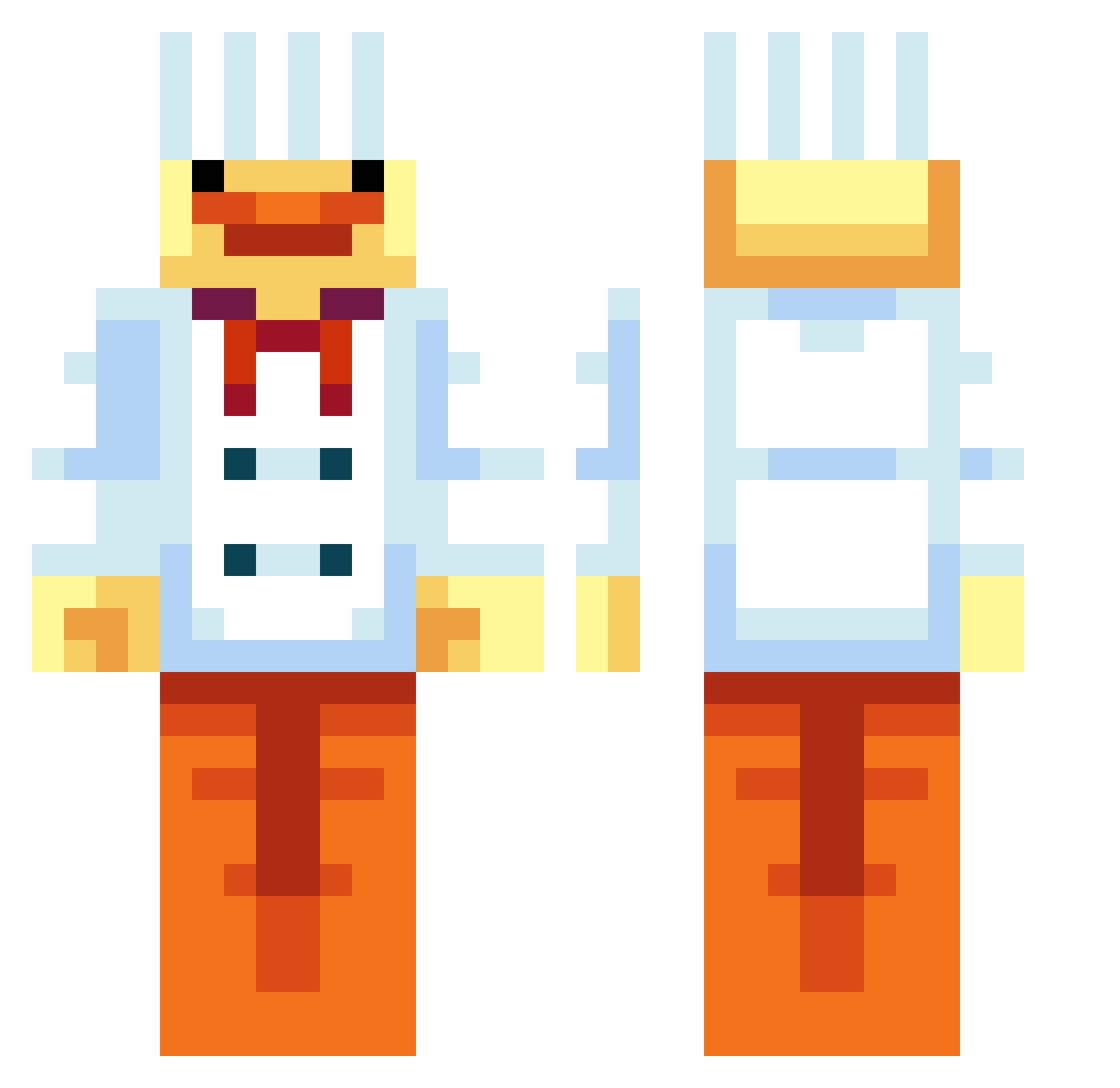
Current Minecraft skin of the player sorr109, loaded from the official Mojang API. Rotate the 3D model with your mouse or finger, then download the skin as a PNG file and use it in Minecraft: Bedrock Edition or Java Edition for free. When sorr109 changes their skin, this page updates automatically and the old skin stays in the history below.
Other players with this skin (87)
sorr109 was the 42nd player we have seen with this skin, first spotted on 30.08.2026. The same skin was seen on these players. Open a nickname to see their current skin and skin history.
 NuO_QaQ ducklingnotfound 14loke14 Vztoes jaylinsama ryu_oop bedcaca StefiBarosu Miral27 K3tchUp22 Troon_19 tree9498 jaybird81 Tiger1281 FrogGamer21 KerkZzzzz yuebonds pcw823 pourover KuechenKobold krustykrabssss Sydney_sbg
 YY_CITO Less_Depresso Beomgyuuuu Panlag10 p1p Slinky2528 DumplingCap xlxile VviGiL27 lilUnclejay MelaBlock TTV_Nerdzy Laurisky ItsSmarlooo c4rlit0_ SirTuki Lirtle holkster1234 Pizzledham reedo12008 BenjiBamiBal aibamhiwkhaw SelCube hrdz86 GoodMovie Dojee 5Sp3d3X5 Careden J0mmeke XvMaidenvX Stringroad Foxwithscarf Yan_1233
 Bjabja2_0 rober2121 masterANKH Rubenxx12 TohkaSquishy
More Cook Minecraft skins
How to install the sorr109 skin
- Press the Download button above to save the skin as a PNG file.
- Minecraft: Bedrock Edition (PE): open the Dressing Room from the main menu (or tap your character → Edit Character), go to Classic Skins → Owned, press the + (new skin) button, choose the downloaded PNG and pick the Classic (Steve) model. Works on PC and mobile; consoles cannot import custom skins.
- Minecraft: Java Edition: open the Minecraft Launcher, go to the Skins tab, click New Skin, load the PNG, pick the Classic (Steve) model and press Save & Use. You can also upload it at minecraft.net → Profile → Change Skin.
The skin does not show up after import - what should I do?
Restart Minecraft and open the Dressing Room again - imported skins sometimes appear only after a restart. Also make sure you selected the imported skin and picked the Classic (Steve) model.
Which model should I choose, Classic or Slim?
This skin is designed for the Classic (Steve) model. If you pick the wrong model, the arms of the skin will look stretched or squeezed.
Is the skin of sorr109 free to download?
Yes. Press Download, save the PNG file and use it in Minecraft: Bedrock Edition or Java Edition - no payment or registration needed. The skin also works on multiplayer servers and Realms.
More skins
Looking for more? Go back to all Minecraft skins and check the top skins of the week, month and all time, or find any player's skin by nickname.