
soriage - Minecraft Skins & Skin History
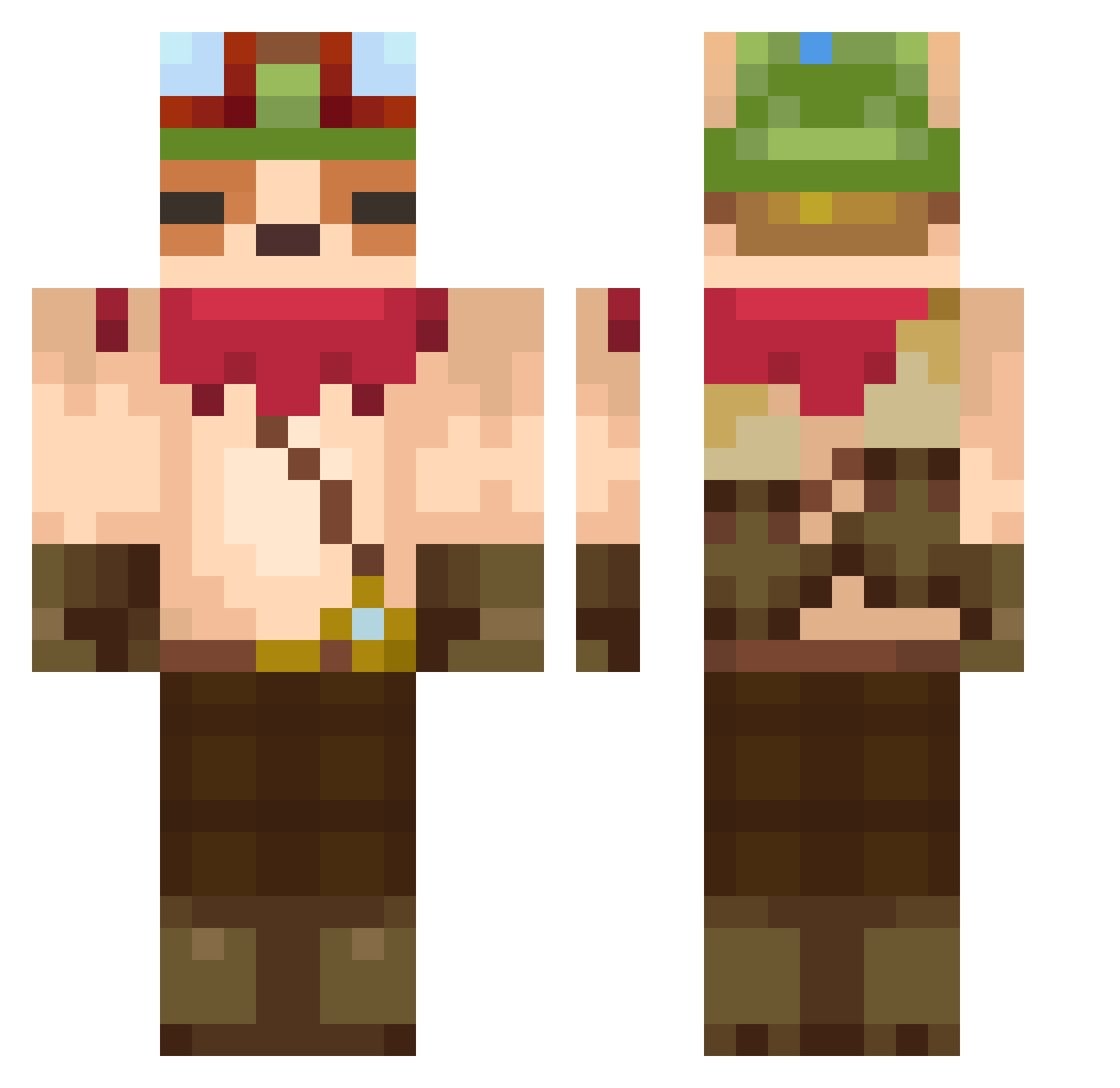
Current Minecraft skin of the player soriage, loaded from the official Mojang API. Rotate the 3D model with your mouse or finger, then download the skin as a PNG file and use it in Minecraft: Bedrock Edition or Java Edition for free. When soriage changes their skin, this page updates automatically and the old skin stays in the history below.
Other players with this skin (736)
soriage was the 706th player we have seen with this skin, first spotted on 13.11.2026. The same skin was seen on these players. Open a nickname to see their current skin and skin history.
 GolemDeRatio krakog YourWaifUwU WinterEleven roger1119 SeamonkeyD Moongtang2 gegeranium Kettopossum guanguan0825 SiangYing Madmass0 beratQQ kevin0942 dgk200 whisxes kissa78 YUMMYCS toorvi Bosbo__ horayskiy Tavo_El_Maestro Vouked CrazyEagleOAO Kubix_better_ VikoOG777 INTU0S_123 TyrsXVI LordWenis MrFantasma_YT iHazelnut kosopotato NirvanaMental MONTERA1 teemo_0 kikoushi yechandudu BloodyRaptor007 Hori146 tacosauce77 stanhombergen Phonjix97 Carlos_pRo_GaMeR Goro0 yeonsigi fragarchomp rlawnsdud0107 mysnapp purplebez Hersiker elmaa0 Elcrazytaco DARKmdg Miyazaki_SPYGEA Teemo1010 Kevinwu881015 KnullBengt69 Shuwann Ulyanko Alexesm
More Bandana Minecraft skins
How to install the soriage skin
- Press the Download button above to save the skin as a PNG file.
- Minecraft: Bedrock Edition (PE): open the Dressing Room from the main menu (or tap your character → Edit Character), go to Classic Skins → Owned, press the + (new skin) button, choose the downloaded PNG and pick the Classic (Steve) model. Works on PC and mobile; consoles cannot import custom skins.
- Minecraft: Java Edition: open the Minecraft Launcher, go to the Skins tab, click New Skin, load the PNG, pick the Classic (Steve) model and press Save & Use. You can also upload it at minecraft.net → Profile → Change Skin.
The skin does not show up after import - what should I do?
Restart Minecraft and open the Dressing Room again - imported skins sometimes appear only after a restart. Also make sure you selected the imported skin and picked the Classic (Steve) model.
Which model should I choose, Classic or Slim?
This skin is designed for the Classic (Steve) model. If you pick the wrong model, the arms of the skin will look stretched or squeezed.
Is the skin of soriage free to download?
Yes. Press Download, save the PNG file and use it in Minecraft: Bedrock Edition or Java Edition - no payment or registration needed. The skin also works on multiplayer servers and Realms.
More skins
Looking for more? Go back to all Minecraft skins and check the top skins of the week, month and all time, or find any player's skin by nickname.