
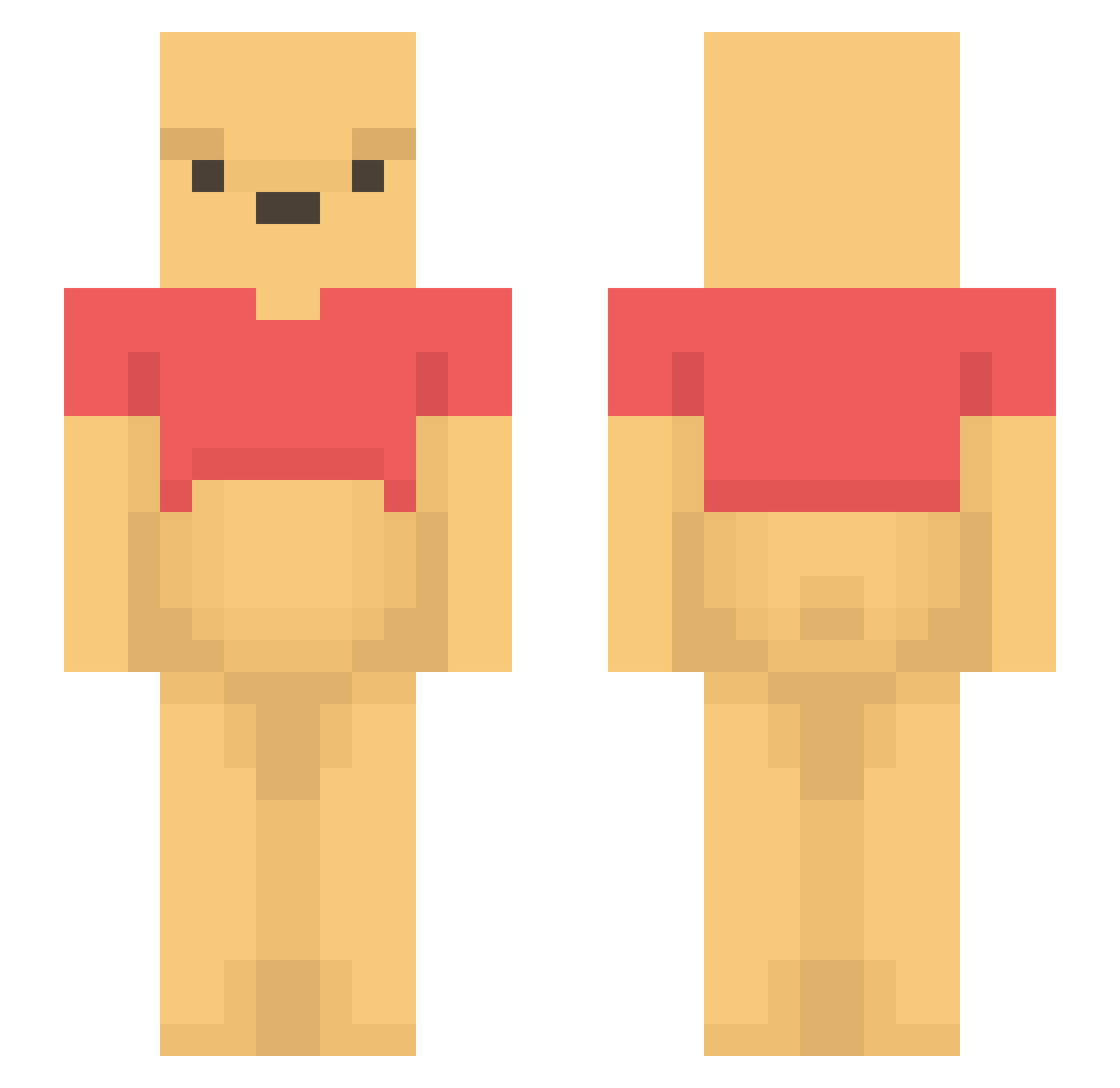
Current Minecraft skin of the player sopita8996, loaded from the official Mojang API. Rotate the 3D model with your mouse or finger, then download the skin as a PNG file and use it in Minecraft: Bedrock Edition or Java Edition for free. When sopita8996 changes their skin, this page updates automatically and the old skin stays in the history below.
Other players with this skin (1098)
sopita8996 was the 538th player we have seen with this skin, first spotted on 05.09.2026. The same skin was seen on these players. Open a nickname to see their current skin and skin history.
 NetVortex RICEKAMI Winnie212 qshm hampyy egghaust qwerasdfzxcvrty CCOhanaQAQ AW101ch Weirdgamer12 Permanent_Love Mezzarella Dubyawes vaizssj Noeschar udong131 Bujaal Nachoglu angelslayerex dongilking ClarkDarbler eu_ni LMH_24 Hutao_Czr759 chrislybear44 _fyfi BrinyPanda57135 chuchu221 _Nikki_0 estelle_kx Jaehoooooon FlamE_DyNasty CherryDeacon HilaryIsAReptile Camcamcamca eatmyjohnny MrBlue1000 moonmama1109 senne101 komi4no Strawberry_Ade blinkster004 DaddiPooh zKairoo_ hiwaichan sgarciadv harolddagiraffe woong82 Mr_Tea_ LiiteVisions Zoyker64 Sp00nboy HOME0512 yournameis12 dolobear PixelatedKikhe Bonyenne moominty SiJinPing64 Ruthybebe
More Winnie The Pooh Minecraft skins
See all 292 Winnie The Pooh skins
How to install the sopita8996 skin
- Press the Download button above to save the skin as a PNG file.
- Minecraft: Bedrock Edition (PE): open the Dressing Room from the main menu (or tap your character → Edit Character), go to Classic Skins → Owned, press the + (new skin) button, choose the downloaded PNG and pick the Slim (Alex) model. Works on PC and mobile; consoles cannot import custom skins.
- Minecraft: Java Edition: open the Minecraft Launcher, go to the Skins tab, click New Skin, load the PNG, pick the Slim (Alex) model and press Save & Use. You can also upload it at minecraft.net → Profile → Change Skin.
The skin does not show up after import - what should I do?
Restart Minecraft and open the Dressing Room again - imported skins sometimes appear only after a restart. Also make sure you selected the imported skin and picked the Slim (Alex) model.
Which model should I choose, Classic or Slim?
This skin is designed for the Slim (Alex) model. If you pick the wrong model, the arms of the skin will look stretched or squeezed.
Is the skin of sopita8996 free to download?
Yes. Press Download, save the PNG file and use it in Minecraft: Bedrock Edition or Java Edition - no payment or registration needed. The skin also works on multiplayer servers and Realms.
More skins
Looking for more? Go back to all Minecraft skins and check the top skins of the week, month and all time, or find any player's skin by nickname.