
sooz86 - Minecraft Skins & Skin History
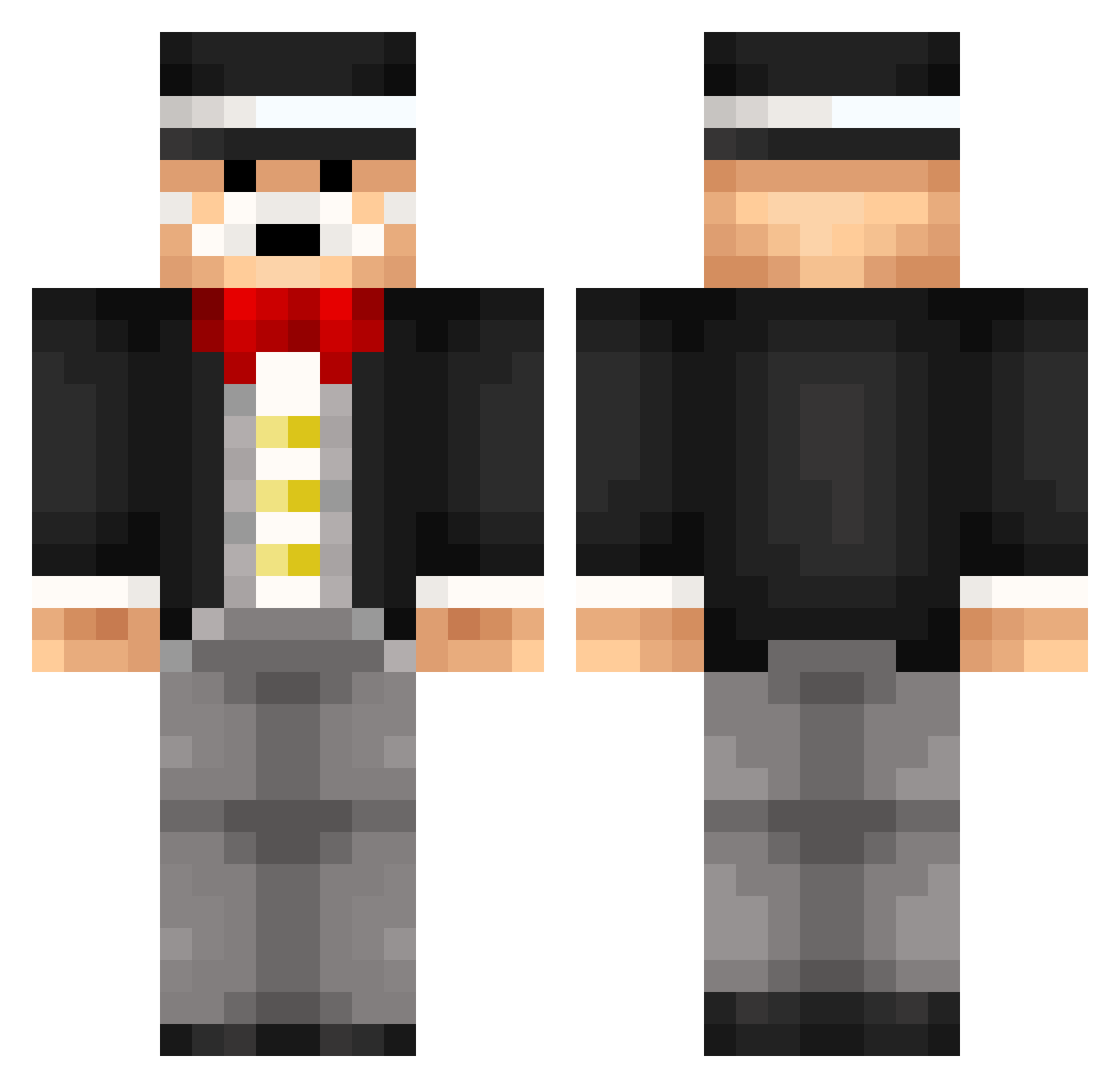
Current Minecraft skin of the player sooz86, loaded from the official Mojang API. Rotate the 3D model with your mouse or finger, then download the skin as a PNG file and use it in Minecraft: Bedrock Edition or Java Edition for free. When sooz86 changes their skin, this page updates automatically and the old skin stays in the history below.
Other players with this skin (266)
sooz86 was the 67th player we have seen with this skin, first spotted on 23.08.2026. The same skin was seen on these players. Open a nickname to see their current skin and skin history.
 ZiltoidOurLord knottien SaAtax hero0118 T8Tore moriw Ethanrock01 aquino244 DietDoctorBob dannygregson stuf90 iiKyle52 Nickglass007 genb_13 SirTomNiklas pooonslaya Voglimogli Vasagralem OskarLM XDanishRetardoX spicy12305 passtheapplesauc voske_94 gblock_33 9NV Legamo Resulting alex1227 gillner YggHorse luke2544 TheOfficialJack DrChuletas blahblahbanned AmericanMoose45 Handbooks SlimeTurtle Lionellok KOTC145 UsaAfk FreddyBrec Flo3800 sonfon73 Toxa_Boy MrWhooopy Iginith monty666 W6Boss bananen300 LeMoonium Mjuk0st bambam4444 Hawk907 REMILOL LibrarySock GAVEYGUY GreenMachine174 UsaLacrosse HumanPowers KKgor
More Monopoly Minecraft skins
How to install the sooz86 skin
- Press the Download button above to save the skin as a PNG file.
- Minecraft: Bedrock Edition (PE): open the Dressing Room from the main menu (or tap your character → Edit Character), go to Classic Skins → Owned, press the + (new skin) button, choose the downloaded PNG and pick the Classic (Steve) model. Works on PC and mobile; consoles cannot import custom skins.
- Minecraft: Java Edition: open the Minecraft Launcher, go to the Skins tab, click New Skin, load the PNG, pick the Classic (Steve) model and press Save & Use. You can also upload it at minecraft.net → Profile → Change Skin.
The skin does not show up after import - what should I do?
Restart Minecraft and open the Dressing Room again - imported skins sometimes appear only after a restart. Also make sure you selected the imported skin and picked the Classic (Steve) model.
Which model should I choose, Classic or Slim?
This skin is designed for the Classic (Steve) model. If you pick the wrong model, the arms of the skin will look stretched or squeezed.
Is the skin of sooz86 free to download?
Yes. Press Download, save the PNG file and use it in Minecraft: Bedrock Edition or Java Edition - no payment or registration needed. The skin also works on multiplayer servers and Realms.
More skins
Looking for more? Go back to all Minecraft skins and check the top skins of the week, month and all time, or find any player's skin by nickname.