
soooosh_ - Minecraft Skins & Skin History
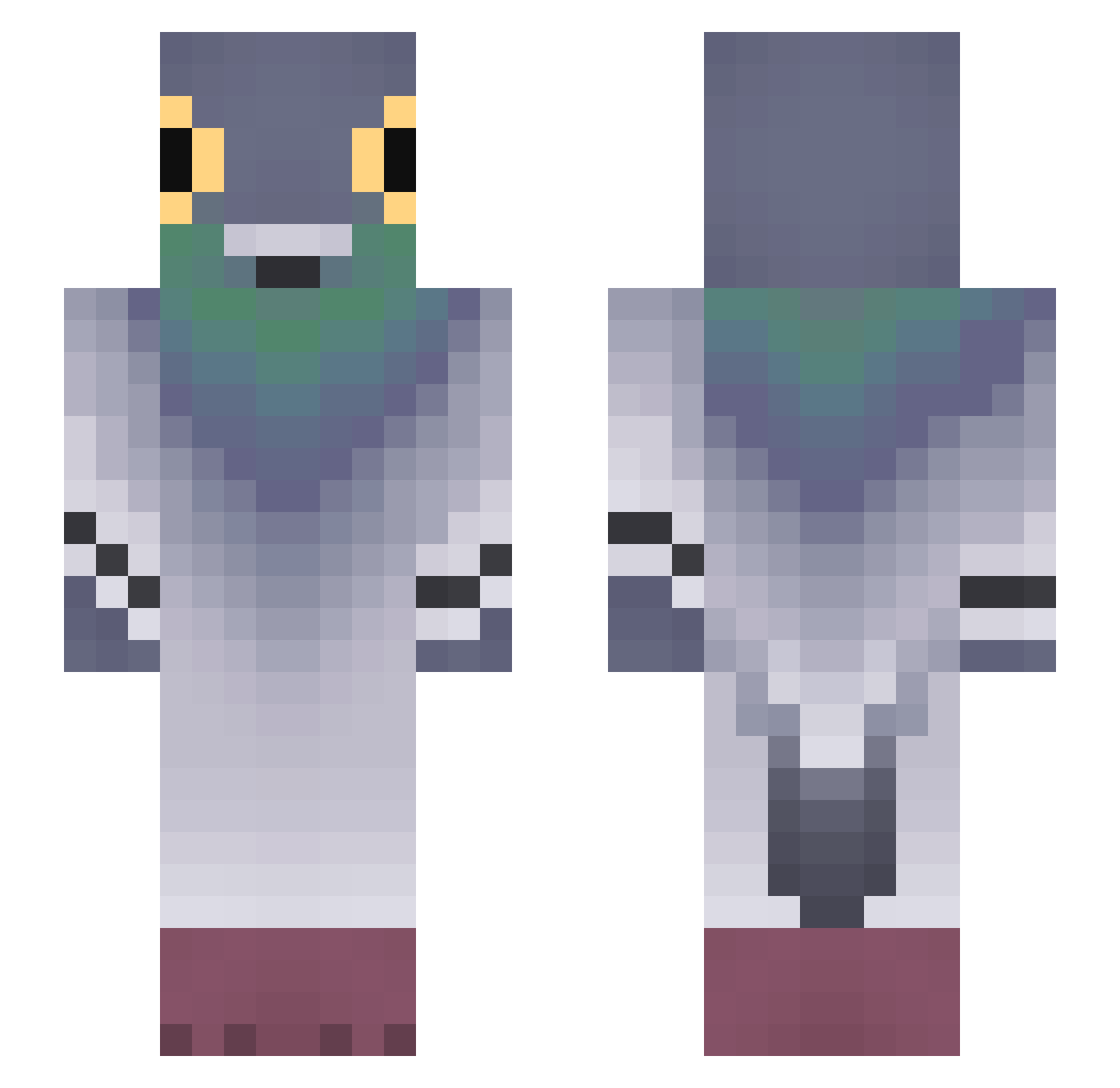
Current Minecraft skin of the player soooosh_, loaded from the official Mojang API. Rotate the 3D model with your mouse or finger, then download the skin as a PNG file and use it in Minecraft: Bedrock Edition or Java Edition for free. When soooosh_ changes their skin, this page updates automatically and the old skin stays in the history below.
Other players with this skin (753)
soooosh_ was the 545th player we have seen with this skin, first spotted on 06.10.2026. The same skin was seen on these players. Open a nickname to see their current skin and skin history.
 bbfues zx10rguy Nightfighter619 bochomax bun401 llluullluu ChupaEngole777 mushroom_bo0o olp_1 KATE906 LittleBanaana Sujarist Toxic_Individual FREENOWAGAIN Jonyeok KungFoKenny MathysZip13K _caba Liquidatedd Sisyxp Zaracatungaa JOWMAMA1 WasLe1e Nikolaki28 Daniel140717 ZERV6 Kwinge ZadeLF Redleaf0703 I_am_kviki ZiemniakWasTaken JAZZFUNK Dullgi_papa Z4gadka Ayphzz Wiesiuu exwerr Darwin6 iamverysloww riskosvk99 TQWERTY Davidalphasigma MrPutin09 TurtleTheMurtle hal_xki TheArtOfTrap hebkoa Hamzoulila WolfLover11 v1ermo Jhairitotuterror crot4to Xluroyy Elno_1305 Reflex1389 EndyVH Mimi2exe BeingOfLove TheSillyCow tanjro100
More Pigeon Minecraft skins
How to install the soooosh_ skin
- Press the Download button above to save the skin as a PNG file.
- Minecraft: Bedrock Edition (PE): open the Dressing Room from the main menu (or tap your character → Edit Character), go to Classic Skins → Owned, press the + (new skin) button, choose the downloaded PNG and pick the Slim (Alex) model. Works on PC and mobile; consoles cannot import custom skins.
- Minecraft: Java Edition: open the Minecraft Launcher, go to the Skins tab, click New Skin, load the PNG, pick the Slim (Alex) model and press Save & Use. You can also upload it at minecraft.net → Profile → Change Skin.
The skin does not show up after import - what should I do?
Restart Minecraft and open the Dressing Room again - imported skins sometimes appear only after a restart. Also make sure you selected the imported skin and picked the Slim (Alex) model.
Which model should I choose, Classic or Slim?
This skin is designed for the Slim (Alex) model. If you pick the wrong model, the arms of the skin will look stretched or squeezed.
Is the skin of soooosh_ free to download?
Yes. Press Download, save the PNG file and use it in Minecraft: Bedrock Edition or Java Edition - no payment or registration needed. The skin also works on multiplayer servers and Realms.
More skins
Looking for more? Go back to all Minecraft skins and check the top skins of the week, month and all time, or find any player's skin by nickname.