
soldierdragon - Minecraft Skins & Skin History
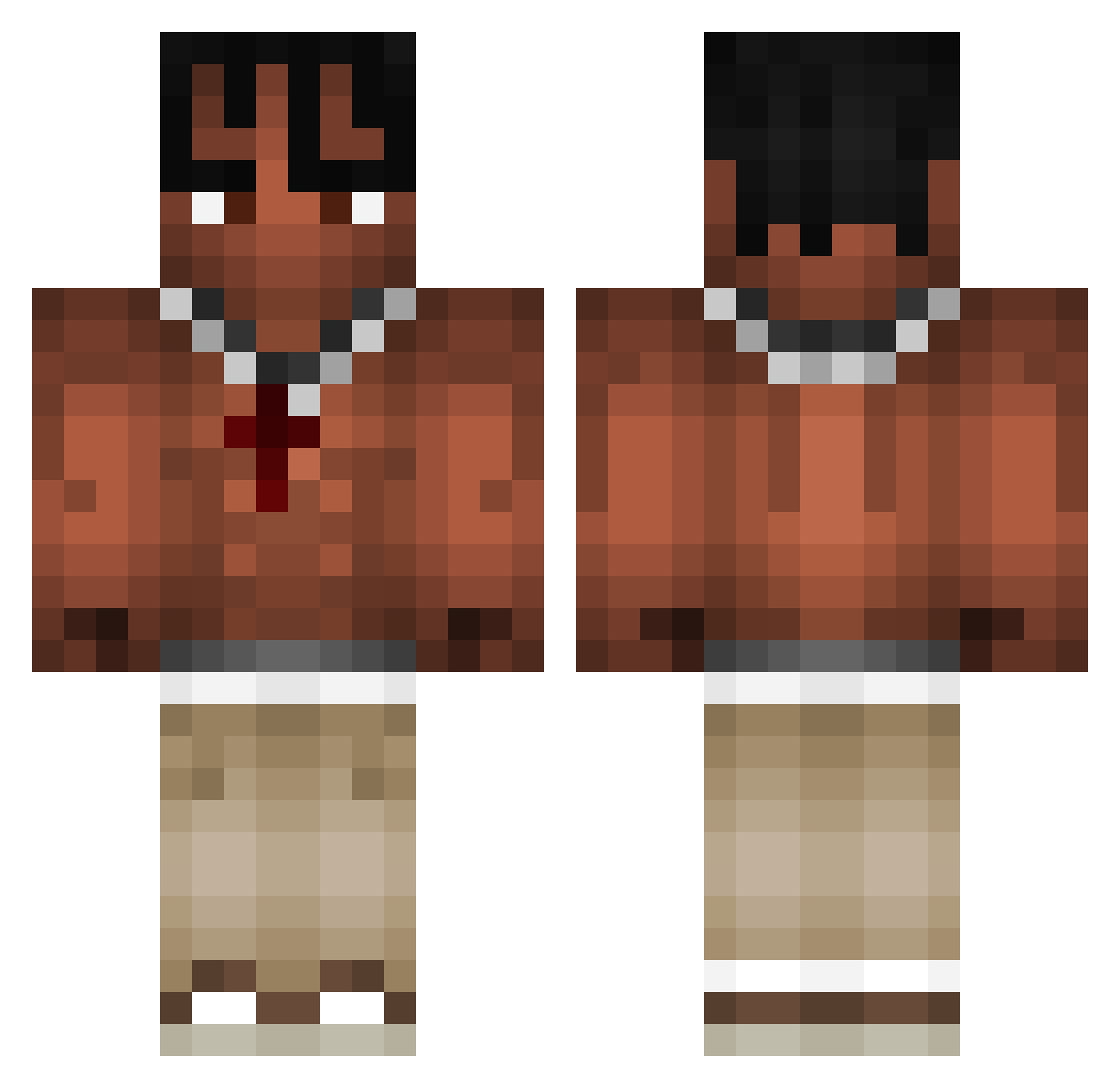
Current Minecraft skin of the player soldierdragon, loaded from the official Mojang API. Rotate the 3D model with your mouse or finger, then download the skin as a PNG file and use it in Minecraft: Bedrock Edition or Java Edition for free. When soldierdragon changes their skin, this page updates automatically and the old skin stays in the history below.
Other players with this skin (971)
soldierdragon was the 590th player we have seen with this skin, first spotted on 26.09.2026. The same skin was seen on these players. Open a nickname to see their current skin and skin history.
 Kudos____ FRYSK06 reaper52 Soloadris Mats190811 7ava2Easy SxnNy_18 MattyGamer2009 VinceBot7 Zaxy123 Mr_xizy LifeIsHockey24 Zoliem Harden006 Dguapz 519z slurptrack_kakao PeopleHostage Quexxyyy zosienka15 Ionutzik raiderhd1 jimmy_34 Krulik_919123 ReKoLin_ Blazee13 txpix igor637 PlayBoiPrinc Devestetor HydroNASA HighPrice xfabi889 danqwei FILIPPOROSSI Stuffyyx _xMoses_ LiamDaWhiteBoi DaApple101 CarMaster303 teafishy krusty_1 SpeedBoii22 aldixxxx chukito98 Kwexy_ Luvlvks FerryFastWall bezczelny scoobasnack123 PapaVirus DUCKMAN7070 Jankelos cookie_exe_ _XxRAXOxX_ M1lodyy Hazukixz alejandro231 Godlike_Mxddis KaizeNNU
More Xxxtentacion Minecraft skins
See all 407 Xxxtentacion skins
How to install the soldierdragon skin
- Press the Download button above to save the skin as a PNG file.
- Minecraft: Bedrock Edition (PE): open the Dressing Room from the main menu (or tap your character → Edit Character), go to Classic Skins → Owned, press the + (new skin) button, choose the downloaded PNG and pick the Classic (Steve) model. Works on PC and mobile; consoles cannot import custom skins.
- Minecraft: Java Edition: open the Minecraft Launcher, go to the Skins tab, click New Skin, load the PNG, pick the Classic (Steve) model and press Save & Use. You can also upload it at minecraft.net → Profile → Change Skin.
The skin does not show up after import - what should I do?
Restart Minecraft and open the Dressing Room again - imported skins sometimes appear only after a restart. Also make sure you selected the imported skin and picked the Classic (Steve) model.
Which model should I choose, Classic or Slim?
This skin is designed for the Classic (Steve) model. If you pick the wrong model, the arms of the skin will look stretched or squeezed.
Is the skin of soldierdragon free to download?
Yes. Press Download, save the PNG file and use it in Minecraft: Bedrock Edition or Java Edition - no payment or registration needed. The skin also works on multiplayer servers and Realms.
More skins
Looking for more? Go back to all Minecraft skins and check the top skins of the week, month and all time, or find any player's skin by nickname.