
sniky42 - Minecraft Skins & Skin History
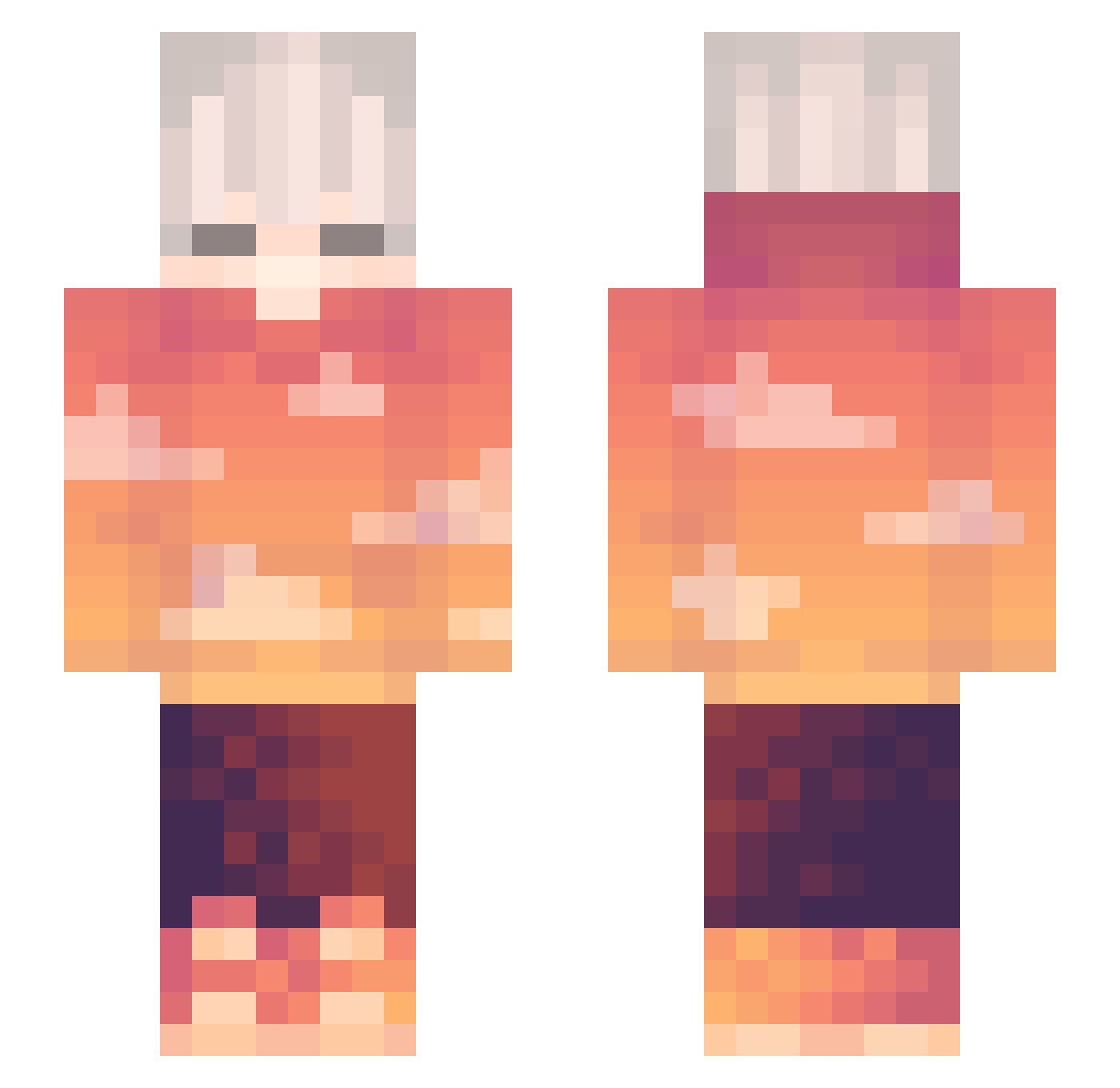
Current Minecraft skin of the player sniky42, loaded from the official Mojang API. Rotate the 3D model with your mouse or finger, then download the skin as a PNG file and use it in Minecraft: Bedrock Edition or Java Edition for free. When sniky42 changes their skin, this page updates automatically and the old skin stays in the history below.
Other players with this skin (263)
sniky42 was the 31st player we have seen with this skin, first spotted on 01.08.2026. The same skin was seen on these players. Open a nickname to see their current skin and skin history.
 LiterallyExeo Gamp_BD Proverbs15 Tiss_ GMRFYD14 Lucinanc Ivor_GG Satoshi814 9SR BigBen17 Tizzy_uwu KaKTaKTo18 ItsTheWifi _thehaidao ALCFlamie JunirX Cebollin111916 mo_jwn sensey__ StrawberryJam3 d0xxxxxxx axolotl16 PandaGames8 mash9917 RandomPerson220 M00N5H1NE Terminator_P400 rmfr_ chinibr Hunwut TheLittleRous TheRealChocolate SuperKP12 Ekyn0x_ postanowienie Fenix1446 jorplamon ItzMariox Ben104683 EmirBeYT akk3535 Lost_Perspective _NORME Electro_Hype i_xiao RadiatedWheel27 Sunny_Bai Ar1zon4 RomiStyle MINYC_TI Tanjir0h_ Joxility Guatapuri BIG_Monkey666 MrPancakeBread javahenry Xenath22 MrAnubis007 Itsuky4869 Shikimorii
More Sunset Minecraft skins
How to install the sniky42 skin
- Press the Download button above to save the skin as a PNG file.
- Minecraft: Bedrock Edition (PE): open the Dressing Room from the main menu (or tap your character → Edit Character), go to Classic Skins → Owned, press the + (new skin) button, choose the downloaded PNG and pick the Slim (Alex) model. Works on PC and mobile; consoles cannot import custom skins.
- Minecraft: Java Edition: open the Minecraft Launcher, go to the Skins tab, click New Skin, load the PNG, pick the Slim (Alex) model and press Save & Use. You can also upload it at minecraft.net → Profile → Change Skin.
The skin does not show up after import - what should I do?
Restart Minecraft and open the Dressing Room again - imported skins sometimes appear only after a restart. Also make sure you selected the imported skin and picked the Slim (Alex) model.
Which model should I choose, Classic or Slim?
This skin is designed for the Slim (Alex) model. If you pick the wrong model, the arms of the skin will look stretched or squeezed.
Is the skin of sniky42 free to download?
Yes. Press Download, save the PNG file and use it in Minecraft: Bedrock Edition or Java Edition - no payment or registration needed. The skin also works on multiplayer servers and Realms.
More skins
Looking for more? Go back to all Minecraft skins and check the top skins of the week, month and all time, or find any player's skin by nickname.