
smellyellyy - Minecraft Skins & Skin History
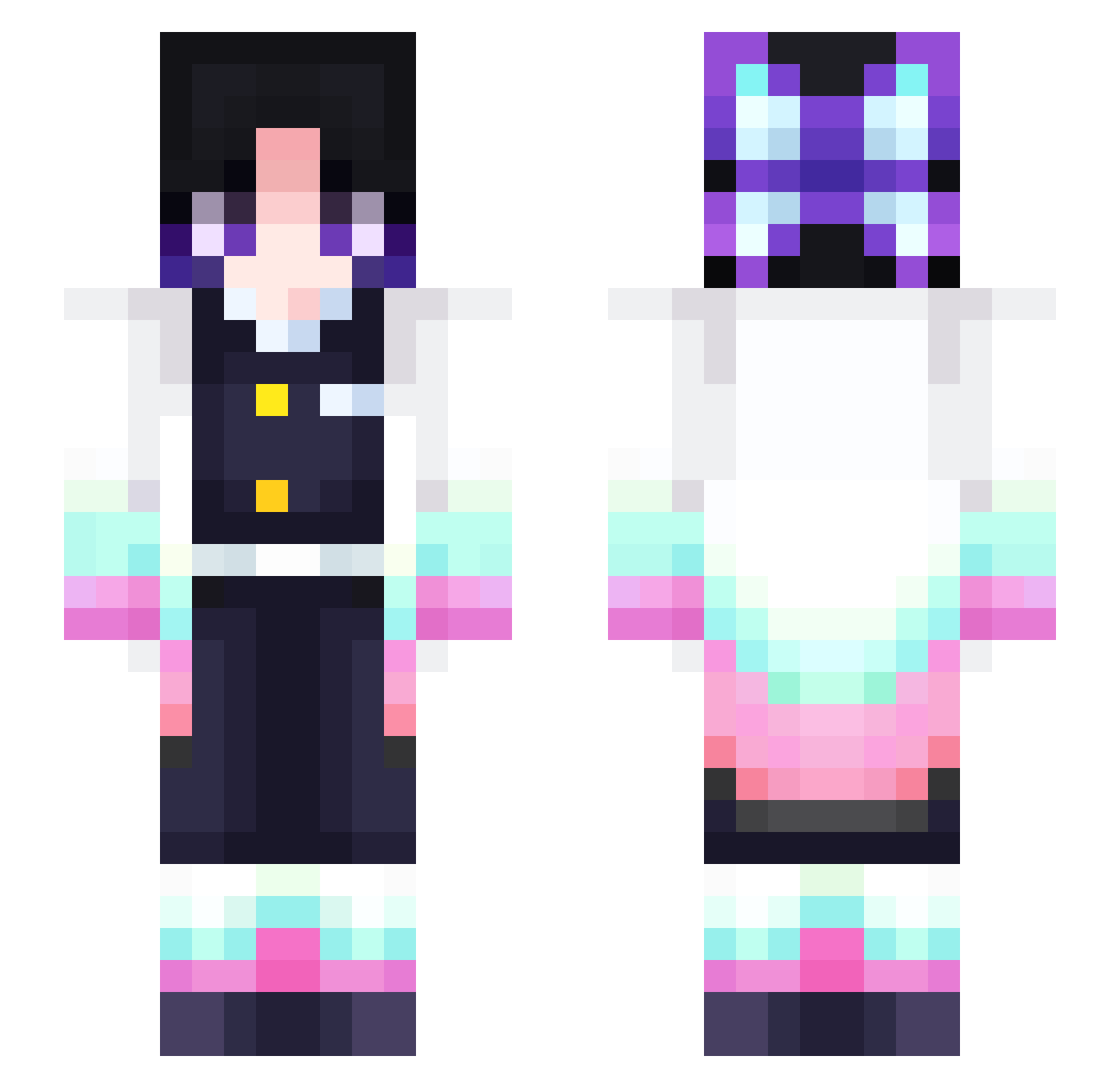
Current Minecraft skin of the player smellyellyy, loaded from the official Mojang API. Rotate the 3D model with your mouse or finger, then download the skin as a PNG file and use it in Minecraft: Bedrock Edition or Java Edition for free. When smellyellyy changes their skin, this page updates automatically and the old skin stays in the history below.
Other players with this skin (389)
smellyellyy was the 331st player we have seen with this skin, first spotted on 05.11.2026. The same skin was seen on these players. Open a nickname to see their current skin and skin history.
 Dlung permuite LULUCHENNN JONGJIN2 xiaomaobanxia Naikygamer Gdafternoon Hanairy WildIngot4Dr72 squirrel_lh _danuus_ Jin_Wook heesooming orange0325 leejimmy Jisoo_p KwonStalker mugi_203 _simunudo_ sachi_craft HiroNguyen_VN minibell1121 Tomato030322 meraki_lea cocoa9120 woshiguangtoudie Nutata16 kooriryu CaTLovEr404 ShinobuTheKawaii azoradechku weatherLu MinManMong aisan3355 Hy3_na Greentea19 yunsu__________ danie_cute minichips16 niece_so_furry Alah_ Flippybelle SEUNGMO_ Brugorg TIKHUNG_TTH Anderson777 Nuage84 Shinoryk Kocho_Shinobu_tw Adrianabtw Sisi0107 shinobu_kocho1 Yuyunyaw TemmieAlly LunarKeal aynik MIZUKI_1014 EthanLin87 Kiroto7 Elvisho1218
More Shinobu Kocho Minecraft skins
See all 151 Shinobu Kocho skins
How to install the smellyellyy skin
- Press the Download button above to save the skin as a PNG file.
- Minecraft: Bedrock Edition (PE): open the Dressing Room from the main menu (or tap your character → Edit Character), go to Classic Skins → Owned, press the + (new skin) button, choose the downloaded PNG and pick the Slim (Alex) model. Works on PC and mobile; consoles cannot import custom skins.
- Minecraft: Java Edition: open the Minecraft Launcher, go to the Skins tab, click New Skin, load the PNG, pick the Slim (Alex) model and press Save & Use. You can also upload it at minecraft.net → Profile → Change Skin.
The skin does not show up after import - what should I do?
Restart Minecraft and open the Dressing Room again - imported skins sometimes appear only after a restart. Also make sure you selected the imported skin and picked the Slim (Alex) model.
Which model should I choose, Classic or Slim?
This skin is designed for the Slim (Alex) model. If you pick the wrong model, the arms of the skin will look stretched or squeezed.
Is the skin of smellyellyy free to download?
Yes. Press Download, save the PNG file and use it in Minecraft: Bedrock Edition or Java Edition - no payment or registration needed. The skin also works on multiplayer servers and Realms.
More skins
Looking for more? Go back to all Minecraft skins and check the top skins of the week, month and all time, or find any player's skin by nickname.