
sloppier - Minecraft Skins & Skin History
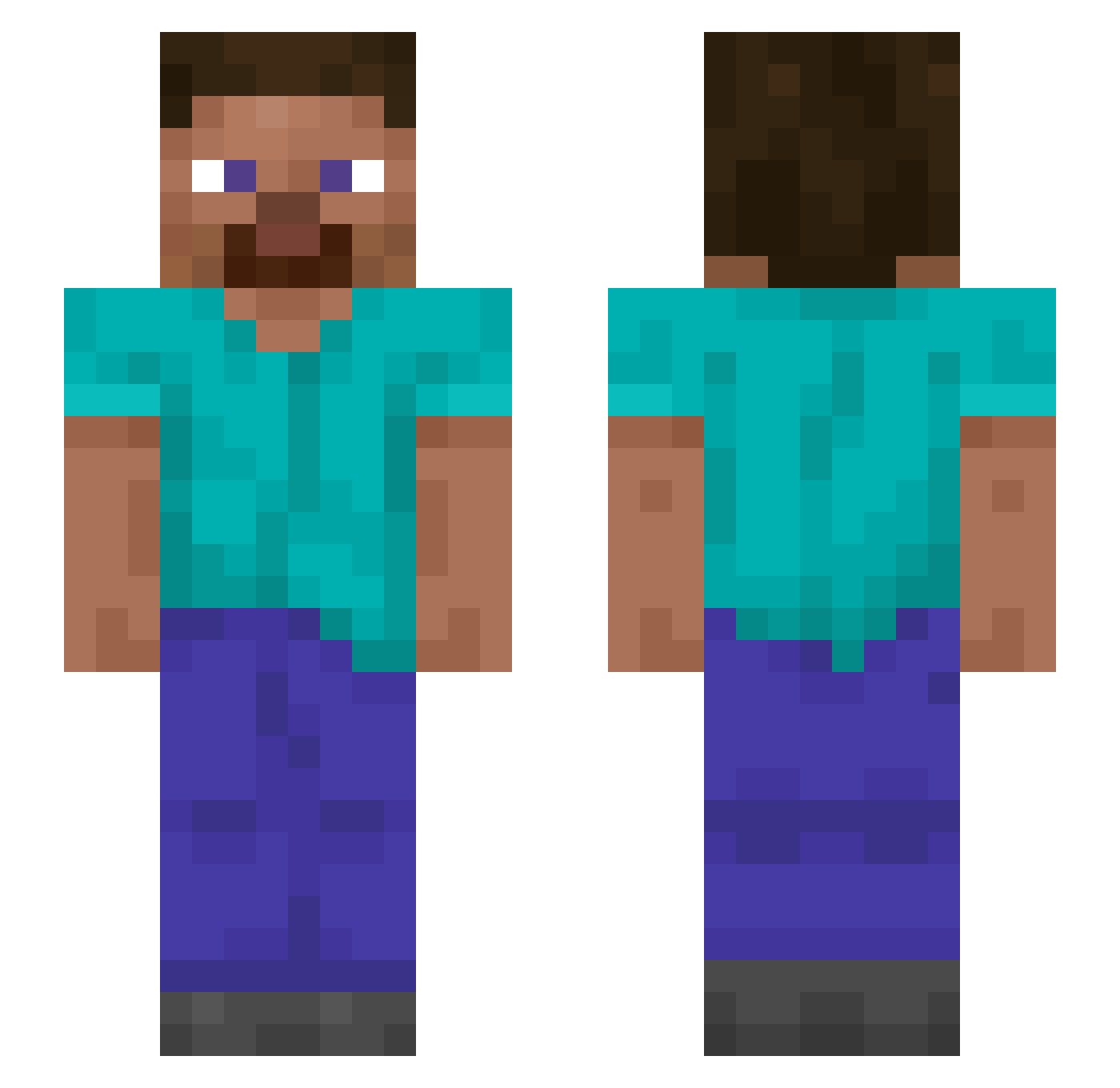
Current Minecraft skin of the player sloppier, loaded from the official Mojang API. Rotate the 3D model with your mouse or finger, then download the skin as a PNG file and use it in Minecraft: Bedrock Edition or Java Edition for free. When sloppier changes their skin, this page updates automatically and the old skin stays in the history below.
Other players with this skin (1199)
sloppier was the 691st player we have seen with this skin, first spotted on 22.09.2026. The same skin was seen on these players. Open a nickname to see their current skin and skin history.
 Joug gravity62100 xXGilli_GeiloXx Speleological KobusKruger Admonishes DaLes IsraelBeterThanU Asjr23 Biluteteia7 Panzer2111 They_invisible owling Antry30 Caresses YOUKNOWANTHONY27 dejo2303 Billeter Chr1ss kristian676767 bMW_L0VER AhmundToo caracals Goldbird EmperorRomeo tapsa123 kazek42 Arigue Snupper LinhksSGO0111 aidpactient Violone PhotoRecorder Knifesmith cvbx_ HeLoXBeast zenithward MarcoM456 eyries Claimants oliverarhi DensGod SensejSon lopiko Neukgo _vioIence_ Hoddle yluteujbanan keets imhavinproblems Masterlazor ImSchoolShooting Ottomanic 1xvii iMrSquirrel Verbalising DrewTrippieRed GrandDutyBattle Yunca _Seen
How to install the sloppier skin
- Press the Download button above to save the skin as a PNG file.
- Minecraft: Bedrock Edition (PE): open the Dressing Room from the main menu (or tap your character → Edit Character), go to Classic Skins → Owned, press the + (new skin) button, choose the downloaded PNG and pick the Slim (Alex) model. Works on PC and mobile; consoles cannot import custom skins.
- Minecraft: Java Edition: open the Minecraft Launcher, go to the Skins tab, click New Skin, load the PNG, pick the Slim (Alex) model and press Save & Use. You can also upload it at minecraft.net → Profile → Change Skin.
The skin does not show up after import - what should I do?
Restart Minecraft and open the Dressing Room again - imported skins sometimes appear only after a restart. Also make sure you selected the imported skin and picked the Slim (Alex) model.
Which model should I choose, Classic or Slim?
This skin is designed for the Slim (Alex) model. If you pick the wrong model, the arms of the skin will look stretched or squeezed.
Is the skin of sloppier free to download?
Yes. Press Download, save the PNG file and use it in Minecraft: Bedrock Edition or Java Edition - no payment or registration needed. The skin also works on multiplayer servers and Realms.
More skins
Looking for more? Go back to all Minecraft skins and check the top skins of the week, month and all time, or find any player's skin by nickname.