
skyggemaner - Minecraft Skins & Skin History
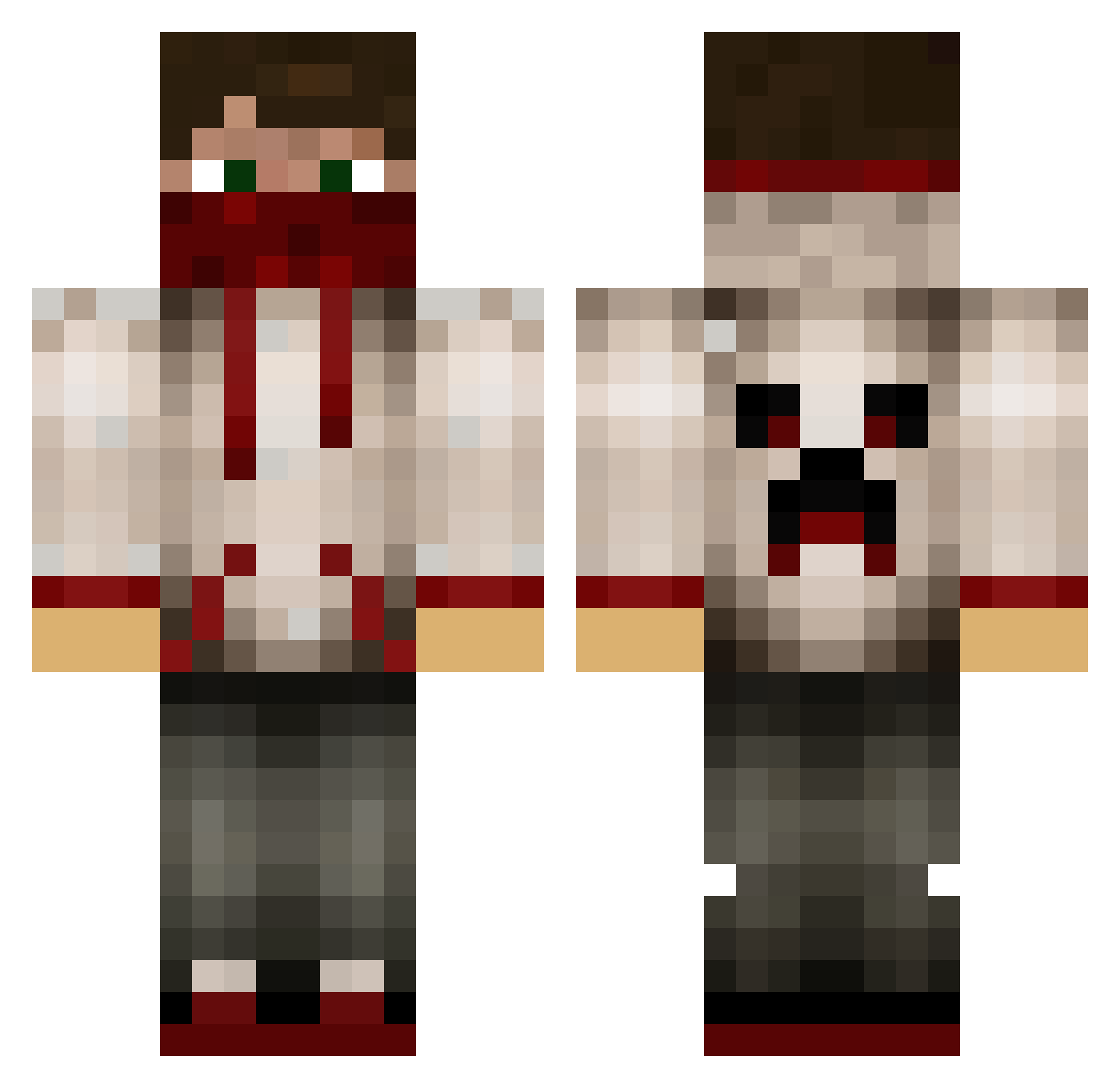
Current Minecraft skin of the player skyggemaner, loaded from the official Mojang API. Rotate the 3D model with your mouse or finger, then download the skin as a PNG file and use it in Minecraft: Bedrock Edition or Java Edition for free. When skyggemaner changes their skin, this page updates automatically and the old skin stays in the history below.
Other players with this skin (779)
skyggemaner was the 704th player we have seen with this skin, first spotted on 09.11.2026. The same skin was seen on these players. Open a nickname to see their current skin and skin history.
 kingkillerss Homeboy Jaylmer Begzz Zdioug deywas QuantumShock SirPeenieWallie Oo_D4RK_oO cjj2004 kuki243 alex_tejbrant Max_100million GanjaINSANITY Fraksu happypride lewienufc randomguy333 vart2004 freeezerr Trevor2106 Maxthebutterking Iuster OccideShadow NegaVoid BabieYoyo bbeaniemman MrJBMinecraft JET10101010 wbmilne ST3PH3N_B misterios Tuetenkopf Chambers681 JuMPInGyPSY daljar98 KAMOSVC spideral8 Jkko101 alsaisto Jaybo04 loganevans08 MineMuncher123 ulup1337 CrimWord MrCookiem4n Emilio10199 NShade071 Itz_Martz radford13 __diamondman285 7DV jmharper69 ThatTrickGuy JD_Adnan pigzRus123 kylemac04 Awesome_Aaron22 DANGEROUS_DUDLEY zachattack325
More Bandana Minecraft skins
How to install the skyggemaner skin
- Press the Download button above to save the skin as a PNG file.
- Minecraft: Bedrock Edition (PE): open the Dressing Room from the main menu (or tap your character → Edit Character), go to Classic Skins → Owned, press the + (new skin) button, choose the downloaded PNG and pick the Classic (Steve) model. Works on PC and mobile; consoles cannot import custom skins.
- Minecraft: Java Edition: open the Minecraft Launcher, go to the Skins tab, click New Skin, load the PNG, pick the Classic (Steve) model and press Save & Use. You can also upload it at minecraft.net → Profile → Change Skin.
The skin does not show up after import - what should I do?
Restart Minecraft and open the Dressing Room again - imported skins sometimes appear only after a restart. Also make sure you selected the imported skin and picked the Classic (Steve) model.
Which model should I choose, Classic or Slim?
This skin is designed for the Classic (Steve) model. If you pick the wrong model, the arms of the skin will look stretched or squeezed.
Is the skin of skyggemaner free to download?
Yes. Press Download, save the PNG file and use it in Minecraft: Bedrock Edition or Java Edition - no payment or registration needed. The skin also works on multiplayer servers and Realms.
More skins
Looking for more? Go back to all Minecraft skins and check the top skins of the week, month and all time, or find any player's skin by nickname.