
skurrwissin - Minecraft Skins & Skin History
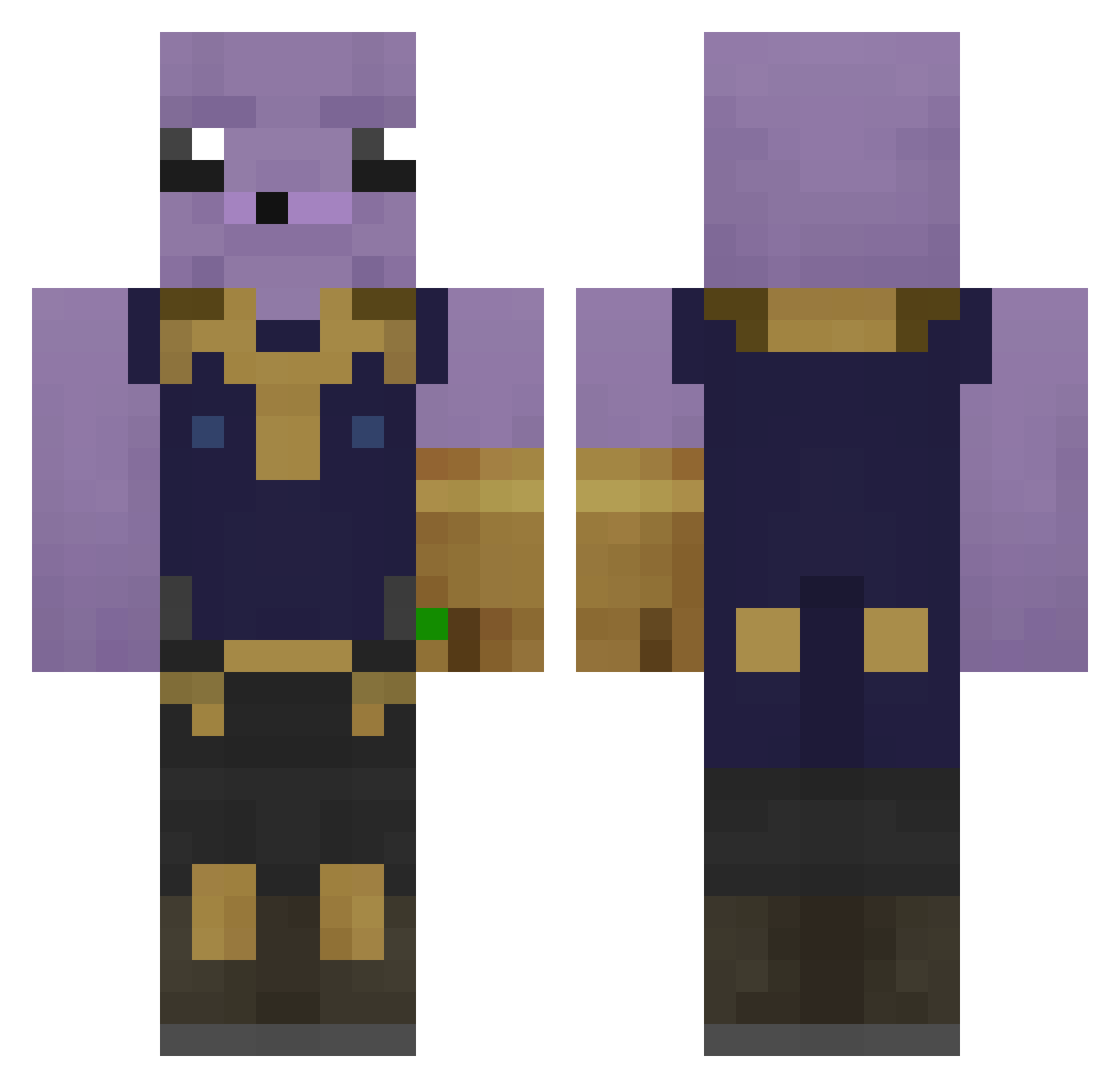
Current Minecraft skin of the player skurrwissin, loaded from the official Mojang API. Rotate the 3D model with your mouse or finger, then download the skin as a PNG file and use it in Minecraft: Bedrock Edition or Java Edition for free. When skurrwissin changes their skin, this page updates automatically and the old skin stays in the history below.
Other players with this skin (242)
skurrwissin was the 222nd player we have seen with this skin, first spotted on 14.10.2026. The same skin was seen on these players. Open a nickname to see their current skin and skin history.
 DonRumata40 Isaac628 RoyalName21 ayatoswife 302jamir President_Dream HeemWitABeam Trickman2009_ KGB_USSR ALAN0312 Kybber Terater007 Defaalt_ GarrrTheGAMER47 Barnerumper azukibeanz EStrassy8 Bugadao789 Tryggvetr Yo_Budddddy hugo_balls_2255 kauelindo tin065 TYG2 raduniooo DeeSnuts_420 AudiF4 XGETZX ro11ing_rock89 Mr31Shaco Niclai13 Thenoobslayer16 Jorginpentefino Geronimo0 KumGussler Dom1800 fabo864 Skopta Haneow PocoyoXxx SachaGryBabouche Rattuzz RSFes GoldenEagle586 Cqfesitx Steeeeveeee JaeMin_18 Supert0r KMomoa SkibidiAndo MrGreedsalot Giqnlucca Pallozo MYLEG25 ZackYaBoy05 Pedrohtp idanMoalem jah21 Maxjul007 DebHub
More Thanos Minecraft skins
How to install the skurrwissin skin
- Press the Download button above to save the skin as a PNG file.
- Minecraft: Bedrock Edition (PE): open the Dressing Room from the main menu (or tap your character → Edit Character), go to Classic Skins → Owned, press the + (new skin) button, choose the downloaded PNG and pick the Classic (Steve) model. Works on PC and mobile; consoles cannot import custom skins.
- Minecraft: Java Edition: open the Minecraft Launcher, go to the Skins tab, click New Skin, load the PNG, pick the Classic (Steve) model and press Save & Use. You can also upload it at minecraft.net → Profile → Change Skin.
The skin does not show up after import - what should I do?
Restart Minecraft and open the Dressing Room again - imported skins sometimes appear only after a restart. Also make sure you selected the imported skin and picked the Classic (Steve) model.
Which model should I choose, Classic or Slim?
This skin is designed for the Classic (Steve) model. If you pick the wrong model, the arms of the skin will look stretched or squeezed.
Is the skin of skurrwissin free to download?
Yes. Press Download, save the PNG file and use it in Minecraft: Bedrock Edition or Java Edition - no payment or registration needed. The skin also works on multiplayer servers and Realms.
More skins
Looking for more? Go back to all Minecraft skins and check the top skins of the week, month and all time, or find any player's skin by nickname.