
skhj - Minecraft Skins & Skin History
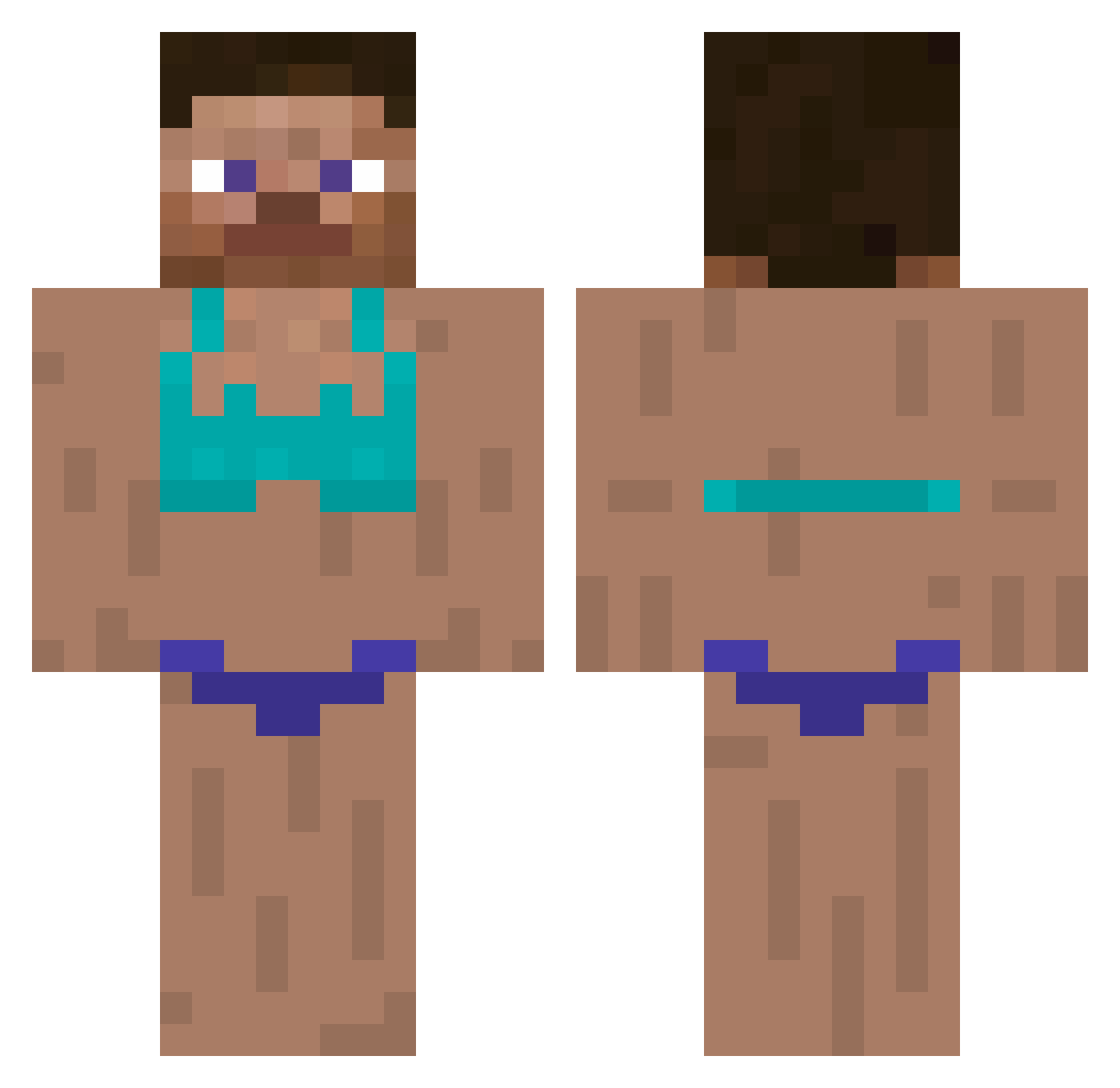
Current Minecraft skin of the player skhj, loaded from the official Mojang API. Rotate the 3D model with your mouse or finger, then download the skin as a PNG file and use it in Minecraft: Bedrock Edition or Java Edition for free. When skhj changes their skin, this page updates automatically and the old skin stays in the history below.
Other players with this skin (294)
skhj was the 171st player we have seen with this skin, first spotted on 17.09.2026. The same skin was seen on these players. Open a nickname to see their current skin and skin history.
 cwils18 69Bubble420 JustOzzy P0PE_LE0 chukenpout Decles0827 Vikinky J4cK09 Kindri_ MNZOR erik1904_ MrRosa YanComY Osman_31 SrTigas KUZANOTR Xeidmh VityAz7557 Konkes1 PoteznyIgor Slowbobush ibeatbabiesin4k Fattyd4ddy SaffronLemon5645 GuttyGames Azagog umsonya Pines6945 LeDingooo F1NN1AN0 crazyrichasian27 ilias_1212 texf_ mearyun ItemNametag ReLi19 gtse iTrucks dangermiko Chiwawah kurvicky KylieH22 Hyper_MC1 gorira0421 m0theRRR AirKaiNn Sklavenmarkt1945 ondersteboven
 xXMarkyMarkFFXx GSKgh BreiterAlsTuer CokeTown2 Slowanna refundablelaten AGOGGYS EmilieLaBg Ollukollu sdfneo michael210699 PinkSloppyMidge
More Swimsuit Minecraft skins
How to install the skhj skin
- Press the Download button above to save the skin as a PNG file.
- Minecraft: Bedrock Edition (PE): open the Dressing Room from the main menu (or tap your character → Edit Character), go to Classic Skins → Owned, press the + (new skin) button, choose the downloaded PNG and pick the Classic (Steve) model. Works on PC and mobile; consoles cannot import custom skins.
- Minecraft: Java Edition: open the Minecraft Launcher, go to the Skins tab, click New Skin, load the PNG, pick the Classic (Steve) model and press Save & Use. You can also upload it at minecraft.net → Profile → Change Skin.
The skin does not show up after import - what should I do?
Restart Minecraft and open the Dressing Room again - imported skins sometimes appear only after a restart. Also make sure you selected the imported skin and picked the Classic (Steve) model.
Which model should I choose, Classic or Slim?
This skin is designed for the Classic (Steve) model. If you pick the wrong model, the arms of the skin will look stretched or squeezed.
Is the skin of skhj free to download?
Yes. Press Download, save the PNG file and use it in Minecraft: Bedrock Edition or Java Edition - no payment or registration needed. The skin also works on multiplayer servers and Realms.
More skins
Looking for more? Go back to all Minecraft skins and check the top skins of the week, month and all time, or find any player's skin by nickname.