
sipsons - Minecraft Skins & Skin History
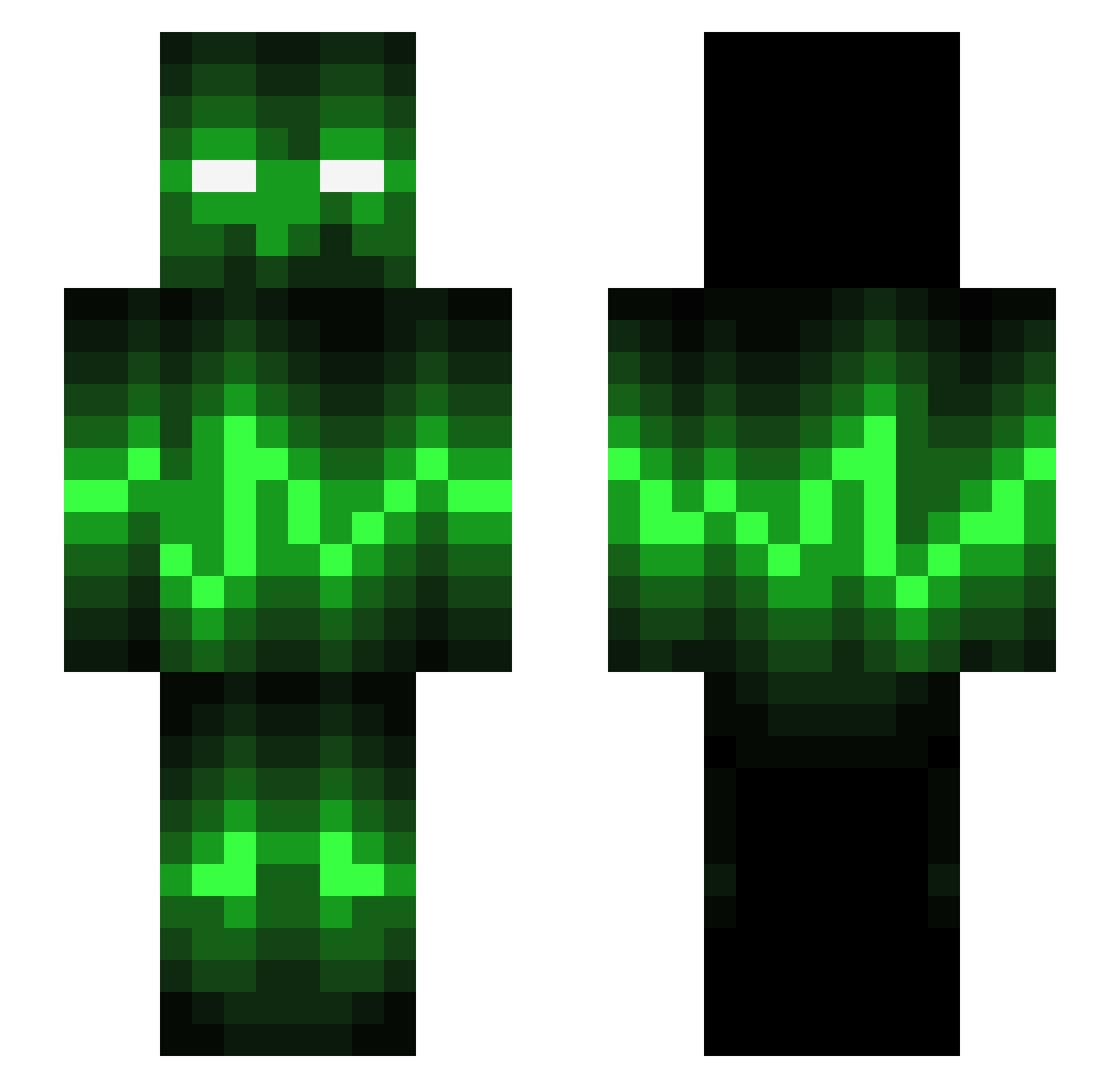
Current Minecraft skin of the player sipsons, loaded from the official Mojang API. Rotate the 3D model with your mouse or finger, then download the skin as a PNG file and use it in Minecraft: Bedrock Edition or Java Edition for free. When sipsons changes their skin, this page updates automatically and the old skin stays in the history below.
Other players with this skin (543)
sipsons was the 281st player we have seen with this skin, first spotted on 14.09.2026. The same skin was seen on these players. Open a nickname to see their current skin and skin history.
 MrN8K _MilchKuh_ EigtHerHD EntxJay davidmxm hans3625 Nitro2654 lanbaiowo Jiggimig haydenfitz Captaincow8 Hunterofdarkness Doramoon ZockxD AndyZ9 Mcmoneysack BobCobbleStone 3ec Dr_Chickenwing3 anderson0104 TheBlackMan1 iScaRx Mosbay FOX21321 Schraminator_ Thaine606 TheShieldHero LeetKing jazzyling FelixNubbe Apribottiglie llubavs vikingorder xBlack_Vortexx ImSeptical ssirahnivlac NotJuris10 savitar3863 turbotilburg zulxpro minecraftfritze MisterBadeend TangledSpy FayeMorgan Liamb134 Vini19990 xavieryzzz Nickstar_98 Easygoing Blobbarin Schmule04 PokedexPichu The_Screw LfaLeeee Lukas_s51 TrollingNinja tweeker1994 Harveyfaulkner Mikoo42 PunkPro
More Audio Wave Minecraft skins
How to install the sipsons skin
- Press the Download button above to save the skin as a PNG file.
- Minecraft: Bedrock Edition (PE): open the Dressing Room from the main menu (or tap your character → Edit Character), go to Classic Skins → Owned, press the + (new skin) button, choose the downloaded PNG and pick the Slim (Alex) model. Works on PC and mobile; consoles cannot import custom skins.
- Minecraft: Java Edition: open the Minecraft Launcher, go to the Skins tab, click New Skin, load the PNG, pick the Slim (Alex) model and press Save & Use. You can also upload it at minecraft.net → Profile → Change Skin.
The skin does not show up after import - what should I do?
Restart Minecraft and open the Dressing Room again - imported skins sometimes appear only after a restart. Also make sure you selected the imported skin and picked the Slim (Alex) model.
Which model should I choose, Classic or Slim?
This skin is designed for the Slim (Alex) model. If you pick the wrong model, the arms of the skin will look stretched or squeezed.
Is the skin of sipsons free to download?
Yes. Press Download, save the PNG file and use it in Minecraft: Bedrock Edition or Java Edition - no payment or registration needed. The skin also works on multiplayer servers and Realms.
More skins
Looking for more? Go back to all Minecraft skins and check the top skins of the week, month and all time, or find any player's skin by nickname.