
sink_water420 - Minecraft Skins & Skin History
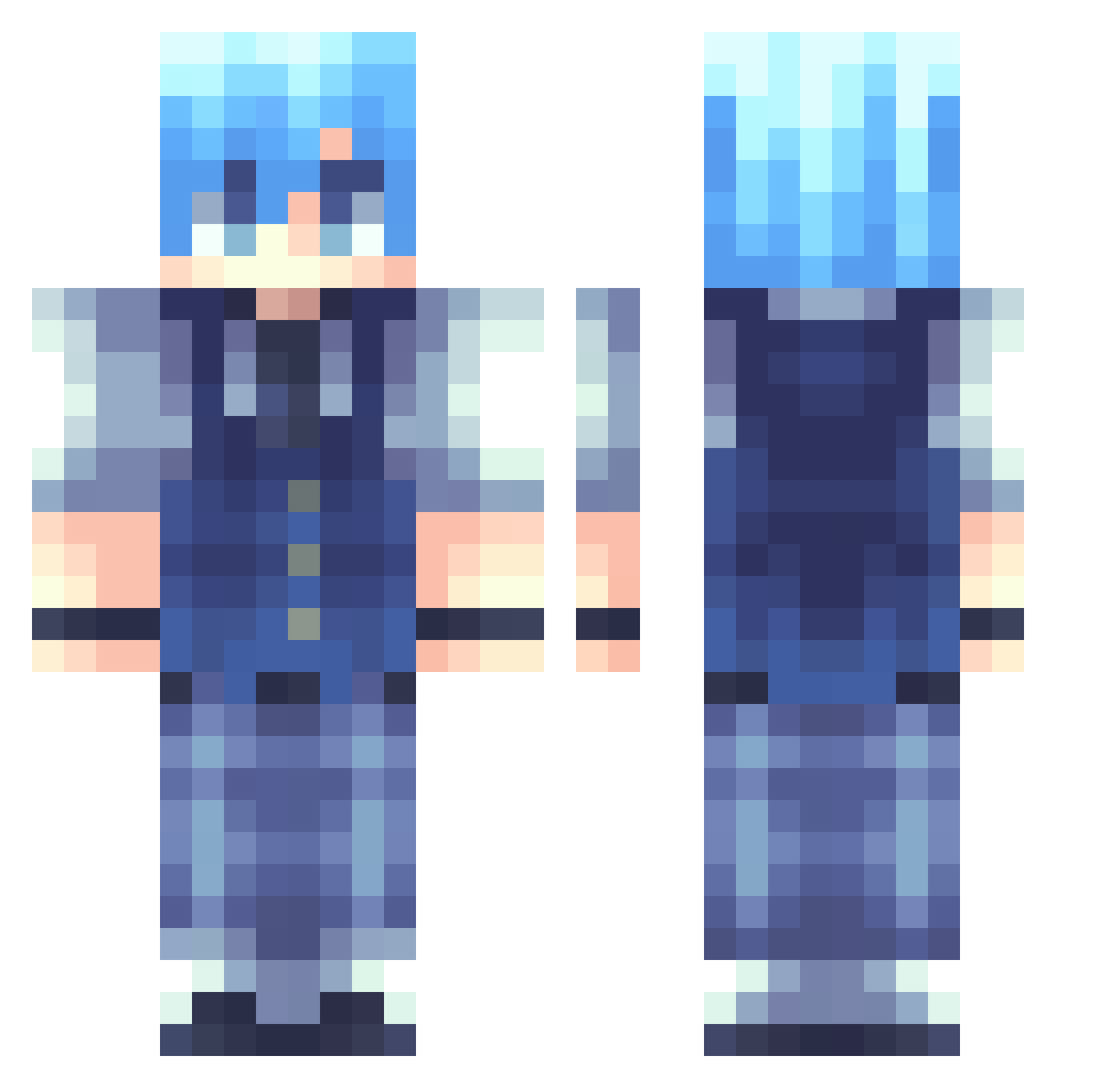
Current Minecraft skin of the player sink_water420, loaded from the official Mojang API. Rotate the 3D model with your mouse or finger, then download the skin as a PNG file and use it in Minecraft: Bedrock Edition or Java Edition for free. When sink_water420 changes their skin, this page updates automatically and the old skin stays in the history below.
Other players with this skin (262)
sink_water420 was the 217th player we have seen with this skin, first spotted on 23.10.2026. The same skin was seen on these players. Open a nickname to see their current skin and skin history.
 ITheIVed Nesnardo SrJasper TheSpookySur AlphaG0 ImPeso ausoare chocomung BigGill Etherious801 Dr__Pepper_ ydirr WuShang55 Ha_ranG7 searily J_uninha Nuo_A Shadow_792 TerasakaRyoma Pandora13 MIX_v98 PhantomlyReaper SleepyyJo Julius78 KTaluto youki_12 BassBest SchokoladeGHG Tinnnnsss speckle520 wolfhans Flamy_Tv yixuan47 Snowfeel Akantala Helaman_ nubimatty Spicyyramenn KisucoXD Rululu0 xXNagisa0Xx Ruminouss mrg_hyeok Snowflakes1025 jinting Dummmmmmmmmmmmy J0YFUL_ Denotu iCy_22 MiaoXIA7 4477 PGElektro Nagisas4n dangerdays003 Restekiste kitsunedesu ShadowJack03 heatinq Smalljin AreoPlain
How to install the sink_water420 skin
- Press the Download button above to save the skin as a PNG file.
- Minecraft: Bedrock Edition (PE): open the Dressing Room from the main menu (or tap your character → Edit Character), go to Classic Skins → Owned, press the + (new skin) button, choose the downloaded PNG and pick the Classic (Steve) model. Works on PC and mobile; consoles cannot import custom skins.
- Minecraft: Java Edition: open the Minecraft Launcher, go to the Skins tab, click New Skin, load the PNG, pick the Classic (Steve) model and press Save & Use. You can also upload it at minecraft.net → Profile → Change Skin.
The skin does not show up after import - what should I do?
Restart Minecraft and open the Dressing Room again - imported skins sometimes appear only after a restart. Also make sure you selected the imported skin and picked the Classic (Steve) model.
Which model should I choose, Classic or Slim?
This skin is designed for the Classic (Steve) model. If you pick the wrong model, the arms of the skin will look stretched or squeezed.
Is the skin of sink_water420 free to download?
Yes. Press Download, save the PNG file and use it in Minecraft: Bedrock Edition or Java Edition - no payment or registration needed. The skin also works on multiplayer servers and Realms.
More skins
Looking for more? Go back to all Minecraft skins and check the top skins of the week, month and all time, or find any player's skin by nickname.