
silverytplayz - Minecraft Skins & Skin History
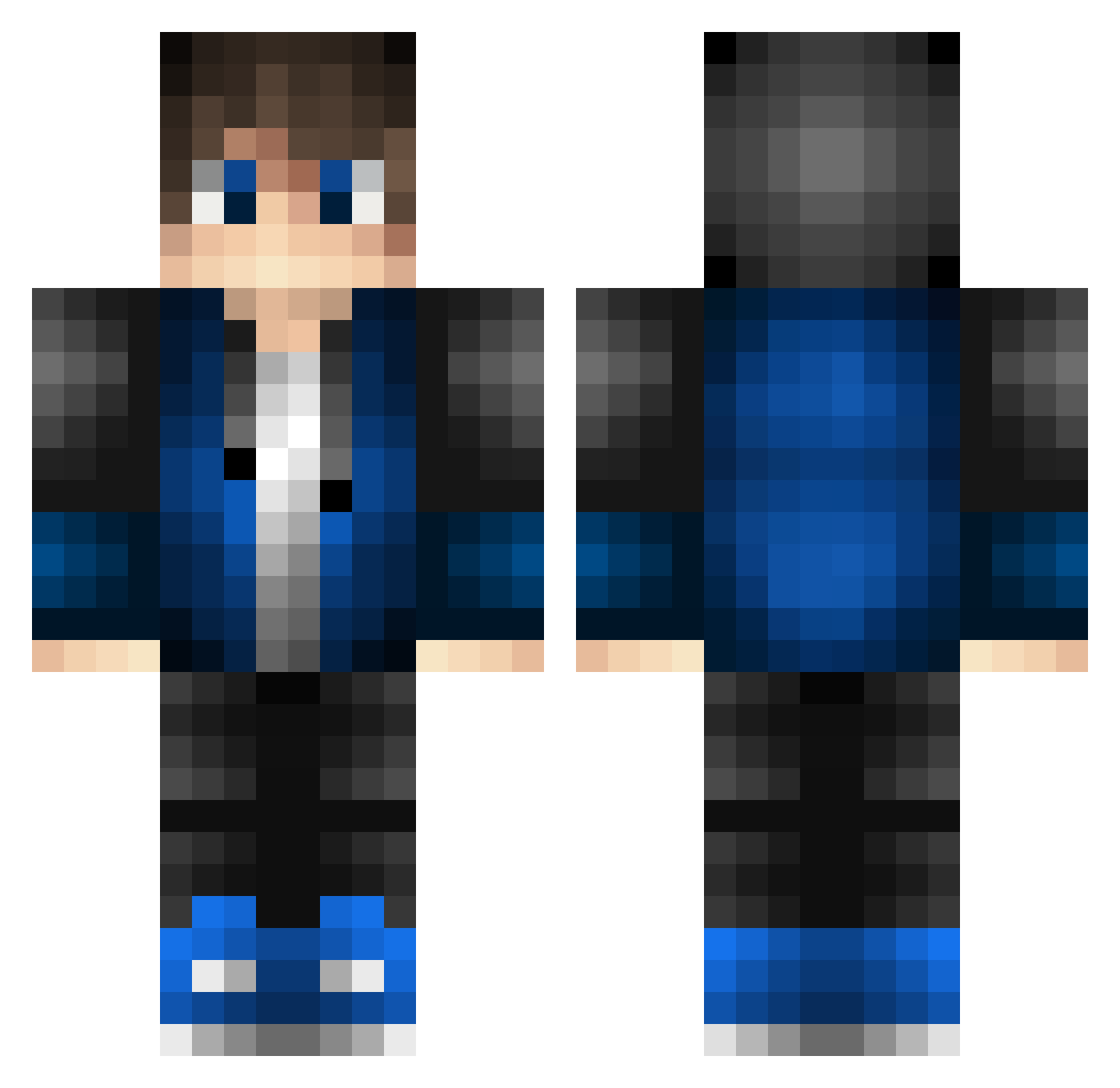
Current Minecraft skin of the player silverytplayz, loaded from the official Mojang API. Rotate the 3D model with your mouse or finger, then download the skin as a PNG file and use it in Minecraft: Bedrock Edition or Java Edition for free. When silverytplayz changes their skin, this page updates automatically and the old skin stays in the history below.
Other players with this skin (528)
silverytplayz was the 113th player we have seen with this skin, first spotted on 17.08.2026. The same skin was seen on these players. Open a nickname to see their current skin and skin history.
 Truckfan87 Stodix77 Ledeni_caj jalb618 LewisMarko TomTang0824 KleinerPhorx sevenk1 theblackavenger Blader1509 Sc1Nc KJShadow666 Royal_Rebel97 PipeZans VandaX10 _AmbY_ KrixPvP ehdgl SHIGAN111 supermen38791 DXA69 ByTropsy Archi_Wood Ganonstol Aybars2812 steveboi090 IamTurtleMan Bright_Star_VN AboutTube Hotdog97 BiggzZZ xscoRcH1 PJoon_12 Vuuzi2k AdmiralDrogon ItsDido23 BennyBo0 Propowrjack TadeuBM FYXM123 MadMax911194 ATHELSAN braydonsticks fanderr Benscar2 ImPorter95 jreey CobaltLazuli Zhang_12 J_Japple_e AUG113 cube_239 Freeman92 LTDZLTC BlueDecay_0 Zeyami17 kamiya6020 YUI_2944 PeppsPepper Its_TheAlex
How to install the silverytplayz skin
- Press the Download button above to save the skin as a PNG file.
- Minecraft: Bedrock Edition (PE): open the Dressing Room from the main menu (or tap your character → Edit Character), go to Classic Skins → Owned, press the + (new skin) button, choose the downloaded PNG and pick the Classic (Steve) model. Works on PC and mobile; consoles cannot import custom skins.
- Minecraft: Java Edition: open the Minecraft Launcher, go to the Skins tab, click New Skin, load the PNG, pick the Classic (Steve) model and press Save & Use. You can also upload it at minecraft.net → Profile → Change Skin.
The skin does not show up after import - what should I do?
Restart Minecraft and open the Dressing Room again - imported skins sometimes appear only after a restart. Also make sure you selected the imported skin and picked the Classic (Steve) model.
Which model should I choose, Classic or Slim?
This skin is designed for the Classic (Steve) model. If you pick the wrong model, the arms of the skin will look stretched or squeezed.
Is the skin of silverytplayz free to download?
Yes. Press Download, save the PNG file and use it in Minecraft: Bedrock Edition or Java Edition - no payment or registration needed. The skin also works on multiplayer servers and Realms.
More skins
Looking for more? Go back to all Minecraft skins and check the top skins of the week, month and all time, or find any player's skin by nickname.