
sil2902 - Minecraft Skins & Skin History
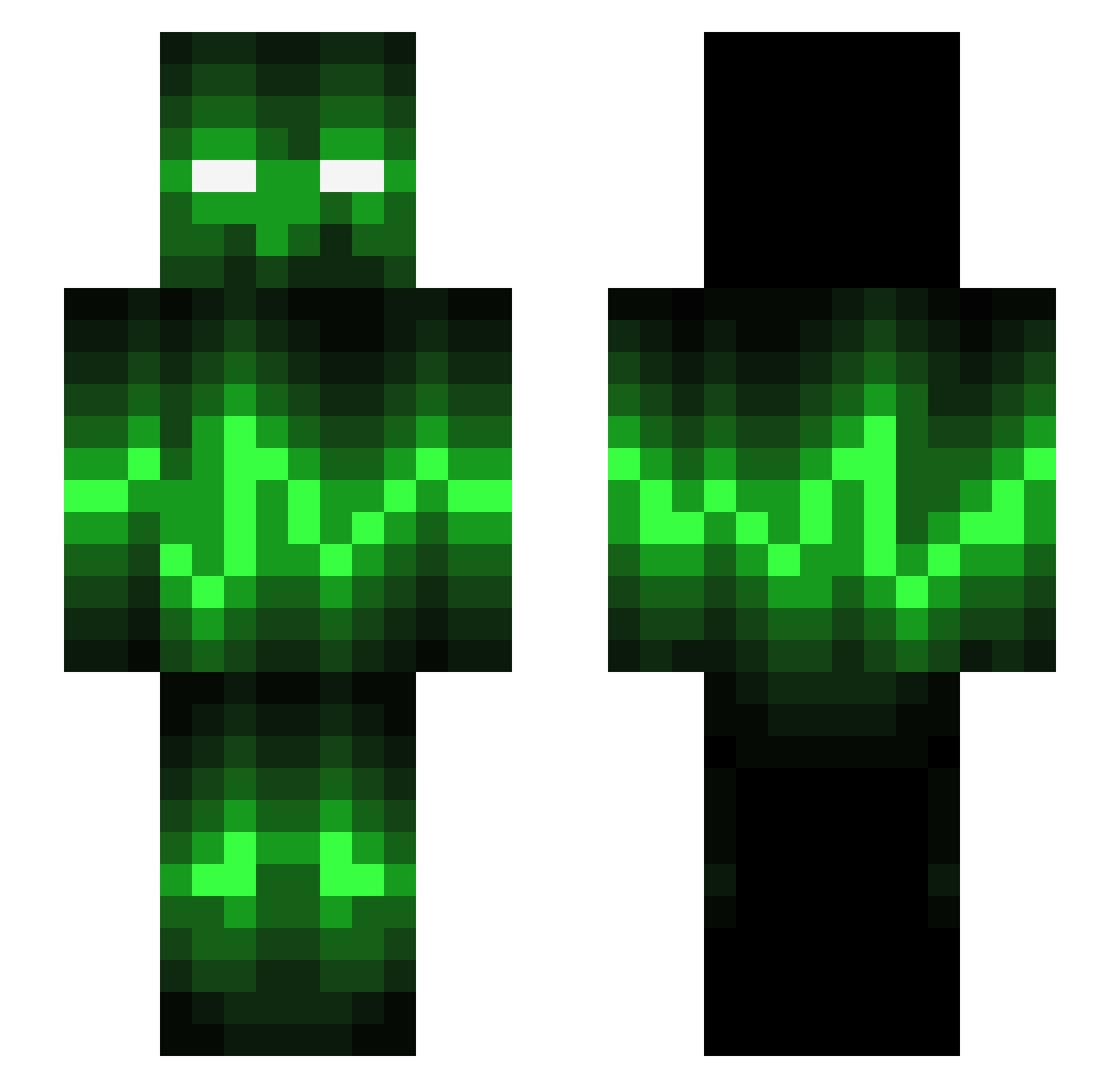
Current Minecraft skin of the player sil2902, loaded from the official Mojang API. Rotate the 3D model with your mouse or finger, then download the skin as a PNG file and use it in Minecraft: Bedrock Edition or Java Edition for free. When sil2902 changes their skin, this page updates automatically and the old skin stays in the history below.
Other players with this skin (539)
sil2902 was the 29th player we have seen with this skin, first spotted on 29.07.2026. The same skin was seen on these players. Open a nickname to see their current skin and skin history.
 yaw022 XxShadowDukexX Yukri Saibot003 1Dreamer yolosweg420ge Basty_8544 TuXZer0 Amfibie73 Tigro9245 phildo45 Sidofsparkill Kawasaki_Rider19 XxBadIntentxX 123Hosenbrei 02julius cop_112 Danwizzard ZombieSpec SCREAMINGKIWI Grimlock76 Killerkrv MrFruityMan 822431245 xXProGamerXx110 crazydogtrigger B17489 Stryde FBKPhoenix NareMan_NL Clb_1515 beastkiller3000 tim198 Thelgrim JMc1523 Frimojo koolkid2002 Kuchen234 BL0CK5Y Jenkins001 omgitssel TheGamerFlamer CraziDavy Rainz_Creative Snarl2 jaffa1888 118c JayzO99 RagnarAugust Soloen99 Tom17 reece2k14 Fuscolo Dongmas King_Eric19 shortclock TheRealStalin_ lengendaryonyx1 raxgames101 gabr1123
More Audio Wave Minecraft skins
How to install the sil2902 skin
- Press the Download button above to save the skin as a PNG file.
- Minecraft: Bedrock Edition (PE): open the Dressing Room from the main menu (or tap your character → Edit Character), go to Classic Skins → Owned, press the + (new skin) button, choose the downloaded PNG and pick the Slim (Alex) model. Works on PC and mobile; consoles cannot import custom skins.
- Minecraft: Java Edition: open the Minecraft Launcher, go to the Skins tab, click New Skin, load the PNG, pick the Slim (Alex) model and press Save & Use. You can also upload it at minecraft.net → Profile → Change Skin.
The skin does not show up after import - what should I do?
Restart Minecraft and open the Dressing Room again - imported skins sometimes appear only after a restart. Also make sure you selected the imported skin and picked the Slim (Alex) model.
Which model should I choose, Classic or Slim?
This skin is designed for the Slim (Alex) model. If you pick the wrong model, the arms of the skin will look stretched or squeezed.
Is the skin of sil2902 free to download?
Yes. Press Download, save the PNG file and use it in Minecraft: Bedrock Edition or Java Edition - no payment or registration needed. The skin also works on multiplayer servers and Realms.
More skins
Looking for more? Go back to all Minecraft skins and check the top skins of the week, month and all time, or find any player's skin by nickname.