
shrewdy - Minecraft Skins & Skin History
Current Minecraft skin of the player shrewdy, loaded from the official Mojang API. Rotate the 3D model with your mouse or finger, then download the skin as a PNG file and use it in Minecraft: Bedrock Edition or Java Edition for free. When shrewdy changes their skin, this page updates automatically and the old skin stays in the history below.
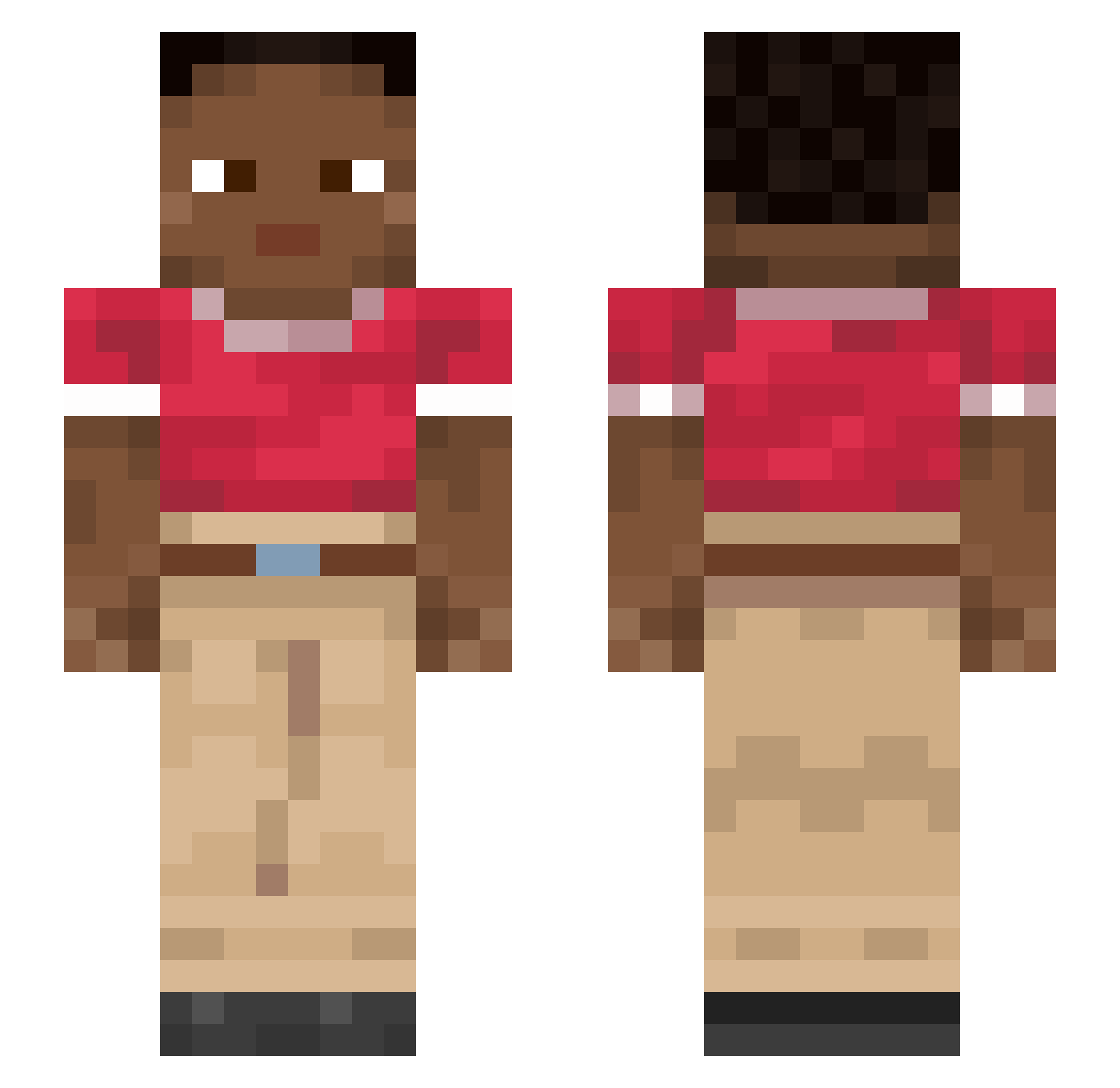
Other players with this skin (1117)
shrewdy was the 1031st player we have seen with this skin, first spotted on 14.11.2026. The same skin was seen on these players. Open a nickname to see their current skin and skin history.
 Polyandrium Rangpur Choffer Kirax07 Cryptonymous AFR34 spiculum Barragan _Spaarky_ Maxuser4_YT wooshy kaxte Euphausiid TabList_Loszerr gkfs Sarracenial Chromaaxx sooey miyanosherry Chalcor waer Blinding starsman22 Rustler 4_dim_Tensor SK_SNOW 0907sj Banago KingFisch2020202 Metallized Twizst3d ShadowZaxus Nanocephalous Eldog37 pourule34 Crossfire13700 Chotin968 Throneless superdanger Kijoraa proode splittail Studhorse GalaxyStarw AlienZombieNecro Iarotivia GUNIAN9 O51 timocracy Jaxk_14kTpLe Ordinaryoze Materialising Lets_Marc Carpinus Yarsy MRDANNY elf joansanskr TurboToilet78 Surger
How to install the shrewdy skin
- Press the Download button above to save the skin as a PNG file.
- Minecraft: Bedrock Edition (PE): open the Dressing Room from the main menu (or tap your character → Edit Character), go to Classic Skins → Owned, press the + (new skin) button, choose the downloaded PNG and pick the Slim (Alex) model. Works on PC and mobile; consoles cannot import custom skins.
- Minecraft: Java Edition: open the Minecraft Launcher, go to the Skins tab, click New Skin, load the PNG, pick the Slim (Alex) model and press Save & Use. You can also upload it at minecraft.net → Profile → Change Skin.
The skin does not show up after import - what should I do?
Restart Minecraft and open the Dressing Room again - imported skins sometimes appear only after a restart. Also make sure you selected the imported skin and picked the Slim (Alex) model.
Which model should I choose, Classic or Slim?
This skin is designed for the Slim (Alex) model. If you pick the wrong model, the arms of the skin will look stretched or squeezed.
Is the skin of shrewdy free to download?
Yes. Press Download, save the PNG file and use it in Minecraft: Bedrock Edition or Java Edition - no payment or registration needed. The skin also works on multiplayer servers and Realms.
More skins
Looking for more? Go back to all Minecraft skins and check the top skins of the week, month and all time, or find any player's skin by nickname.