
shrekworshipperr - Minecraft Skins & Skin History
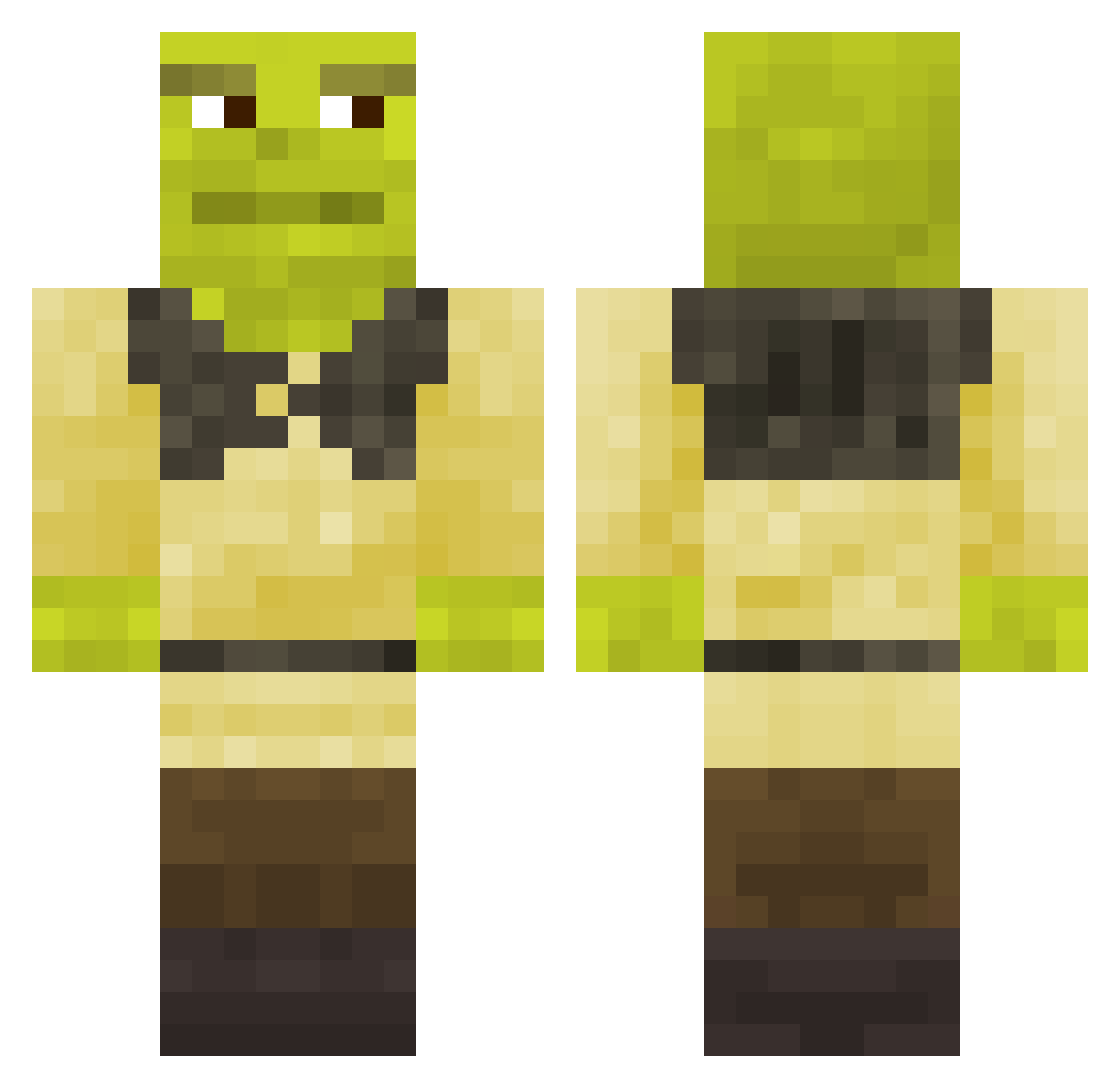
Current Minecraft skin of the player shrekworshipperr, loaded from the official Mojang API. Rotate the 3D model with your mouse or finger, then download the skin as a PNG file and use it in Minecraft: Bedrock Edition or Java Edition for free. When shrekworshipperr changes their skin, this page updates automatically and the old skin stays in the history below.
Other players with this skin (672)
shrekworshipperr was the 52nd player we have seen with this skin, first spotted on 02.08.2026. The same skin was seen on these players. Open a nickname to see their current skin and skin history.
 VkusovojSoso4ek Alihan41 mwthr Yoda02 LuckyLucian1906 Taaffe1997 GodzDario PVP_MAYA_XX RoiKatskuko kupidoon Faragol robatdude CARLOSALPHA12 SqueekyIsEpic PercyJackson104 skandy04 Anglio27 fedunchik Scorpion_explode G1g0r1 Hexa08 M2TheMichael NEGROLOKO25 Nuclear_General HeyKel95 JakeSimps Oddy59 Noximilien92 Bussy_Enjoyer_69 puszystek1231232 koalakaylan_1 gabriel18026555 SpOOder_Shrek69 zatiiix Opaksu ChocoladeAsperge TupTupson dragonyeser JFFerrado NotAmmar eldraggan Spewnikorn senathegiant metin_2 staceynotfound Sandgrift MarcR605 iaVaniaa ZannaPollo Elyes_S WEUDE FrankBlum05 minatra Rokan2 Galdrogas ErNi97 PuRiiT thatsheon_ WhasianLittle MrFlaster
More Shrek Minecraft skins
How to install the shrekworshipperr skin
- Press the Download button above to save the skin as a PNG file.
- Minecraft: Bedrock Edition (PE): open the Dressing Room from the main menu (or tap your character → Edit Character), go to Classic Skins → Owned, press the + (new skin) button, choose the downloaded PNG and pick the Classic (Steve) model. Works on PC and mobile; consoles cannot import custom skins.
- Minecraft: Java Edition: open the Minecraft Launcher, go to the Skins tab, click New Skin, load the PNG, pick the Classic (Steve) model and press Save & Use. You can also upload it at minecraft.net → Profile → Change Skin.
The skin does not show up after import - what should I do?
Restart Minecraft and open the Dressing Room again - imported skins sometimes appear only after a restart. Also make sure you selected the imported skin and picked the Classic (Steve) model.
Which model should I choose, Classic or Slim?
This skin is designed for the Classic (Steve) model. If you pick the wrong model, the arms of the skin will look stretched or squeezed.
Is the skin of shrekworshipperr free to download?
Yes. Press Download, save the PNG file and use it in Minecraft: Bedrock Edition or Java Edition - no payment or registration needed. The skin also works on multiplayer servers and Realms.
More skins
Looking for more? Go back to all Minecraft skins and check the top skins of the week, month and all time, or find any player's skin by nickname.