
shocktoa - Minecraft Skins & Skin History
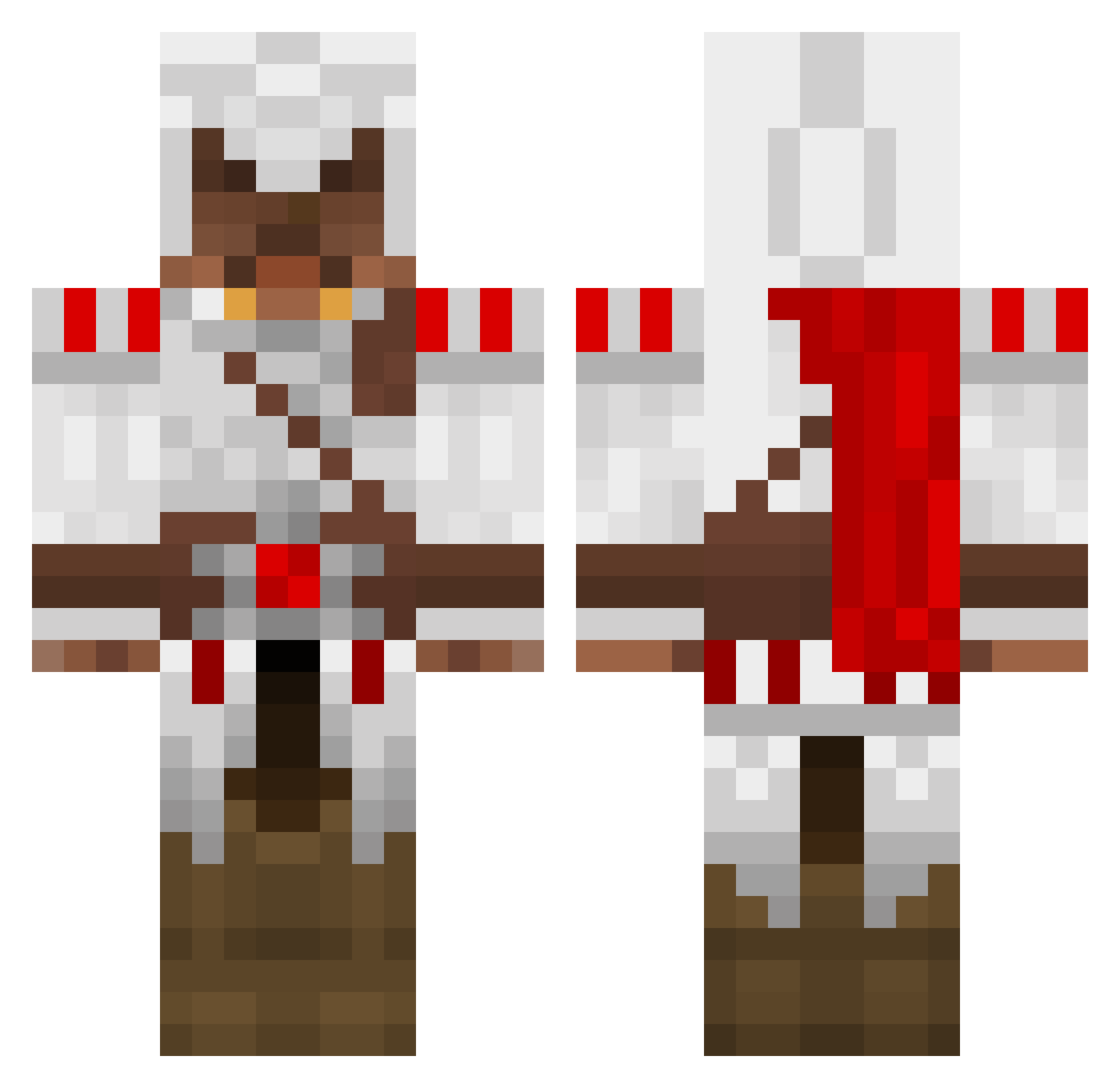
Current Minecraft skin of the player shocktoa, loaded from the official Mojang API. Rotate the 3D model with your mouse or finger, then download the skin as a PNG file and use it in Minecraft: Bedrock Edition or Java Edition for free. When shocktoa changes their skin, this page updates automatically and the old skin stays in the history below.
Other players with this skin (1695)
shocktoa was the 1549th player we have seen with this skin, first spotted on 10.11.2026. The same skin was seen on these players. Open a nickname to see their current skin and skin history.
 tashikoma DougieBridges Peter_Shen xsirhc ColdCaZpa silly_killy neumanator13 Busta_SMurk Transcara Progamer10131 ProCombatv1 Clank1972 maybebecause PancakeParties Yankeekid Yoda_Slim tomiw2506 Ice_Diver ButlerTheGoat DaddySpankMe T_Stark Skettler FYSdavala1 kelv1n09 jnicolas00 ronnie15 dhlethal Roknarhh Kazhel sgitkos007 The_Impassive JustinB2001 DC_MAN090 Adenrin KevinH2209 geographe SuPeRbLaStEr VMware oscarblaster Apples1211 PaulMVP23 jojomaster97 Jonny_Liu KeshA228 Smitty_W JJKBARNES Dalzanor lincdasink spekje23 Kopparbruce RhinoGame2 Vezketh MrToad_ Lone_Wolf45 nemoninja16 willfunk WILKIO CookieChris99 muddy198 Swiftek360
More Altair Ibn La Ahad Minecraft skins
See all 226 Altair Ibn La Ahad skins
How to install the shocktoa skin
- Press the Download button above to save the skin as a PNG file.
- Minecraft: Bedrock Edition (PE): open the Dressing Room from the main menu (or tap your character → Edit Character), go to Classic Skins → Owned, press the + (new skin) button, choose the downloaded PNG and pick the Classic (Steve) model. Works on PC and mobile; consoles cannot import custom skins.
- Minecraft: Java Edition: open the Minecraft Launcher, go to the Skins tab, click New Skin, load the PNG, pick the Classic (Steve) model and press Save & Use. You can also upload it at minecraft.net → Profile → Change Skin.
The skin does not show up after import - what should I do?
Restart Minecraft and open the Dressing Room again - imported skins sometimes appear only after a restart. Also make sure you selected the imported skin and picked the Classic (Steve) model.
Which model should I choose, Classic or Slim?
This skin is designed for the Classic (Steve) model. If you pick the wrong model, the arms of the skin will look stretched or squeezed.
Is the skin of shocktoa free to download?
Yes. Press Download, save the PNG file and use it in Minecraft: Bedrock Edition or Java Edition - no payment or registration needed. The skin also works on multiplayer servers and Realms.
More skins
Looking for more? Go back to all Minecraft skins and check the top skins of the week, month and all time, or find any player's skin by nickname.