
shimotuki11 - Minecraft Skins & Skin History
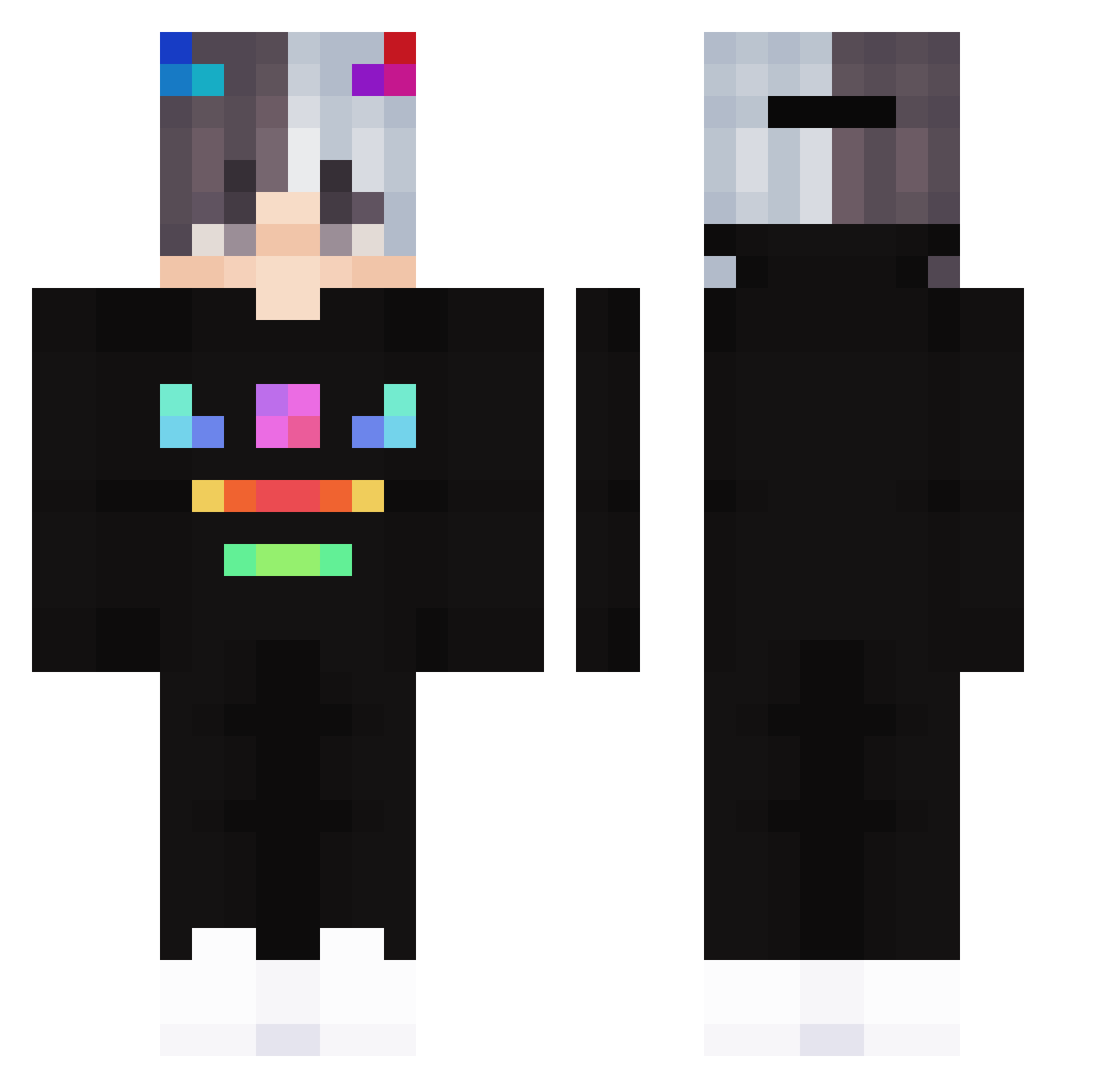
Current Minecraft skin of the player shimotuki11, loaded from the official Mojang API. Rotate the 3D model with your mouse or finger, then download the skin as a PNG file and use it in Minecraft: Bedrock Edition or Java Edition for free. When shimotuki11 changes their skin, this page updates automatically and the old skin stays in the history below.
Other players with this skin (175)
shimotuki11 was the 77th player we have seen with this skin, first spotted on 01.09.2026. The same skin was seen on these players. Open a nickname to see their current skin and skin history.
 Mr_MOnsTRik lyw_07 Rxgameing LukaszSztandoo mrtuxa IZernoI KiBumsss MC_HF Hoilaiken BumbleB338 MsMin15 Tiara_Mihamitsu Shuoya Meercyy Matts2sandro _0000 xVrozzy Thresh_zz HCS_1997 Maximus8558 flexinggym Kenshiro23 GLX_Neyko liuguangxiying JerryInc OpBaby_ K_Yos1 XKrex_z3 LegacyBranch380 Nakeerz SuperRiley12 Andrew921030 DREAM_Universe Meggie59578 Gloorious STUFFWhite dar_levi Manzaniita NikoNegativ pandolhino wongyu0730 R0J3K1231 kamang13 Ouspinousse killua234 FilipKolman Dokgoyunsl RolleEinJibbit H0neyHands _c901_ jae_ev 2kagero Snipezyyy XiaoHuang_TW zImRazer MARCOREY69 TheClimeno P_moerin_6969 TheoVechta Sebastiano17
More Neon Minecraft skins
How to install the shimotuki11 skin
- Press the Download button above to save the skin as a PNG file.
- Minecraft: Bedrock Edition (PE): open the Dressing Room from the main menu (or tap your character → Edit Character), go to Classic Skins → Owned, press the + (new skin) button, choose the downloaded PNG and pick the Classic (Steve) model. Works on PC and mobile; consoles cannot import custom skins.
- Minecraft: Java Edition: open the Minecraft Launcher, go to the Skins tab, click New Skin, load the PNG, pick the Classic (Steve) model and press Save & Use. You can also upload it at minecraft.net → Profile → Change Skin.
The skin does not show up after import - what should I do?
Restart Minecraft and open the Dressing Room again - imported skins sometimes appear only after a restart. Also make sure you selected the imported skin and picked the Classic (Steve) model.
Which model should I choose, Classic or Slim?
This skin is designed for the Classic (Steve) model. If you pick the wrong model, the arms of the skin will look stretched or squeezed.
Is the skin of shimotuki11 free to download?
Yes. Press Download, save the PNG file and use it in Minecraft: Bedrock Edition or Java Edition - no payment or registration needed. The skin also works on multiplayer servers and Realms.
More skins
Looking for more? Go back to all Minecraft skins and check the top skins of the week, month and all time, or find any player's skin by nickname.