
shelldoor - Minecraft Skins & Skin History
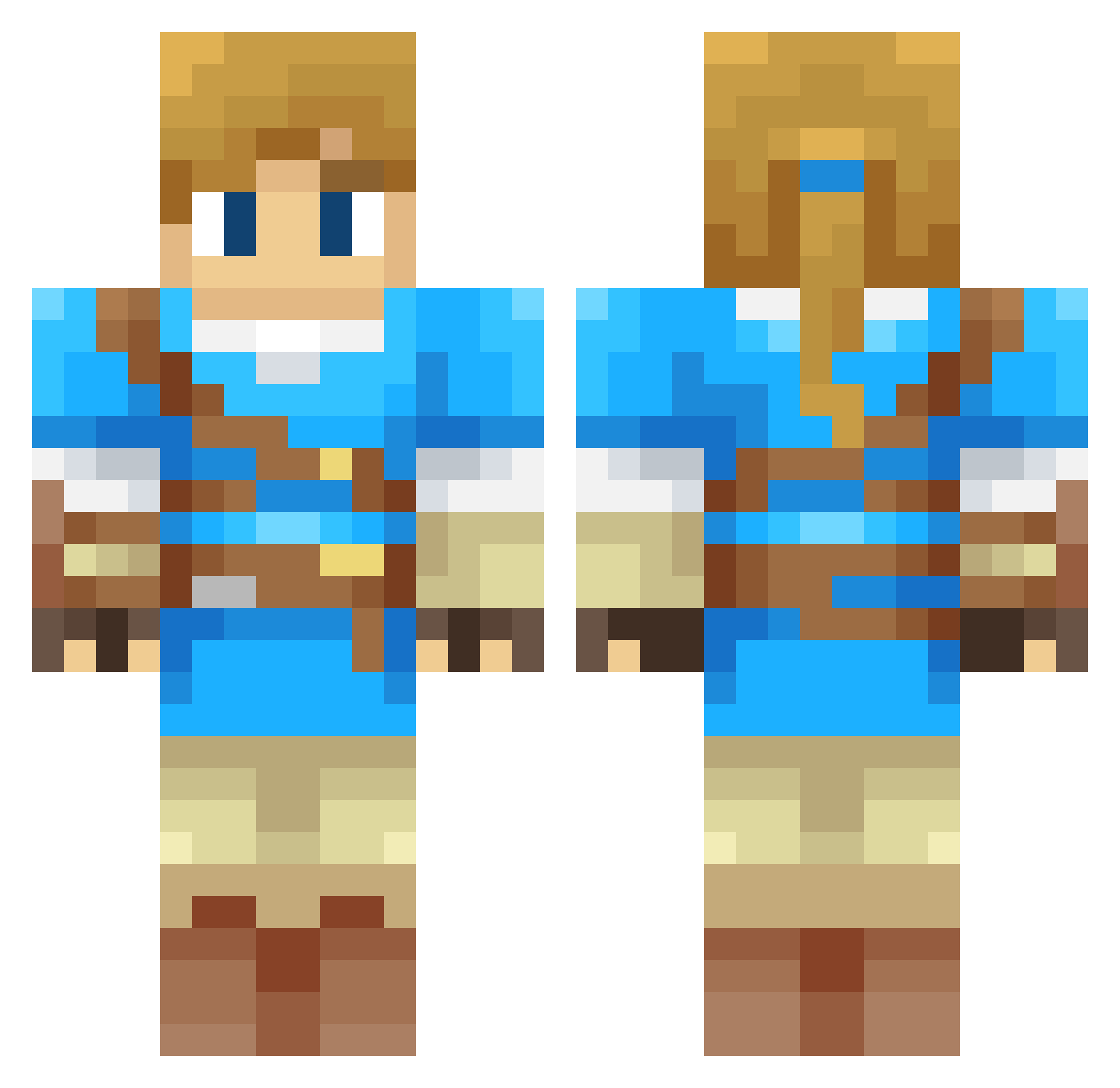
Current Minecraft skin of the player shelldoor, loaded from the official Mojang API. Rotate the 3D model with your mouse or finger, then download the skin as a PNG file and use it in Minecraft: Bedrock Edition or Java Edition for free. When shelldoor changes their skin, this page updates automatically and the old skin stays in the history below.
Other players with this skin (312)
shelldoor was the 96th player we have seen with this skin, first spotted on 27.08.2026. The same skin was seen on these players. Open a nickname to see their current skin and skin history.
 hwQing Sylink KwangSensei Gerasimo Eroar DrHouseParty DeppBot Orinusin Candelero96 clemisaac84 SupaHas06 Trou_D M4ver1ck Lhadrian ALhomam Usagi180 Asesper Omnius101 Rioko_Sakura Xuspect joejoejoe890 YoCabra MatunG0D jujulomb Neto3ds adventminer R_SimoniR0902 f00barian BadWolf556 Headley71 Wizard_Trout Renegade018 kellerenton guan5 TAKUMISHUU VMXXI Ligerheart Beauman2328 Theddy64 collagen12 CoronelCossak Feerow SHUOSHUO0914 Bowan tychaos10 sodapants ShoeBeDooBop Sintrio SpecialT Noxx277 HBAC VannBloom SlimmyG Aguaymanto LazerZelda05 LobodeBotas tetee0k ui_4054_aurora Esselsior Chuvy69
More Breath Of The Wild Minecraft skins
See all 154 Breath Of The Wild skins
How to install the shelldoor skin
- Press the Download button above to save the skin as a PNG file.
- Minecraft: Bedrock Edition (PE): open the Dressing Room from the main menu (or tap your character → Edit Character), go to Classic Skins → Owned, press the + (new skin) button, choose the downloaded PNG and pick the Classic (Steve) model. Works on PC and mobile; consoles cannot import custom skins.
- Minecraft: Java Edition: open the Minecraft Launcher, go to the Skins tab, click New Skin, load the PNG, pick the Classic (Steve) model and press Save & Use. You can also upload it at minecraft.net → Profile → Change Skin.
The skin does not show up after import - what should I do?
Restart Minecraft and open the Dressing Room again - imported skins sometimes appear only after a restart. Also make sure you selected the imported skin and picked the Classic (Steve) model.
Which model should I choose, Classic or Slim?
This skin is designed for the Classic (Steve) model. If you pick the wrong model, the arms of the skin will look stretched or squeezed.
Is the skin of shelldoor free to download?
Yes. Press Download, save the PNG file and use it in Minecraft: Bedrock Edition or Java Edition - no payment or registration needed. The skin also works on multiplayer servers and Realms.
More skins
Looking for more? Go back to all Minecraft skins and check the top skins of the week, month and all time, or find any player's skin by nickname.