
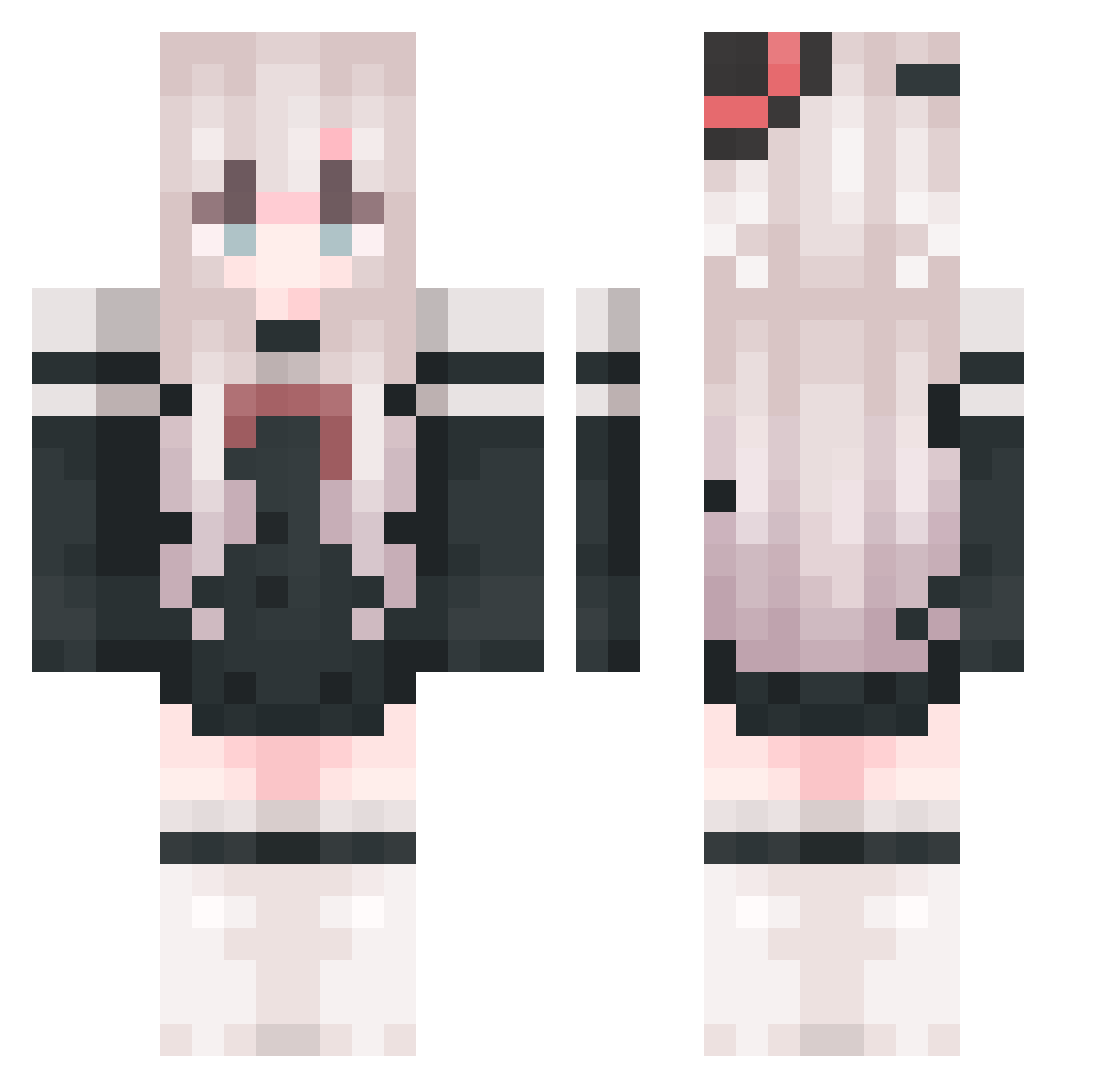
Current Minecraft skin of the player sheepxu, loaded from the official Mojang API. Rotate the 3D model with your mouse or finger, then download the skin as a PNG file and use it in Minecraft: Bedrock Edition or Java Edition for free. When sheepxu changes their skin, this page updates automatically and the old skin stays in the history below.
Other players with this skin (664)
sheepxu was the 654th player we have seen with this skin, first spotted on 05.10.2026. The same skin was seen on these players. Open a nickname to see their current skin and skin history.
 Yiz11 Serafyx xianfish101 MikeLiu66 zhouzhou329 LoveX_X xioa_yua muxiaochen atianxiua lixiaotian EternallyA moling424 Makok0_ RoseQA huayingxing RobotTian fantong141 NingBaby_ ziyunn07 A5akawa MengQiu128 FGHFGHFGHFG starry_320 Lynn12138 EXSND KristalyBuilder Alomega111 Stellariescat yurenjie0 ark2241 SGZR sharkcat0 BTxiaoyang Aldicne CYSama_2021 popopo123456 YUSAKI_002 Alex_Ling xuanmian xiaoyao182 MoXiaoChen zhimu3 huahuaaaaaaaaaaa pang_xie_zi yunyueeee ZZZhai lolcen00 zj19 TakuyaKimura ymYM666888 Lil_ode 00zmm00 RisaYuzuki Ricer111 Lailurus sayu2006 myjzs_xyc astar98 Virtualbom ColdJin
More Top Hat Minecraft skins
How to install the sheepxu skin
- Press the Download button above to save the skin as a PNG file.
- Minecraft: Bedrock Edition (PE): open the Dressing Room from the main menu (or tap your character → Edit Character), go to Classic Skins → Owned, press the + (new skin) button, choose the downloaded PNG and pick the Classic (Steve) model. Works on PC and mobile; consoles cannot import custom skins.
- Minecraft: Java Edition: open the Minecraft Launcher, go to the Skins tab, click New Skin, load the PNG, pick the Classic (Steve) model and press Save & Use. You can also upload it at minecraft.net → Profile → Change Skin.
The skin does not show up after import - what should I do?
Restart Minecraft and open the Dressing Room again - imported skins sometimes appear only after a restart. Also make sure you selected the imported skin and picked the Classic (Steve) model.
Which model should I choose, Classic or Slim?
This skin is designed for the Classic (Steve) model. If you pick the wrong model, the arms of the skin will look stretched or squeezed.
Is the skin of sheepxu free to download?
Yes. Press Download, save the PNG file and use it in Minecraft: Bedrock Edition or Java Edition - no payment or registration needed. The skin also works on multiplayer servers and Realms.
More skins
Looking for more? Go back to all Minecraft skins and check the top skins of the week, month and all time, or find any player's skin by nickname.