
sheepshifty - Minecraft Skins & Skin History
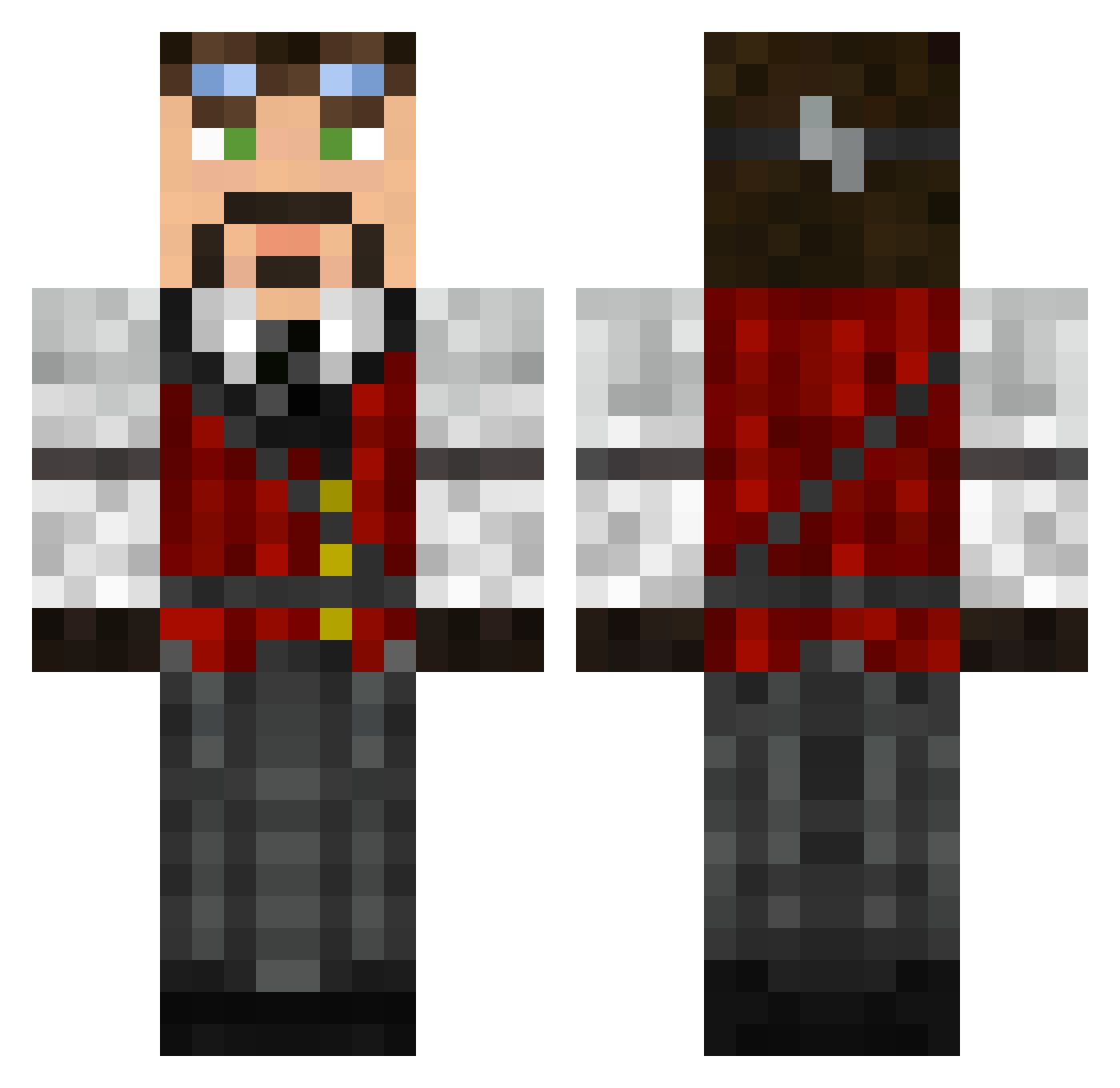
Current Minecraft skin of the player sheepshifty, loaded from the official Mojang API. Rotate the 3D model with your mouse or finger, then download the skin as a PNG file and use it in Minecraft: Bedrock Edition or Java Edition for free. When sheepshifty changes their skin, this page updates automatically and the old skin stays in the history below.
Other players with this skin (115)
sheepshifty was the 55th player we have seen with this skin, first spotted on 18.09.2026. The same skin was seen on these players. Open a nickname to see their current skin and skin history.
 pallas925 valet666 Aedifex_ Eggshady69 Hybrid_3 WotansFenrir Porolust AlkoMasterz Lombardo1151 DerMorphi Snake2016 NikitaDruz mugwumpus Si_Key Russel_Bags CodeMonkeyG Scholium Sick_Boogie TheRahn Rasloong valadain Ceasemar CorpDecker Rayanth Niluxis311 Fenrir_501 Val3459 MGartley DarthPhrogg Phanga Tsolval Gustlik FrenchieBoi NmhmTTx Mr_Summoner Luke_Angelo TheMightyCockrel JoyKil Flinny72 Exidius_Draden AlbertoP1018 Blaizing_Cook Mokujin1970 Meteora_Leo hajekm15 VexVaren Abckeks Bonebomb Bubakson Ivinedra Turbina16 MilchHolstein JokerDK_ Dim1777 Lilist Terazoic maximum6ride Bejo_Fiqui ARealGoodfellow Enomine0702
More Inventor Minecraft skins
How to install the sheepshifty skin
- Press the Download button above to save the skin as a PNG file.
- Minecraft: Bedrock Edition (PE): open the Dressing Room from the main menu (or tap your character → Edit Character), go to Classic Skins → Owned, press the + (new skin) button, choose the downloaded PNG and pick the Classic (Steve) model. Works on PC and mobile; consoles cannot import custom skins.
- Minecraft: Java Edition: open the Minecraft Launcher, go to the Skins tab, click New Skin, load the PNG, pick the Classic (Steve) model and press Save & Use. You can also upload it at minecraft.net → Profile → Change Skin.
The skin does not show up after import - what should I do?
Restart Minecraft and open the Dressing Room again - imported skins sometimes appear only after a restart. Also make sure you selected the imported skin and picked the Classic (Steve) model.
Which model should I choose, Classic or Slim?
This skin is designed for the Classic (Steve) model. If you pick the wrong model, the arms of the skin will look stretched or squeezed.
Is the skin of sheepshifty free to download?
Yes. Press Download, save the PNG file and use it in Minecraft: Bedrock Edition or Java Edition - no payment or registration needed. The skin also works on multiplayer servers and Realms.
More skins
Looking for more? Go back to all Minecraft skins and check the top skins of the week, month and all time, or find any player's skin by nickname.