
sheep_shaver - Minecraft Skins & Skin History
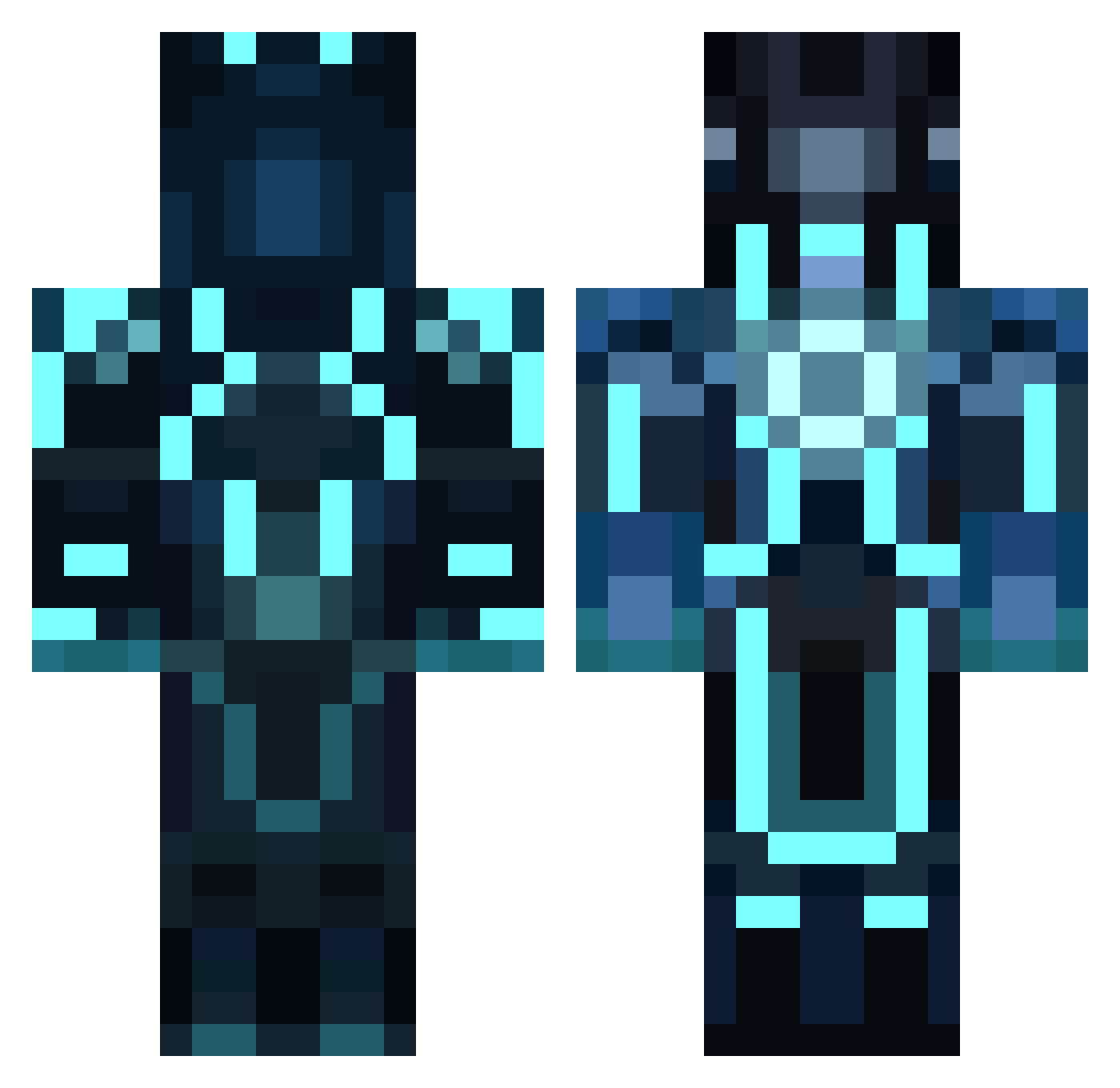
Current Minecraft skin of the player sheep_shaver, loaded from the official Mojang API. Rotate the 3D model with your mouse or finger, then download the skin as a PNG file and use it in Minecraft: Bedrock Edition or Java Edition for free. When sheep_shaver changes their skin, this page updates automatically and the old skin stays in the history below.
Other players with this skin (957)
sheep_shaver was the 743rd player we have seen with this skin, first spotted on 20.10.2026. The same skin was seen on these players. Open a nickname to see their current skin and skin history.
 snowboarder1125 AmazingSuperhero Outlawwolf117 halfkrazy78 LiamToad bluecobra26 RobinTheBird613 Italian_Prodigy Amedeo_is_boss ginge20 austo211 dragegutt12 GoldenRooster885 oppi_007 begoogle bobo711 GrizzlyNateDog Fox_Three c0bRAXx yummy_waffles95 B3_mp KidBeast20 NielsEckes ZzJeTxzZ sudo_jorden Will_Power96 ZephyrEden Kosopes Martinpr0 Soulshocks AwesomePods rhys4646 Sin_Swan PiktsKiskis tapout323 dommaher thompson12343 marcusfm Haboda CaylinR jungleman0416 Mrnonfatal CommanderBanjo Eska7 TRON_50 xiJakEEv Tretabyte Xerxesl satellitemaster LevelCole KrimsonZenix Droogy123 EX_Marine_4_MW2 MrLOme The_KuRzz dragonlord1 MrChrizDK CREPEEER r3vamp colec29
More Glowing Armor Minecraft skins
See all 68 Glowing Armor skins
How to install the sheep_shaver skin
- Press the Download button above to save the skin as a PNG file.
- Minecraft: Bedrock Edition (PE): open the Dressing Room from the main menu (or tap your character → Edit Character), go to Classic Skins → Owned, press the + (new skin) button, choose the downloaded PNG and pick the Classic (Steve) model. Works on PC and mobile; consoles cannot import custom skins.
- Minecraft: Java Edition: open the Minecraft Launcher, go to the Skins tab, click New Skin, load the PNG, pick the Classic (Steve) model and press Save & Use. You can also upload it at minecraft.net → Profile → Change Skin.
The skin does not show up after import - what should I do?
Restart Minecraft and open the Dressing Room again - imported skins sometimes appear only after a restart. Also make sure you selected the imported skin and picked the Classic (Steve) model.
Which model should I choose, Classic or Slim?
This skin is designed for the Classic (Steve) model. If you pick the wrong model, the arms of the skin will look stretched or squeezed.
Is the skin of sheep_shaver free to download?
Yes. Press Download, save the PNG file and use it in Minecraft: Bedrock Edition or Java Edition - no payment or registration needed. The skin also works on multiplayer servers and Realms.
More skins
Looking for more? Go back to all Minecraft skins and check the top skins of the week, month and all time, or find any player's skin by nickname.