
shaquile1oatmeal - Minecraft Skins & Skin History
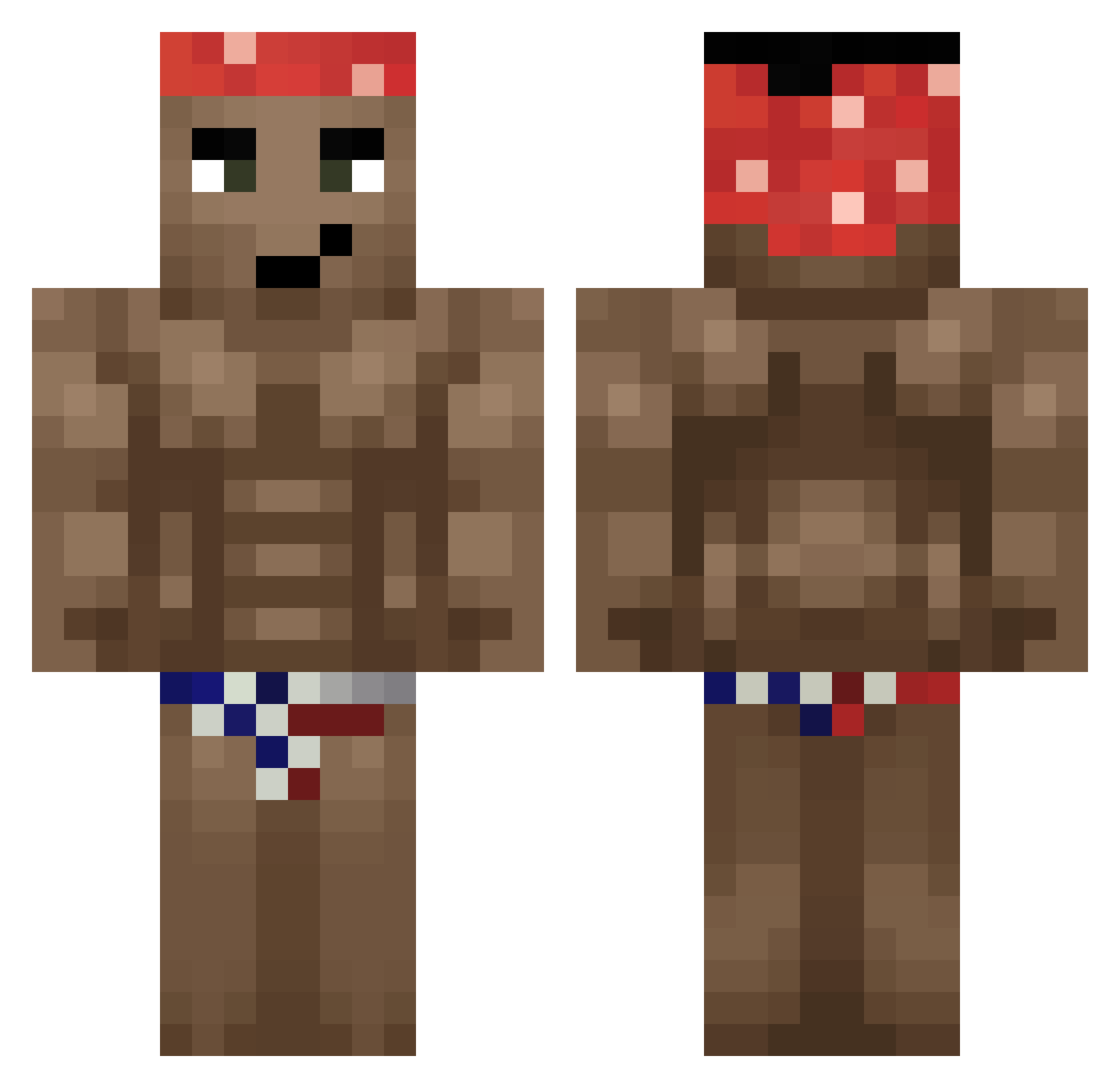
Current Minecraft skin of the player shaquile1oatmeal, loaded from the official Mojang API. Rotate the 3D model with your mouse or finger, then download the skin as a PNG file and use it in Minecraft: Bedrock Edition or Java Edition for free. When shaquile1oatmeal changes their skin, this page updates automatically and the old skin stays in the history below.
Other players with this skin (331)
shaquile1oatmeal was the 136th player we have seen with this skin, first spotted on 10.09.2026. The same skin was seen on these players. Open a nickname to see their current skin and skin history.
 _Maysi RogerL30 RedFuling YeeEE1ee vladmti Frazers sictonn luissfmt X_RKO expelcer MrSike8 nogaeeranga Wast303 extereq Nitro_Dasher Mario1234567890 j4cobyi WiiKaz Matti6002 Stefaneczeq flakoe HoodFART BigDaddySwag69 Alpha_Mai1 Jin_Tonik1 IIyanII Pigga9041 kucik11 Kenke80 iBangTacos MsWaK qfsn twingtwonger SimpleCa1kos cataclysmica_ Dalega Rex8107 Jojo_Le_Congo lylizz Huggoooo_ FatWaste Kabeeb 1984xdd l_ucjusz_ kubaglowa DanEspn Naruto210 TheGraf008 ibericojoe utmubey a1hing GuilleXD2010 Roblox_ERP bossmani74 Anhdaden Razviii30 JoelXVII26 bazookaaaaa Hkepoller TeoT0
More Dancer Minecraft skins
How to install the shaquile1oatmeal skin
- Press the Download button above to save the skin as a PNG file.
- Minecraft: Bedrock Edition (PE): open the Dressing Room from the main menu (or tap your character → Edit Character), go to Classic Skins → Owned, press the + (new skin) button, choose the downloaded PNG and pick the Classic (Steve) model. Works on PC and mobile; consoles cannot import custom skins.
- Minecraft: Java Edition: open the Minecraft Launcher, go to the Skins tab, click New Skin, load the PNG, pick the Classic (Steve) model and press Save & Use. You can also upload it at minecraft.net → Profile → Change Skin.
The skin does not show up after import - what should I do?
Restart Minecraft and open the Dressing Room again - imported skins sometimes appear only after a restart. Also make sure you selected the imported skin and picked the Classic (Steve) model.
Which model should I choose, Classic or Slim?
This skin is designed for the Classic (Steve) model. If you pick the wrong model, the arms of the skin will look stretched or squeezed.
Is the skin of shaquile1oatmeal free to download?
Yes. Press Download, save the PNG file and use it in Minecraft: Bedrock Edition or Java Edition - no payment or registration needed. The skin also works on multiplayer servers and Realms.
More skins
Looking for more? Go back to all Minecraft skins and check the top skins of the week, month and all time, or find any player's skin by nickname.