
shadowfish10 - Minecraft Skins & Skin History
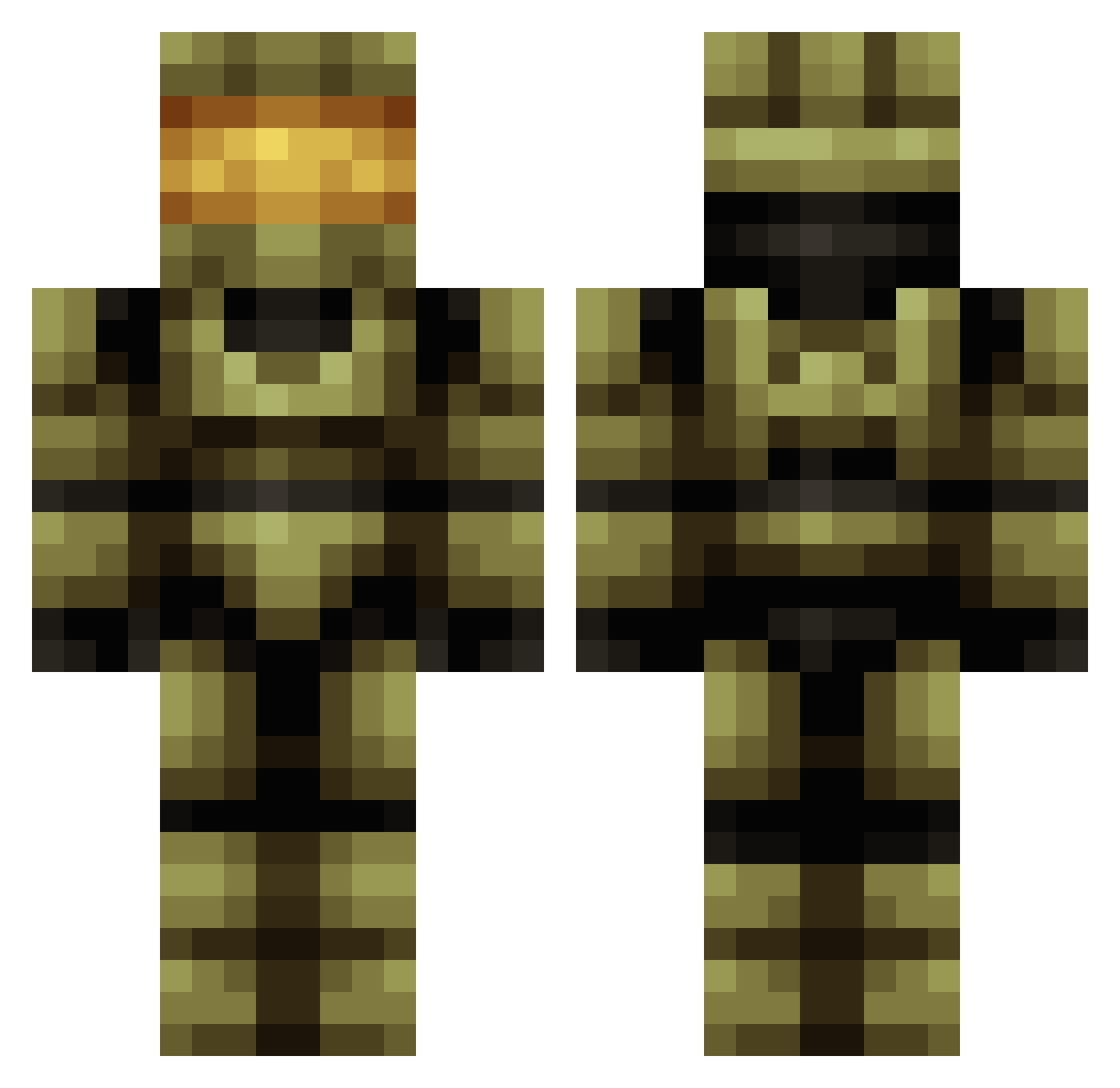
Current Minecraft skin of the player shadowfish10, loaded from the official Mojang API. Rotate the 3D model with your mouse or finger, then download the skin as a PNG file and use it in Minecraft: Bedrock Edition or Java Edition for free. When shadowfish10 changes their skin, this page updates automatically and the old skin stays in the history below.
Other players with this skin (683)
shadowfish10 was the 555th player we have seen with this skin, first spotted on 21.10.2026. The same skin was seen on these players. Open a nickname to see their current skin and skin history.
 Zackrik The_Captain91 Bentleyscott Alprokongen Sgt_Rooney Bill_Man_02 Skillz58 BueschMan athemet Kolbye halofighter12 DaNNiiieL2 Jennoo treacherousross manoponlo HitManPro69 coopz328 PrincessElsa ScoutcrafterLT bigmacftw12 xTechnicalx JAVIEDIT Ericnr1 Brawn007 _tacticalbacon dracen4724 BaronVonLolz Hidalgod Andrejvic tjgreenie TheIceSoldier Wilsonmoroz18 rubben09 Capn_Skunk halochris47 fpslover12365789 Headless_SparK Estrives jim_inferno ruins15 LosCar95 MacBrac rosscograham letuo Dead_Phish Battlegod122 Gunman1703 James_Washburn GordonKlotpung99 bobbytron1234 MegaByteCat Zpower500 RegalBaton40234 metalheadchick DBLB_Crouse Reneagomez HonestPanda RaggaeWorldGoats Japino J_Orgeous
More Master Chief Minecraft skins
See all 537 Master Chief skins
How to install the shadowfish10 skin
- Press the Download button above to save the skin as a PNG file.
- Minecraft: Bedrock Edition (PE): open the Dressing Room from the main menu (or tap your character → Edit Character), go to Classic Skins → Owned, press the + (new skin) button, choose the downloaded PNG and pick the Classic (Steve) model. Works on PC and mobile; consoles cannot import custom skins.
- Minecraft: Java Edition: open the Minecraft Launcher, go to the Skins tab, click New Skin, load the PNG, pick the Classic (Steve) model and press Save & Use. You can also upload it at minecraft.net → Profile → Change Skin.
The skin does not show up after import - what should I do?
Restart Minecraft and open the Dressing Room again - imported skins sometimes appear only after a restart. Also make sure you selected the imported skin and picked the Classic (Steve) model.
Which model should I choose, Classic or Slim?
This skin is designed for the Classic (Steve) model. If you pick the wrong model, the arms of the skin will look stretched or squeezed.
Is the skin of shadowfish10 free to download?
Yes. Press Download, save the PNG file and use it in Minecraft: Bedrock Edition or Java Edition - no payment or registration needed. The skin also works on multiplayer servers and Realms.
More skins
Looking for more? Go back to all Minecraft skins and check the top skins of the week, month and all time, or find any player's skin by nickname.