
sexyseok - Minecraft Skins & Skin History
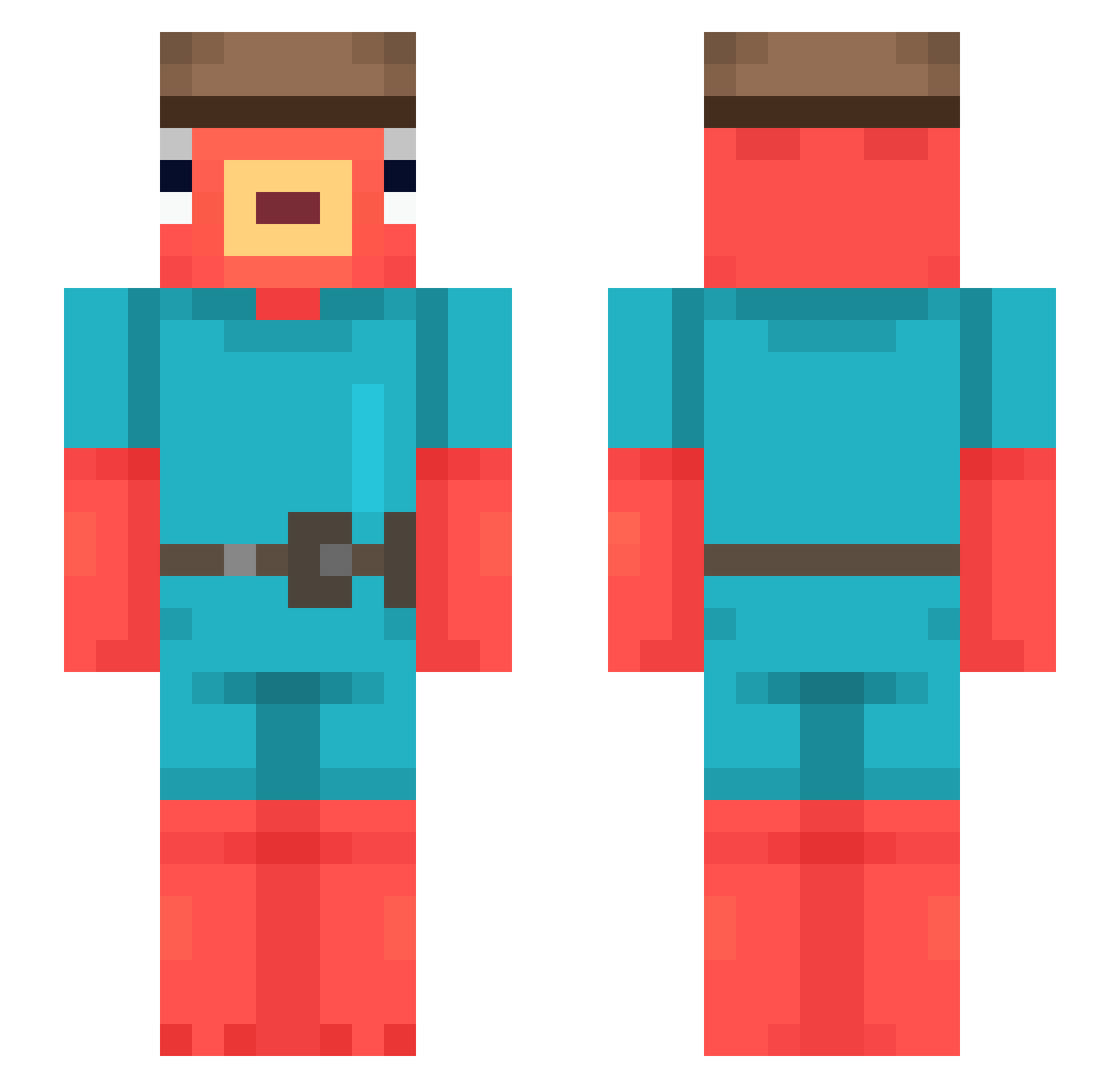
Current Minecraft skin of the player sexyseok, loaded from the official Mojang API. Rotate the 3D model with your mouse or finger, then download the skin as a PNG file and use it in Minecraft: Bedrock Edition or Java Edition for free. When sexyseok changes their skin, this page updates automatically and the old skin stays in the history below.
Other players with this skin (544)
sexyseok was the 151st player we have seen with this skin, first spotted on 26.08.2026. The same skin was seen on these players. Open a nickname to see their current skin and skin history.
 CEscorpion ROCKF1SH Pooky_29 flagart pANNtix AxayyFanboy keonsfuneral Mosszarella MajorAsteroid67 Drbanan4 Freti Dycanos ratnite FIZZminister Lil_Masa orangeboxpanda DotorLepre Fishsticks28 xMacierok Atlantic144 Kyvrem buddelpapi MrSquishyZ borjimetro dirtysock42069 __Koeftespiess__ BalaDamon BigMuscleGuy123 Okki_doki Dorzz SSGJD69 B3tm openincandescen Metricbruh VaonPD CaprisunCarti RealAlexGamer xShinyDragonx hirokun0811 xaboo1 nl32 Winnie009 Sathira LilButto Pakios_Games RamenOwner StoppingSauce40 TheRuiThree zaychhh Th3Volley153 LII74 Maemungtai Dawoud_Astro hotmen_dripgod rusteye3 Syderius TSwanDaGod NekkuBruh itsDavidGam23 BotSwimmerYT
More Fishstick Minecraft skins
How to install the sexyseok skin
- Press the Download button above to save the skin as a PNG file.
- Minecraft: Bedrock Edition (PE): open the Dressing Room from the main menu (or tap your character → Edit Character), go to Classic Skins → Owned, press the + (new skin) button, choose the downloaded PNG and pick the Slim (Alex) model. Works on PC and mobile; consoles cannot import custom skins.
- Minecraft: Java Edition: open the Minecraft Launcher, go to the Skins tab, click New Skin, load the PNG, pick the Slim (Alex) model and press Save & Use. You can also upload it at minecraft.net → Profile → Change Skin.
The skin does not show up after import - what should I do?
Restart Minecraft and open the Dressing Room again - imported skins sometimes appear only after a restart. Also make sure you selected the imported skin and picked the Slim (Alex) model.
Which model should I choose, Classic or Slim?
This skin is designed for the Slim (Alex) model. If you pick the wrong model, the arms of the skin will look stretched or squeezed.
Is the skin of sexyseok free to download?
Yes. Press Download, save the PNG file and use it in Minecraft: Bedrock Edition or Java Edition - no payment or registration needed. The skin also works on multiplayer servers and Realms.
More skins
Looking for more? Go back to all Minecraft skins and check the top skins of the week, month and all time, or find any player's skin by nickname.