
seungyeob126 - Minecraft Skins & Skin History
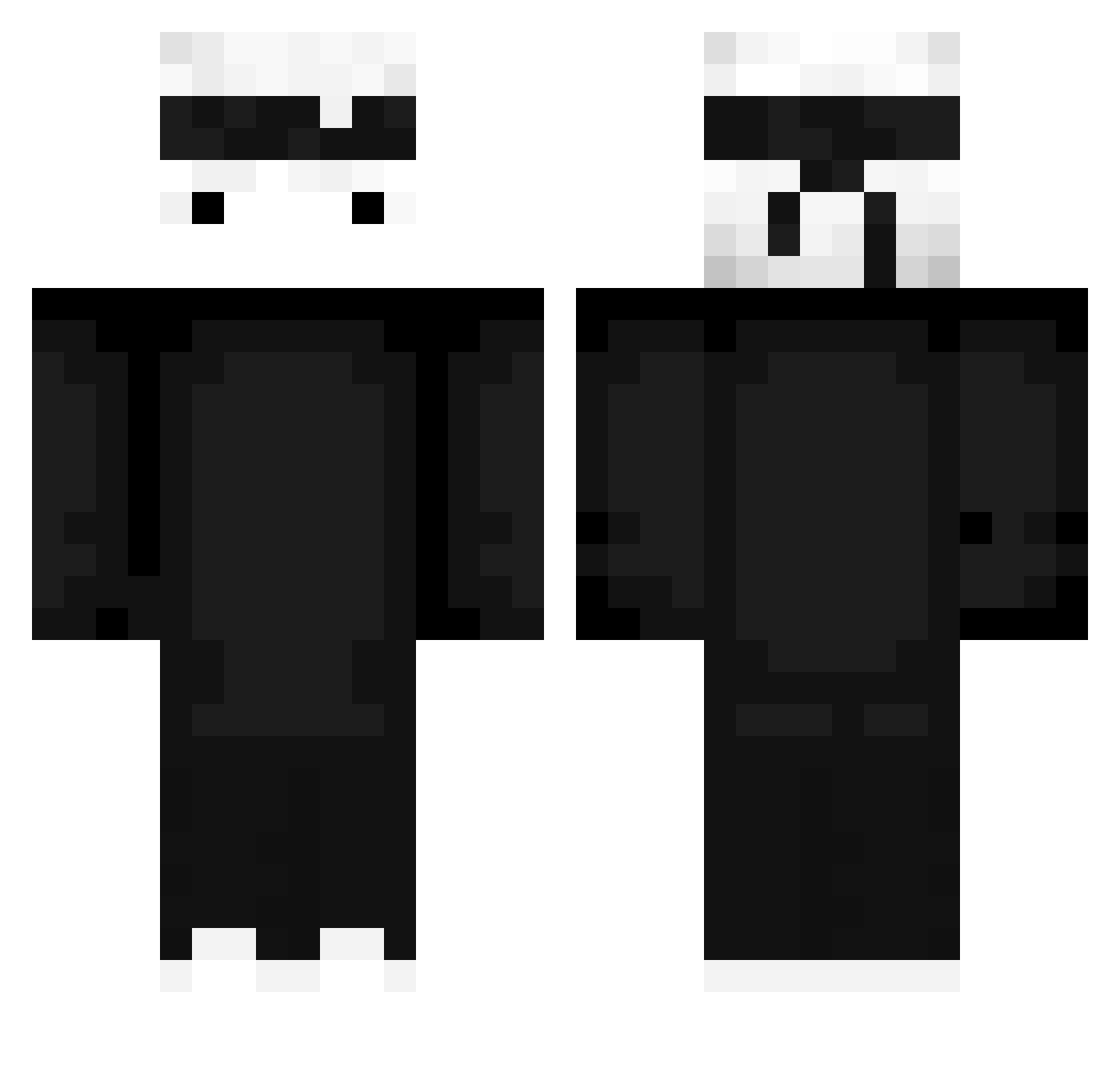
Current Minecraft skin of the player seungyeob126, loaded from the official Mojang API. Rotate the 3D model with your mouse or finger, then download the skin as a PNG file and use it in Minecraft: Bedrock Edition or Java Edition for free. When seungyeob126 changes their skin, this page updates automatically and the old skin stays in the history below.
Other players with this skin (427)
seungyeob126 was the 400th player we have seen with this skin, first spotted on 24.10.2026. The same skin was seen on these players. Open a nickname to see their current skin and skin history.
 Kadisko gaspone Carpenter_ ephesuss05 GoodAtlife124 h2ryn AleThePower YaBola DarkTeo FadingGrey Xtremelogger22 sopoong1105 Akatsukih qC0LD weizenklauen654 _Stoklos3k_ boy_guo TrTvGaming nicolas_03 Cemalcan57 Galli24 HXGHsnpz Blahz_ PrplPnch luck0011 BEEFJERKY229 Gewoon_J03P Legertje08 ReYngen ozro91 connmonn ItsXoul Premieer silverchan2475 TEC_NO RainbowSSEXX Sweat2Hard_ akio_101010 On_or_Off tutimatei neutralone Dalwat plutobabe ItzMvpX kimsongwon0618 ReV_Angel Liold Edenpul SinCraft312 ToXitadoLekCorre Proyian ELAMARILLO76 iSquarE_ K_B_HAK kennybone SonClan DragonJomil AXELWOLF10 BLSabd ItsMeWispy
More Ninja Minecraft skins
How to install the seungyeob126 skin
- Press the Download button above to save the skin as a PNG file.
- Minecraft: Bedrock Edition (PE): open the Dressing Room from the main menu (or tap your character → Edit Character), go to Classic Skins → Owned, press the + (new skin) button, choose the downloaded PNG and pick the Classic (Steve) model. Works on PC and mobile; consoles cannot import custom skins.
- Minecraft: Java Edition: open the Minecraft Launcher, go to the Skins tab, click New Skin, load the PNG, pick the Classic (Steve) model and press Save & Use. You can also upload it at minecraft.net → Profile → Change Skin.
The skin does not show up after import - what should I do?
Restart Minecraft and open the Dressing Room again - imported skins sometimes appear only after a restart. Also make sure you selected the imported skin and picked the Classic (Steve) model.
Which model should I choose, Classic or Slim?
This skin is designed for the Classic (Steve) model. If you pick the wrong model, the arms of the skin will look stretched or squeezed.
Is the skin of seungyeob126 free to download?
Yes. Press Download, save the PNG file and use it in Minecraft: Bedrock Edition or Java Edition - no payment or registration needed. The skin also works on multiplayer servers and Realms.
More skins
Looking for more? Go back to all Minecraft skins and check the top skins of the week, month and all time, or find any player's skin by nickname.