
seongjun15 - Minecraft Skins & Skin History
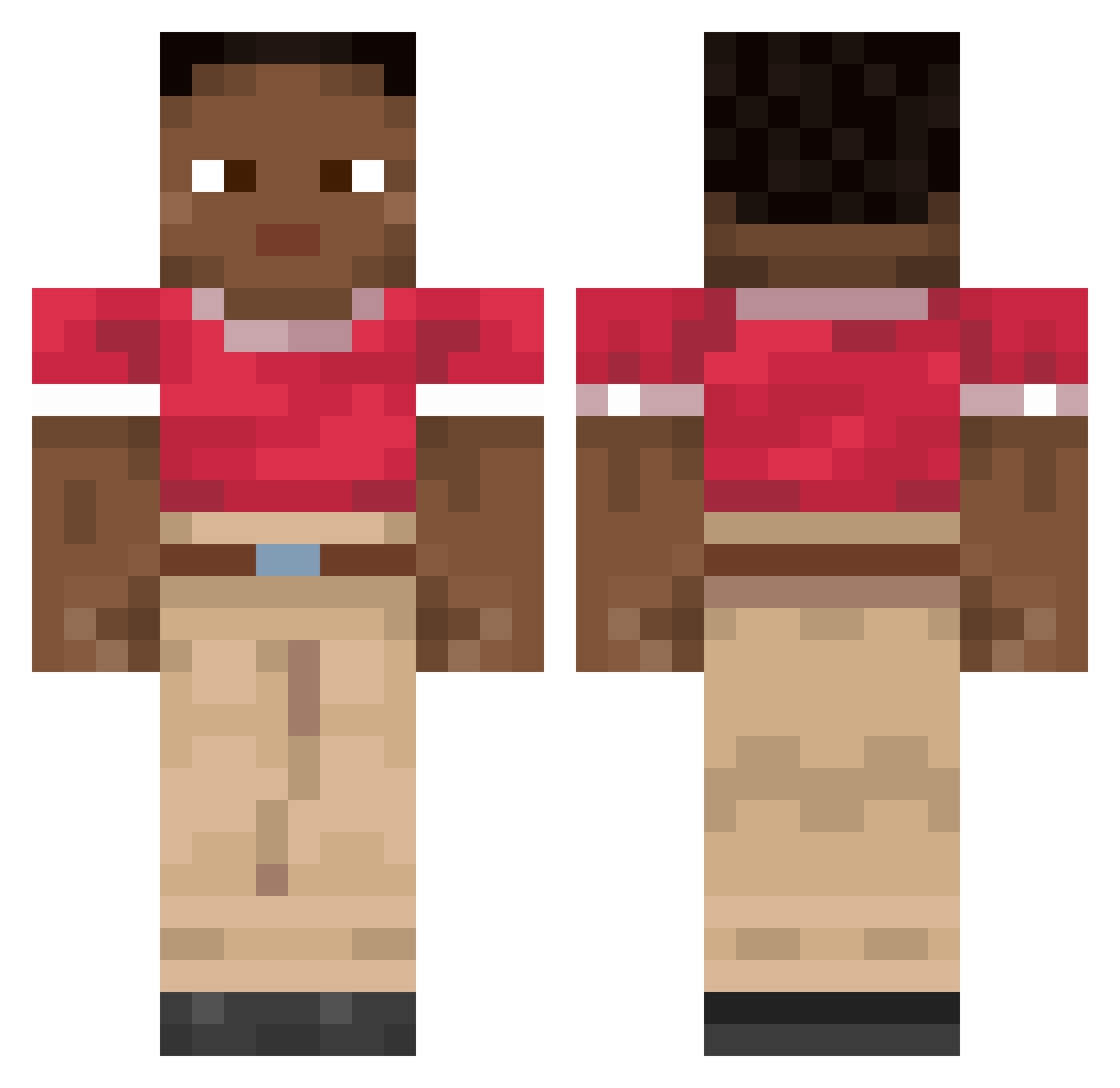
Current Minecraft skin of the player seongjun15, loaded from the official Mojang API. Rotate the 3D model with your mouse or finger, then download the skin as a PNG file and use it in Minecraft: Bedrock Edition or Java Edition for free. When seongjun15 changes their skin, this page updates automatically and the old skin stays in the history below.
Other players with this skin (2174)
seongjun15 was the 1764th player we have seen with this skin, first spotted on 31.10.2026. The same skin was seen on these players. Open a nickname to see their current skin and skin history.
 coswosk flankers wainman picanto9 Ultirate im_crypto0408 Erinys Kroketmeneer asss1234 Oprix_XV Eighthurdle4263 kyril111 GLoweL _Sofian_ xiShiro Kiki078 Eldorado XettaQ light926 AndrewGaff Vascorouw Pogukgi007 Administers nolando53 spooki_troll absorbency Zymometer glzin Isaria nutty_on_creack MichuTopeczka MCTerrariaDUD Neer bottle_god_ Sohyar Rasezi Fixowy Profi1e Muckworms sharpBee5 9stats dlftmd0529 datsuns Sanczok qk2rhksdn nihiL2137 Becomed berated Wayu OIEIOIEI5 DominiciusZbot andresgoat33 frums1 minneapolis siwa_palaPL XxKicksxX fakefriendd LinearMender835 Aphmau736 bantik
How to install the seongjun15 skin
- Press the Download button above to save the skin as a PNG file.
- Minecraft: Bedrock Edition (PE): open the Dressing Room from the main menu (or tap your character → Edit Character), go to Classic Skins → Owned, press the + (new skin) button, choose the downloaded PNG and pick the Classic (Steve) model. Works on PC and mobile; consoles cannot import custom skins.
- Minecraft: Java Edition: open the Minecraft Launcher, go to the Skins tab, click New Skin, load the PNG, pick the Classic (Steve) model and press Save & Use. You can also upload it at minecraft.net → Profile → Change Skin.
The skin does not show up after import - what should I do?
Restart Minecraft and open the Dressing Room again - imported skins sometimes appear only after a restart. Also make sure you selected the imported skin and picked the Classic (Steve) model.
Which model should I choose, Classic or Slim?
This skin is designed for the Classic (Steve) model. If you pick the wrong model, the arms of the skin will look stretched or squeezed.
Is the skin of seongjun15 free to download?
Yes. Press Download, save the PNG file and use it in Minecraft: Bedrock Edition or Java Edition - no payment or registration needed. The skin also works on multiplayer servers and Realms.
More skins
Looking for more? Go back to all Minecraft skins and check the top skins of the week, month and all time, or find any player's skin by nickname.