
senor_tacoo - Minecraft Skins & Skin History
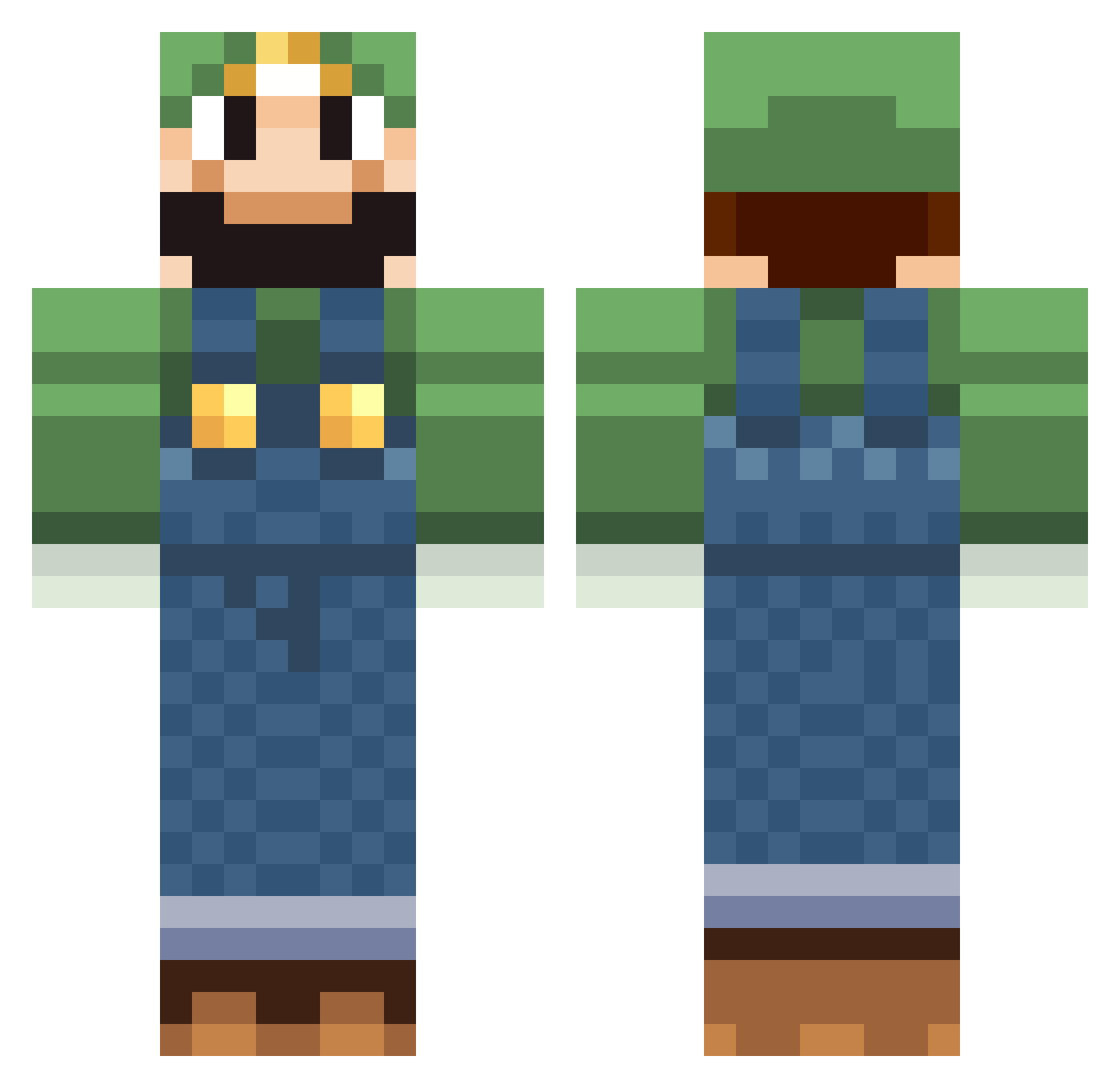
Current Minecraft skin of the player senor_tacoo, loaded from the official Mojang API. Rotate the 3D model with your mouse or finger, then download the skin as a PNG file and use it in Minecraft: Bedrock Edition or Java Edition for free. When senor_tacoo changes their skin, this page updates automatically and the old skin stays in the history below.
Other players with this skin (518)
senor_tacoo was the 154th player we have seen with this skin, first spotted on 22.08.2026. The same skin was seen on these players. Open a nickname to see their current skin and skin history.
 zXxREDMANxXz aldeonn aceallen5781 Chris_59 MonsterAtom Nicofera Mamma_Luigi Jaypi3 Fergss Netherius44 Dicosmos D341Jerman sodosck Chechusisho Osterschlager Pugliese NeroTheG JeepGirlNY Looping33 Kemper15 BoemioBoy therandomluigi1 Casualgaming Dar70 PPzinho2012 martyo20 Alucard_Swe Wild_Tvirus ownthis DISTURBED1800 nationwar Gisselle96 mman0613 SamCrawford rieuju HerbiD Gameguykiler orcus0419 M_Levi MyFingersHurt casperlb2005 Kreezie haaarry Domiejade yukim77 ansxy69pssyslyer Mama_Luigi morphhh Beroxar cookiex777 Kifik NinjaStrike410 WaWoolly Technologi megamanxx7 AlbinoMonk3y Skykid142 Wilkopolis Kyndisar Azurak1
More Luigi Minecraft skins
How to install the senor_tacoo skin
- Press the Download button above to save the skin as a PNG file.
- Minecraft: Bedrock Edition (PE): open the Dressing Room from the main menu (or tap your character → Edit Character), go to Classic Skins → Owned, press the + (new skin) button, choose the downloaded PNG and pick the Classic (Steve) model. Works on PC and mobile; consoles cannot import custom skins.
- Minecraft: Java Edition: open the Minecraft Launcher, go to the Skins tab, click New Skin, load the PNG, pick the Classic (Steve) model and press Save & Use. You can also upload it at minecraft.net → Profile → Change Skin.
The skin does not show up after import - what should I do?
Restart Minecraft and open the Dressing Room again - imported skins sometimes appear only after a restart. Also make sure you selected the imported skin and picked the Classic (Steve) model.
Which model should I choose, Classic or Slim?
This skin is designed for the Classic (Steve) model. If you pick the wrong model, the arms of the skin will look stretched or squeezed.
Is the skin of senor_tacoo free to download?
Yes. Press Download, save the PNG file and use it in Minecraft: Bedrock Edition or Java Edition - no payment or registration needed. The skin also works on multiplayer servers and Realms.
More skins
Looking for more? Go back to all Minecraft skins and check the top skins of the week, month and all time, or find any player's skin by nickname.