
sei6633 - Minecraft Skins & Skin History
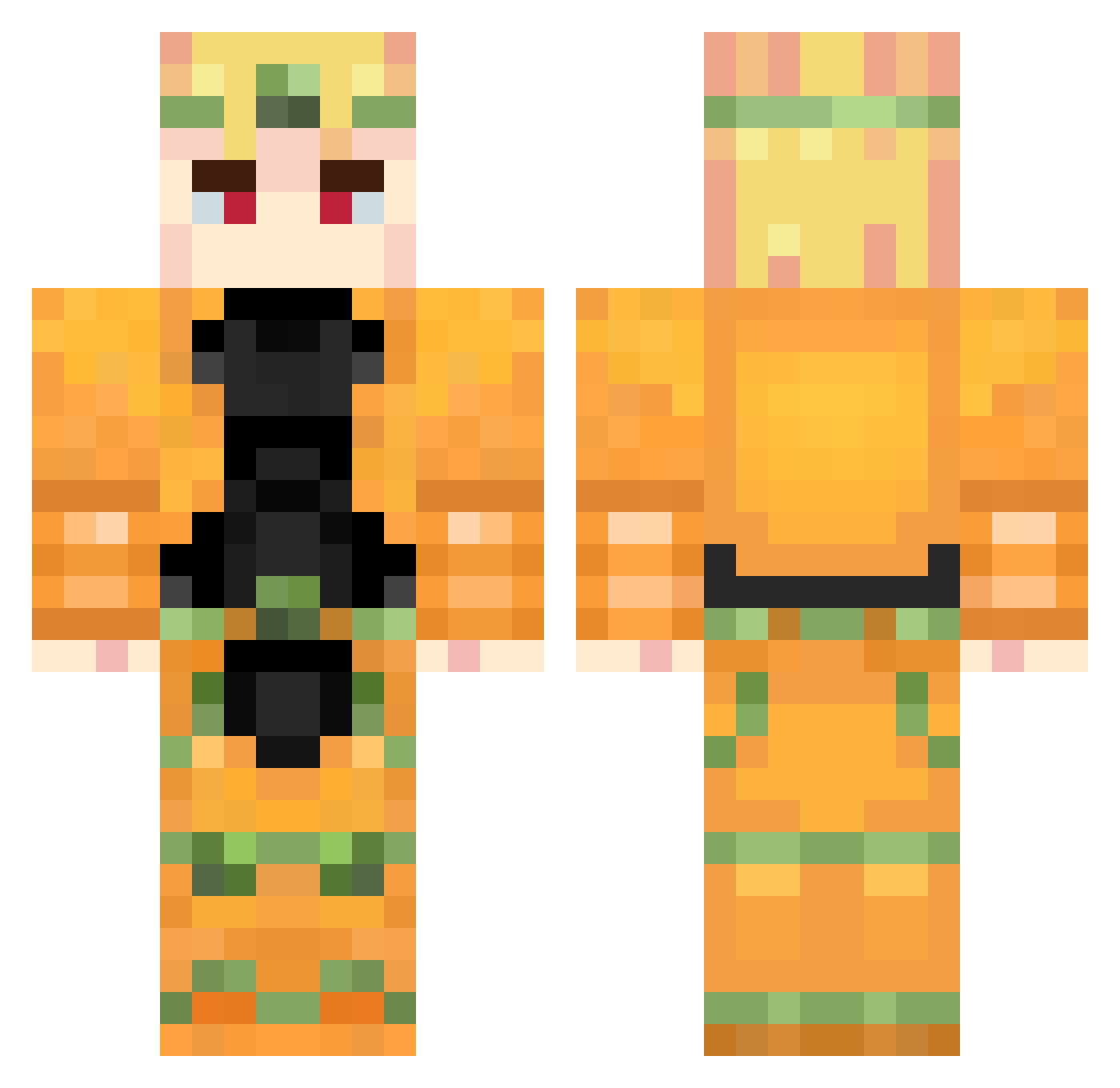
Current Minecraft skin of the player sei6633, loaded from the official Mojang API. Rotate the 3D model with your mouse or finger, then download the skin as a PNG file and use it in Minecraft: Bedrock Edition or Java Edition for free. When sei6633 changes their skin, this page updates automatically and the old skin stays in the history below.
Other players with this skin (737)
sei6633 was the 691st player we have seen with this skin, first spotted on 15.10.2026. The same skin was seen on these players. Open a nickname to see their current skin and skin history.
 ThiccVinegar homegr5oss DawnAltec BjorlHn IIIMGHOST Dio_brando_1867_ Tatou707 Theonemore__ llHERMES12 Marko1410 Valzombie23 glitterbugz potato_matador DioGHG_ Mattobear Kxzukl Tcc_ Vexiz112 leolbrs nanana1020 LuigiCDG Jotaro_Kujo_____ Distratto102 palito213 Lyif_ jerry0626 Lagger55 Novoltic SAVIOR_DIO hadesmetal Top5prettiest piyoyonau ZenStarben sosukeee Demir_31 trap1zzz _juzo Star_LordX5 mojooo3 ArnesK04 SamukaVaz socorny kittan0128 thefrogmans GetVaMage GoszkaGruszka junior4life mrxyper yuzu1885 box0225 Shloon neverlander3651 yuanhan0106 hanbang MateoMaya MiguelGames0506 Jarvas31 MojangEoMeuOvO thigors Kinnnng
More Dio Brando Minecraft skins
How to install the sei6633 skin
- Press the Download button above to save the skin as a PNG file.
- Minecraft: Bedrock Edition (PE): open the Dressing Room from the main menu (or tap your character → Edit Character), go to Classic Skins → Owned, press the + (new skin) button, choose the downloaded PNG and pick the Classic (Steve) model. Works on PC and mobile; consoles cannot import custom skins.
- Minecraft: Java Edition: open the Minecraft Launcher, go to the Skins tab, click New Skin, load the PNG, pick the Classic (Steve) model and press Save & Use. You can also upload it at minecraft.net → Profile → Change Skin.
The skin does not show up after import - what should I do?
Restart Minecraft and open the Dressing Room again - imported skins sometimes appear only after a restart. Also make sure you selected the imported skin and picked the Classic (Steve) model.
Which model should I choose, Classic or Slim?
This skin is designed for the Classic (Steve) model. If you pick the wrong model, the arms of the skin will look stretched or squeezed.
Is the skin of sei6633 free to download?
Yes. Press Download, save the PNG file and use it in Minecraft: Bedrock Edition or Java Edition - no payment or registration needed. The skin also works on multiplayer servers and Realms.
More skins
Looking for more? Go back to all Minecraft skins and check the top skins of the week, month and all time, or find any player's skin by nickname.