
seabass24_10 - Minecraft Skins & Skin History
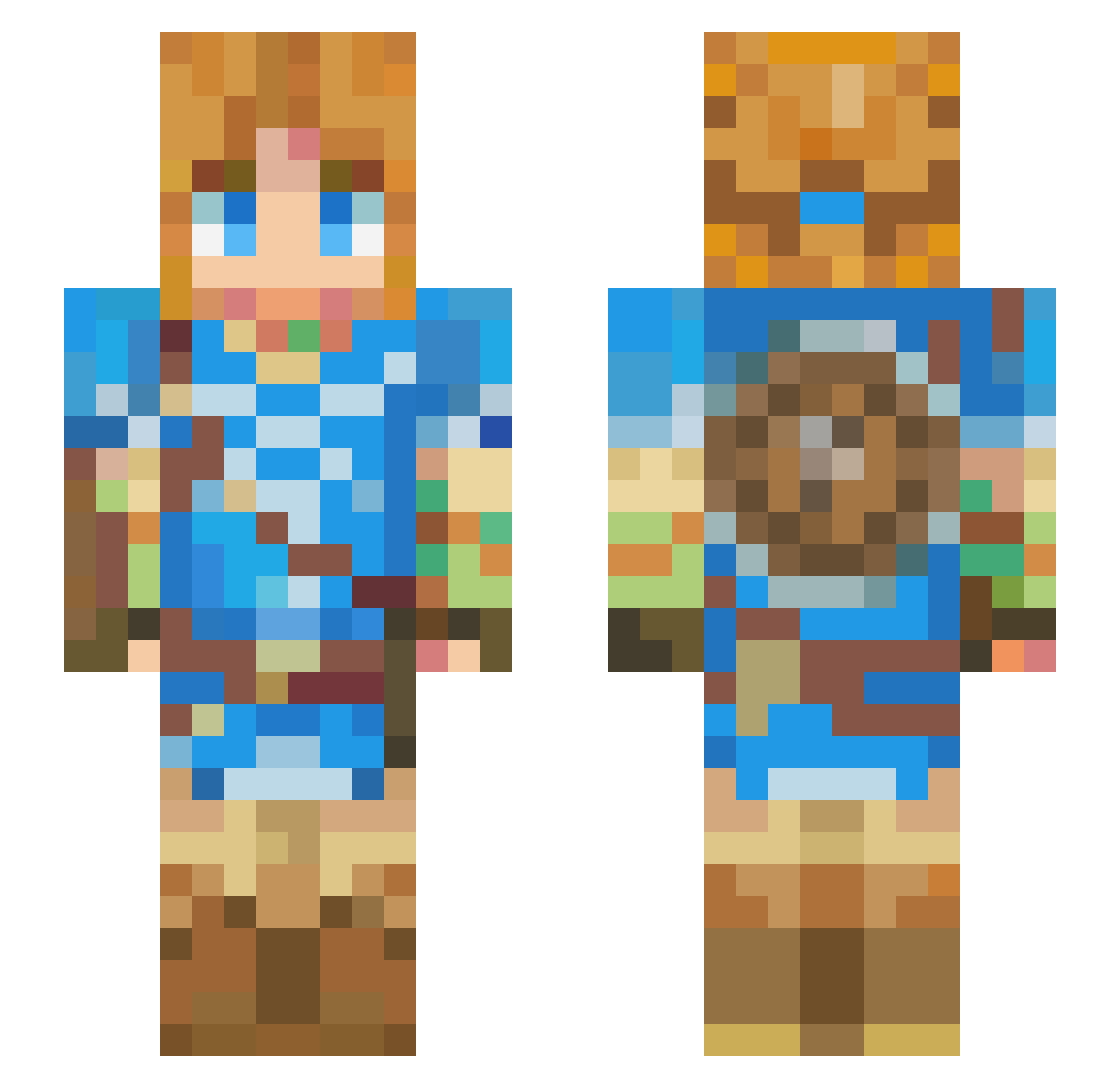
Current Minecraft skin of the player seabass24_10, loaded from the official Mojang API. Rotate the 3D model with your mouse or finger, then download the skin as a PNG file and use it in Minecraft: Bedrock Edition or Java Edition for free. When seabass24_10 changes their skin, this page updates automatically and the old skin stays in the history below.
Other players with this skin (426)
seabass24_10 was the 273rd player we have seen with this skin, first spotted on 03.10.2026. The same skin was seen on these players. Open a nickname to see their current skin and skin history.
 RxLoezr Zip1099 Thunderrouse veryverydoge star_ruoxuan furryxcringe LeoNaruk W3ird1 sl33py4ngel Neutrallake Star_King_09 XenonBol T1mm1 tomodesign Mini_pineapple kindream Sicarioh yenyenyen24 IVIOOSE6482 Thealin97 Spookyreeeee Miffy_0103 Rampereu Alexei_Semper Free000 Reshyk KIM24NIM skred132 Bach_to_Bach57 Decoy_13 _JNETO_ Kuroken888 weniuwu ReeSeo BrayanKc Gotanssj SonyChills Partikle ItsukiNeaki noe2108 Luca_saory Culex1 LibbyLibrarian elteina PlayingNice101 Last0utcast potdefleur2 cacaozero Wasabypwp ludita22 baekey0909 Ninazux Ringdingus2169 Dynazom sen5419 Squidster24 RabbitHabiby Rewanta HeIchDe CosmosEGX
More Breath Of The Wild Minecraft skins
See all 154 Breath Of The Wild skins
How to install the seabass24_10 skin
- Press the Download button above to save the skin as a PNG file.
- Minecraft: Bedrock Edition (PE): open the Dressing Room from the main menu (or tap your character → Edit Character), go to Classic Skins → Owned, press the + (new skin) button, choose the downloaded PNG and pick the Slim (Alex) model. Works on PC and mobile; consoles cannot import custom skins.
- Minecraft: Java Edition: open the Minecraft Launcher, go to the Skins tab, click New Skin, load the PNG, pick the Slim (Alex) model and press Save & Use. You can also upload it at minecraft.net → Profile → Change Skin.
The skin does not show up after import - what should I do?
Restart Minecraft and open the Dressing Room again - imported skins sometimes appear only after a restart. Also make sure you selected the imported skin and picked the Slim (Alex) model.
Which model should I choose, Classic or Slim?
This skin is designed for the Slim (Alex) model. If you pick the wrong model, the arms of the skin will look stretched or squeezed.
Is the skin of seabass24_10 free to download?
Yes. Press Download, save the PNG file and use it in Minecraft: Bedrock Edition or Java Edition - no payment or registration needed. The skin also works on multiplayer servers and Realms.
More skins
Looking for more? Go back to all Minecraft skins and check the top skins of the week, month and all time, or find any player's skin by nickname.