
sdgh - Minecraft Skins & Skin History
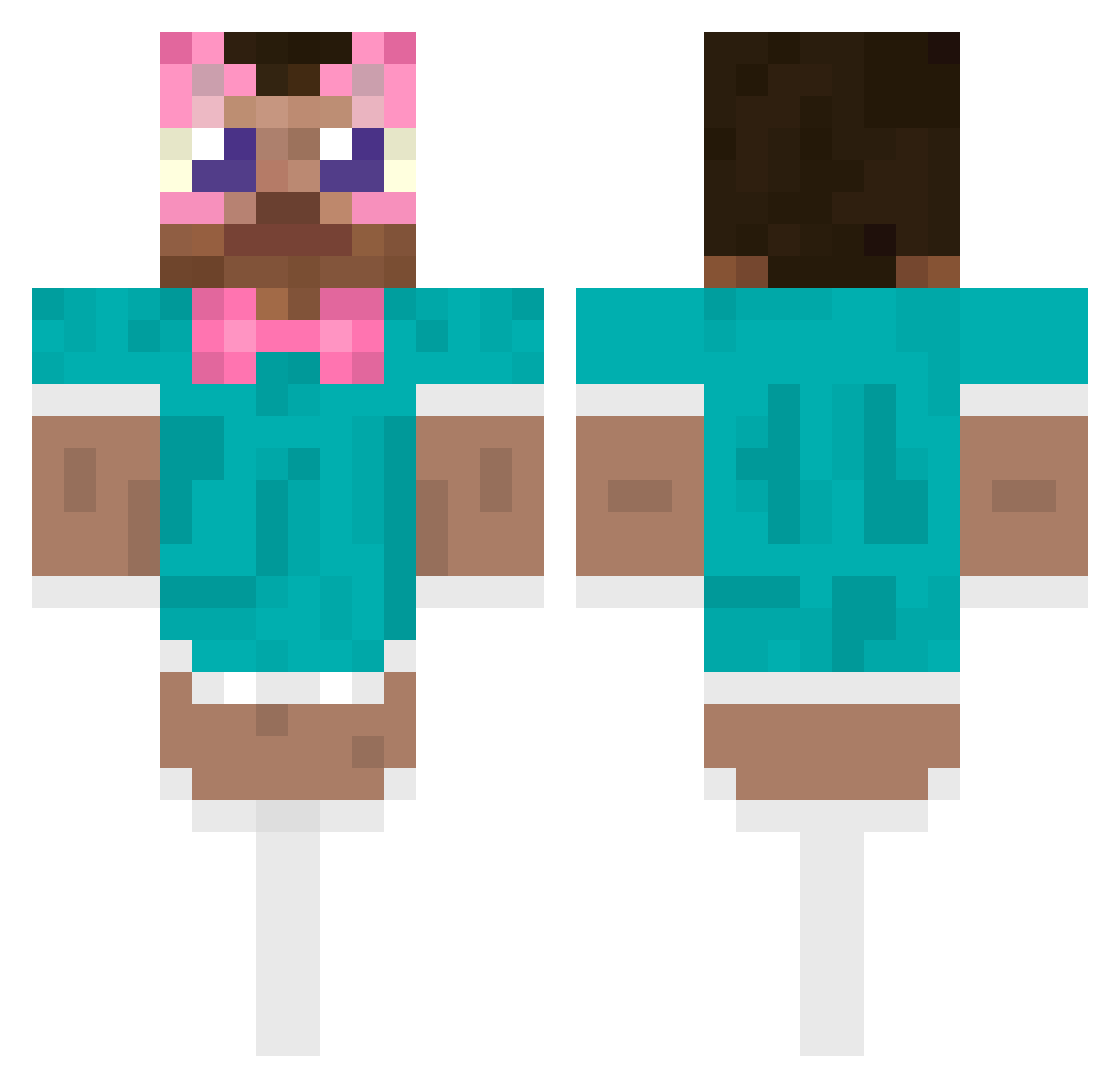
Current Minecraft skin of the player sdgh, loaded from the official Mojang API. Rotate the 3D model with your mouse or finger, then download the skin as a PNG file and use it in Minecraft: Bedrock Edition or Java Edition for free. When sdgh changes their skin, this page updates automatically and the old skin stays in the history below.
Other players with this skin (487)
sdgh was the 137th player we have seen with this skin, first spotted on 21.08.2026. The same skin was seen on these players. Open a nickname to see their current skin and skin history.
 iloveaiden Mgzjack Pumpoking tweek6711 SxyMff hoewel242 Hamissssh AleexFR_ know1001vp
 Orcansana Rzpt abo_7lo6 S11MO StinkyCapy Cynnoxx Baaddeerr
 Tboneless EwanPrint ILoveGilfs_ Pablitq peemispapi handadayo Caspass LucLm BrokeNPie sccccz Jaumputzz kCHEA amian1113 reigapu HYNTERYOLO Weegerhoe natsq27 jamalfromaniman XN13N Enzowitha_o hej0219 McSakura cabefe04
 Daekio fdadada kmj666 Mustafa5513 gorpzorpthealien KUROI_SSORA Goatcze Jaweenur Nixon79 pepixhf mighty87072
 HuzaifaBoi Sv2cvnESp3RwPSv2 Fr0zen_Frog _gabriell julian100900 Doryong0605 JUNE4737 Cig4rett3sAfter5 Ashot_Of_Love Fernanda80
More Maid Outfit Minecraft skins
How to install the sdgh skin
- Press the Download button above to save the skin as a PNG file.
- Minecraft: Bedrock Edition (PE): open the Dressing Room from the main menu (or tap your character → Edit Character), go to Classic Skins → Owned, press the + (new skin) button, choose the downloaded PNG and pick the Classic (Steve) model. Works on PC and mobile; consoles cannot import custom skins.
- Minecraft: Java Edition: open the Minecraft Launcher, go to the Skins tab, click New Skin, load the PNG, pick the Classic (Steve) model and press Save & Use. You can also upload it at minecraft.net → Profile → Change Skin.
The skin does not show up after import - what should I do?
Restart Minecraft and open the Dressing Room again - imported skins sometimes appear only after a restart. Also make sure you selected the imported skin and picked the Classic (Steve) model.
Which model should I choose, Classic or Slim?
This skin is designed for the Classic (Steve) model. If you pick the wrong model, the arms of the skin will look stretched or squeezed.
Is the skin of sdgh free to download?
Yes. Press Download, save the PNG file and use it in Minecraft: Bedrock Edition or Java Edition - no payment or registration needed. The skin also works on multiplayer servers and Realms.
More skins
Looking for more? Go back to all Minecraft skins and check the top skins of the week, month and all time, or find any player's skin by nickname.