
scxff - Minecraft Skins & Skin History
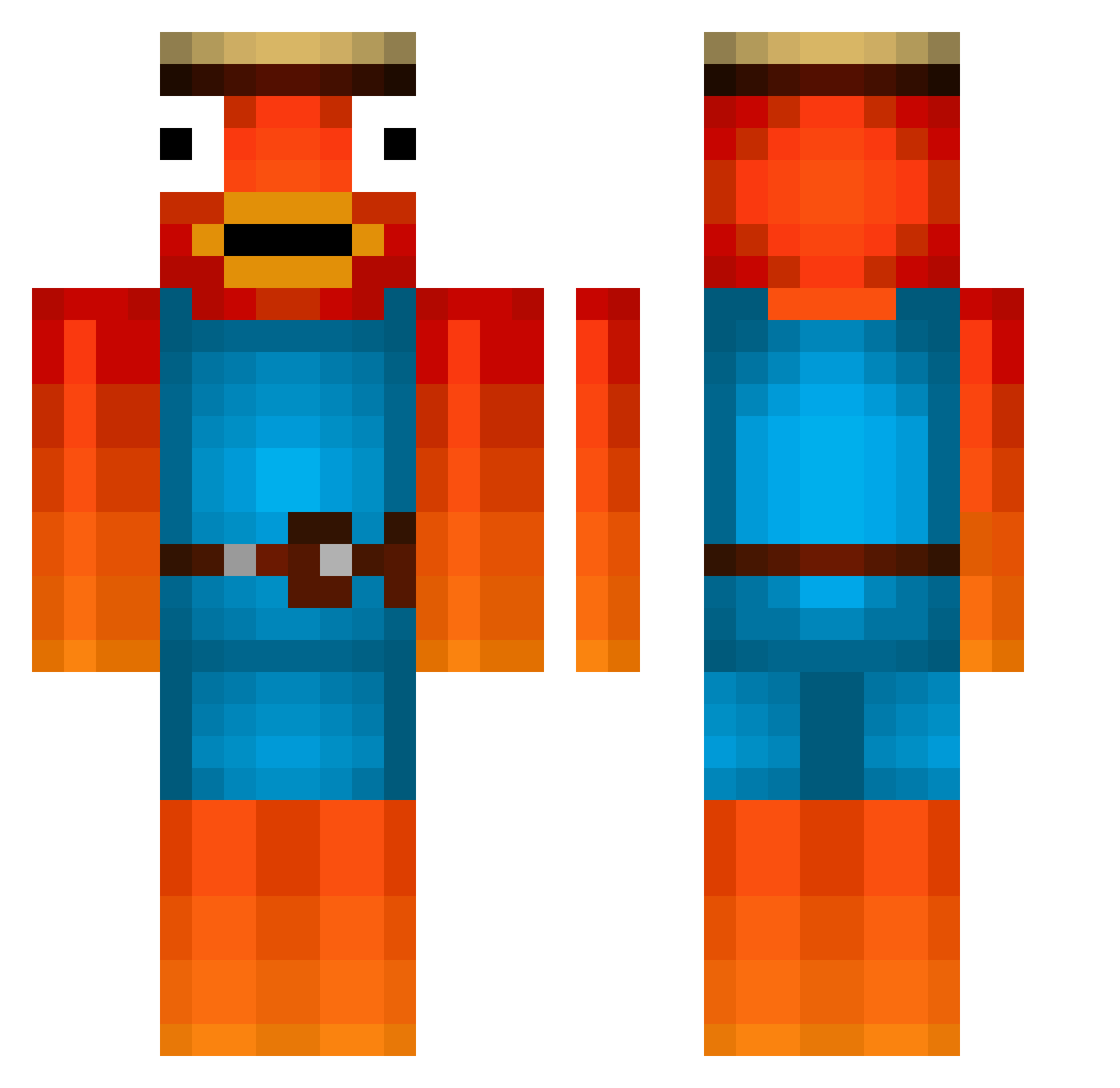
Current Minecraft skin of the player scxff, loaded from the official Mojang API. Rotate the 3D model with your mouse or finger, then download the skin as a PNG file and use it in Minecraft: Bedrock Edition or Java Edition for free. When scxff changes their skin, this page updates automatically and the old skin stays in the history below.
Other players with this skin (439)
scxff was the 386th player we have seen with this skin, first spotted on 17.10.2026. The same skin was seen on these players. Open a nickname to see their current skin and skin history.
 Haerawyn rmarlon2005 0012Fischkopf Pxrest Bilbo3555 phillip2010kla HowNeat L2P_Flexi OG_Ben444 ITzPandar patrxz Bappo3 Chungies BigIsraelMx bumblebee4326 luckyluch13 J0NAS_1896 SvAcLanD ZaferYigit itsRAYAN2021 Domicraft99 Bankrollsne R3xPlayz Fertile_Geko Hikko__ ERYK2007 Gizmo6210 themasterroll Saftigerlutscher TimMainz EliPelli07 Nueck08 pyrofail Appelman_12 Hector7456 Doonkie VicDillen Altehudde CameronMHS limitedly banghaha123 Fabs_09 spartanpotato_ gnat69420 xSlayer07 bast1qn xFantasmo goldfishmp4 Chewbacca_27 tobi123wan123 OrionO13 NiciBasket08 Thumpa2036 kyroxXXX chrisitanyo prxtect SEC_NILS Jagge PHILIPP112014 Shildgraph18
More Fishstick Minecraft skins
How to install the scxff skin
- Press the Download button above to save the skin as a PNG file.
- Minecraft: Bedrock Edition (PE): open the Dressing Room from the main menu (or tap your character → Edit Character), go to Classic Skins → Owned, press the + (new skin) button, choose the downloaded PNG and pick the Classic (Steve) model. Works on PC and mobile; consoles cannot import custom skins.
- Minecraft: Java Edition: open the Minecraft Launcher, go to the Skins tab, click New Skin, load the PNG, pick the Classic (Steve) model and press Save & Use. You can also upload it at minecraft.net → Profile → Change Skin.
The skin does not show up after import - what should I do?
Restart Minecraft and open the Dressing Room again - imported skins sometimes appear only after a restart. Also make sure you selected the imported skin and picked the Classic (Steve) model.
Which model should I choose, Classic or Slim?
This skin is designed for the Classic (Steve) model. If you pick the wrong model, the arms of the skin will look stretched or squeezed.
Is the skin of scxff free to download?
Yes. Press Download, save the PNG file and use it in Minecraft: Bedrock Edition or Java Edition - no payment or registration needed. The skin also works on multiplayer servers and Realms.
More skins
Looking for more? Go back to all Minecraft skins and check the top skins of the week, month and all time, or find any player's skin by nickname.