
scott_dragon111 - Minecraft Skins & Skin History
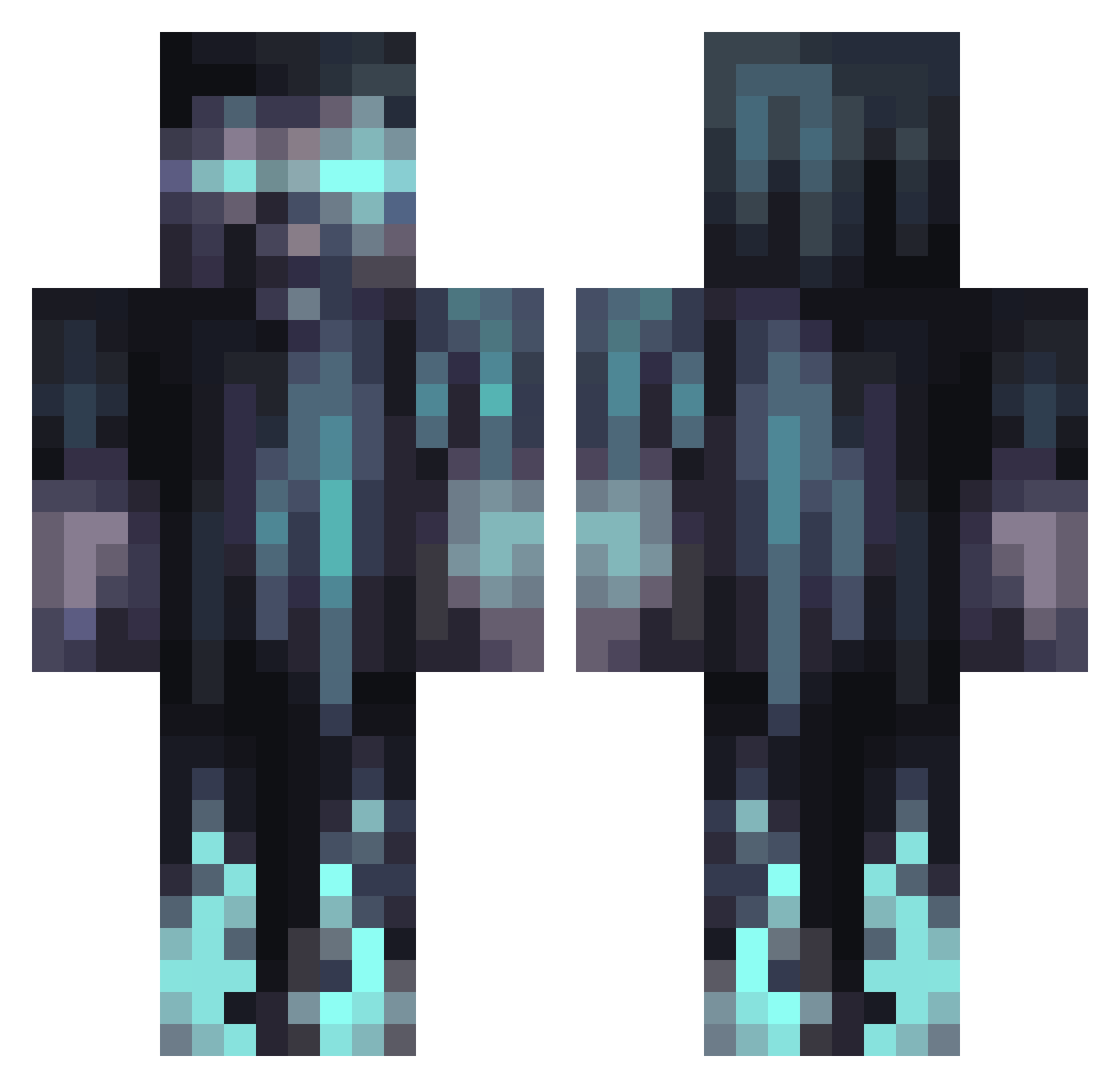
Current Minecraft skin of the player scott_dragon111, loaded from the official Mojang API. Rotate the 3D model with your mouse or finger, then download the skin as a PNG file and use it in Minecraft: Bedrock Edition or Java Edition for free. When scott_dragon111 changes their skin, this page updates automatically and the old skin stays in the history below.
Other players with this skin (1066)
scott_dragon111 was the 1052nd player we have seen with this skin, first spotted on 30.10.2026. The same skin was seen on these players. Open a nickname to see their current skin and skin history.
 dead_shotgun R3PULS3 Zitro_exe Juls_APN Axel222 Gedisz Qirate HerBiji Lil_Doekoe Darker_Times TommyHS2011 Carmelo_7 mariosus22 Sequoia77 treycel AshtonGAMES1243 korikoiii 12Dice13 SatanicCat JxmanDJ Alien_Goats spanslinus WelshL4D xDeleteSystem32 iTzOpMx IcyStep Timothee474 mekadragon21 ZombieNoises TheWalkingTraill Asucityy uGhostu HilariousManiac MuffinMan2138 gvman2010 JustHS Indomsnowwife Sywzie Trecker3k _0rch1d_ k3nbow Dreadfulsoul TYRACZKOZAUR KickerGotSoap Kaori2222 ohyuchan1 Bassonator3000 KarumaJager Voided_Potato Deimos6341 swampyaspp1199 Mr8f6ah chri853u HurriedHalo3897 PR1MEYEET Reventrum DrawdeMind DeeWolf13 JustJamesxD MineRat14
More Warden Minecraft skins
How to install the scott_dragon111 skin
- Press the Download button above to save the skin as a PNG file.
- Minecraft: Bedrock Edition (PE): open the Dressing Room from the main menu (or tap your character → Edit Character), go to Classic Skins → Owned, press the + (new skin) button, choose the downloaded PNG and pick the Classic (Steve) model. Works on PC and mobile; consoles cannot import custom skins.
- Minecraft: Java Edition: open the Minecraft Launcher, go to the Skins tab, click New Skin, load the PNG, pick the Classic (Steve) model and press Save & Use. You can also upload it at minecraft.net → Profile → Change Skin.
The skin does not show up after import - what should I do?
Restart Minecraft and open the Dressing Room again - imported skins sometimes appear only after a restart. Also make sure you selected the imported skin and picked the Classic (Steve) model.
Which model should I choose, Classic or Slim?
This skin is designed for the Classic (Steve) model. If you pick the wrong model, the arms of the skin will look stretched or squeezed.
Is the skin of scott_dragon111 free to download?
Yes. Press Download, save the PNG file and use it in Minecraft: Bedrock Edition or Java Edition - no payment or registration needed. The skin also works on multiplayer servers and Realms.
More skins
Looking for more? Go back to all Minecraft skins and check the top skins of the week, month and all time, or find any player's skin by nickname.