
scisynokizy - Minecraft Skins & Skin History
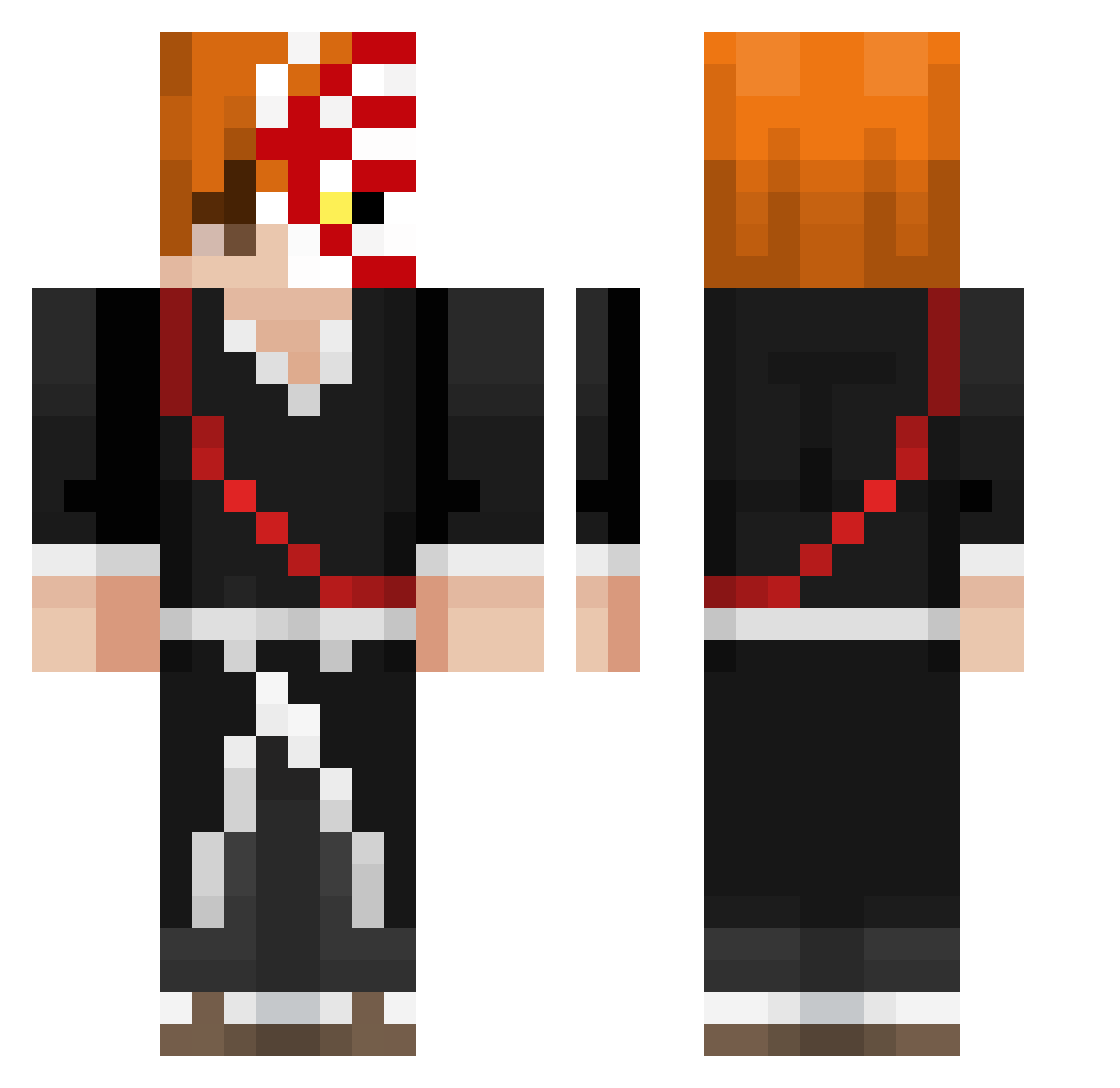
Current Minecraft skin of the player scisynokizy, loaded from the official Mojang API. Rotate the 3D model with your mouse or finger, then download the skin as a PNG file and use it in Minecraft: Bedrock Edition or Java Edition for free. When scisynokizy changes their skin, this page updates automatically and the old skin stays in the history below.
Other players with this skin (344)
scisynokizy was the 2nd player we have seen with this skin, first spotted on 22.07.2026. The same skin was seen on these players. Open a nickname to see their current skin and skin history.
 Shqiptar_03
 Dele_5605 rompebragas06 uwbs
 BrnardoNDS_HD Gwynn__ gxbys monzlix Chezzz_ ZYRONNY _AlSahhim_ _Avantgard
 KD0g_ CJC_99_ LaTTTer NSOVER Xorase Juanichigo Jeanasha pjnqn Wxcel
 lxmcz iKurosaki TSGMoon
 luxx_66 Supfood alperen_181 ricemafea FacuJamis49 passwhd lolokhaha SupremeKohl
 _Korzeniowy habokbok ThesePlaysTho Viizu
 charett FastzinPH Rait0o happpiiitaco __Rai___
 BOT_GOD Kubilaytrec swapasfentplug LeoMaced ItsNico_ Tetsu05 Mithy__ TFrickinFizzle ForsakenDawn HalcyonEX malakhyyy JLBANKAI Dalmace8
 _GreenAxel_
 Frizzy_9 Swish2118 mqxwelll inpoverty its_ryker
More Shinigami Minecraft skins
How to install the scisynokizy skin
- Press the Download button above to save the skin as a PNG file.
- Minecraft: Bedrock Edition (PE): open the Dressing Room from the main menu (or tap your character → Edit Character), go to Classic Skins → Owned, press the + (new skin) button, choose the downloaded PNG and pick the Classic (Steve) model. Works on PC and mobile; consoles cannot import custom skins.
- Minecraft: Java Edition: open the Minecraft Launcher, go to the Skins tab, click New Skin, load the PNG, pick the Classic (Steve) model and press Save & Use. You can also upload it at minecraft.net → Profile → Change Skin.
The skin does not show up after import - what should I do?
Restart Minecraft and open the Dressing Room again - imported skins sometimes appear only after a restart. Also make sure you selected the imported skin and picked the Classic (Steve) model.
Which model should I choose, Classic or Slim?
This skin is designed for the Classic (Steve) model. If you pick the wrong model, the arms of the skin will look stretched or squeezed.
Is the skin of scisynokizy free to download?
Yes. Press Download, save the PNG file and use it in Minecraft: Bedrock Edition or Java Edition - no payment or registration needed. The skin also works on multiplayer servers and Realms.
More skins
Looking for more? Go back to all Minecraft skins and check the top skins of the week, month and all time, or find any player's skin by nickname.