
schrabe - Minecraft Skins & Skin History
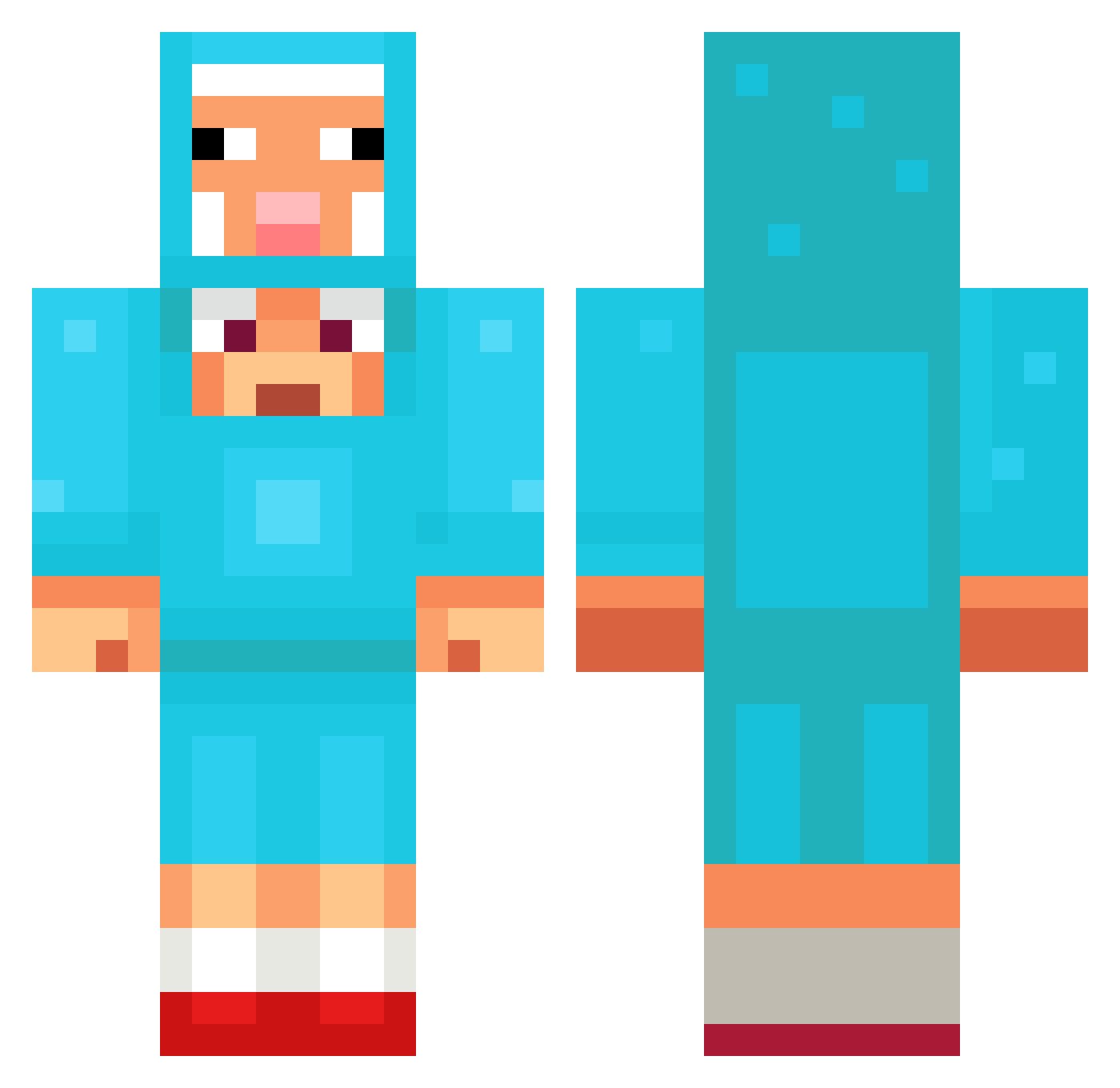
Current Minecraft skin of the player schrabe, loaded from the official Mojang API. Rotate the 3D model with your mouse or finger, then download the skin as a PNG file and use it in Minecraft: Bedrock Edition or Java Edition for free. When schrabe changes their skin, this page updates automatically and the old skin stays in the history below.
Other players with this skin (1473)
schrabe was the 1397th player we have seen with this skin, first spotted on 14.11.2026. The same skin was seen on these players. Open a nickname to see their current skin and skin history.
 cat0525 P4USES ApricotGolf2162 Conrad_cool I__Me 1Fuehrer88 Captn_Yak Brocko IlIlIlIllIIl Finnchie14 permaoff AAK1104 fokitas HausmeisterSven Karyhan cattoooooo Cardaklija DOCTORE45 jomamazz Zombiewaffles FlowRose _DaraX_ kimmandooooo jaymool Masonator110110 KEVIN204 P140 Kimkimkim555 DariusStopSaying dongho5934 PeppaKiller fariskojah1234 qwer123412341234 noir0230 t3xtre0819 Archon2600 HuddeHugo Suruxi Maxonka B1ingo Vicio123 Gearford Dongggun Grzegorzd Entitilo_yimUV Xavi08 Defous alphawolf246809 Envy_jynx teabag_v2 makquacious PC_Legend12Gamer Thesquale Gooseflap PookieNoah Bryce_o EGOLISTEN xerobeaz ItsMikaylaa ZPLnorbi
More Sheep Minecraft skins
How to install the schrabe skin
- Press the Download button above to save the skin as a PNG file.
- Minecraft: Bedrock Edition (PE): open the Dressing Room from the main menu (or tap your character → Edit Character), go to Classic Skins → Owned, press the + (new skin) button, choose the downloaded PNG and pick the Classic (Steve) model. Works on PC and mobile; consoles cannot import custom skins.
- Minecraft: Java Edition: open the Minecraft Launcher, go to the Skins tab, click New Skin, load the PNG, pick the Classic (Steve) model and press Save & Use. You can also upload it at minecraft.net → Profile → Change Skin.
The skin does not show up after import - what should I do?
Restart Minecraft and open the Dressing Room again - imported skins sometimes appear only after a restart. Also make sure you selected the imported skin and picked the Classic (Steve) model.
Which model should I choose, Classic or Slim?
This skin is designed for the Classic (Steve) model. If you pick the wrong model, the arms of the skin will look stretched or squeezed.
Is the skin of schrabe free to download?
Yes. Press Download, save the PNG file and use it in Minecraft: Bedrock Edition or Java Edition - no payment or registration needed. The skin also works on multiplayer servers and Realms.
More skins
Looking for more? Go back to all Minecraft skins and check the top skins of the week, month and all time, or find any player's skin by nickname.